


When it comes to land-based high-speed broadband connections, there are currently two competing technologies: Coaxial Cable vs. Fiber-optic, or Cable vs. Fiber, for short.
This post will briefly explain the two and offer tips for handling their broadband terminal devices: the Cable modem vs. the Fiber-optic ONT. You’ll walk away confident about what equipment to get the next time you upgrade or change your Internet service.
Tip
There is no such thing as the “best” routers or Wi-Fi systems for a particular Internet service provider or type—Fiber-optic, Cable, or whatever.
Any standard router, including the primary unit of a mesh Wi-Fi system, will work at its full potential with any standard Internet broadband terminal device—modem, Fiber-optic ONT, or others. That’s true as long as the two can connect via a network cable, which is almost always the case.
Compatibility is generally applicable only between a terminal device and the ISP. For example, certain modems or gateways work with Comcast Xfinity, while others might not.
In relatively rare non-standard cases, some Fiber-optic lines might require a router that supports VLAN tagging (a.k.a IPTV). The majority of Wi-Fi 6 and newer routers support this.
I wrote this based on my experience as someone who moved to 10Gbps Fiber-optic after years of using Cable and kept both in a Dual-WAN setup.
Dong’s note: I first published this piece on December 28, 2021, and updated it on December 11, 2025, to add relevant, up-to-date information.

Land-Based High-Speed Internet’s terminal device: ONT vs. modem
In a home, the terminal device (an ONT or a cable modem) links the property to the electrical pole (or box) out on the street via the service line.
Before continuing, though, let’s quickly address the elephant in the room: your beloved DSL.
How about DSL?
Short for digital subscriber line, DSL uses the existing phone line—that same wire we once used for the good old Dial-up connection—to deliver modest broadband connections.
DSL has declined significantly in recent years due to slow speeds and unreliability—it’s essentially only available in rural areas and small towns. Most DSL providers have been slowly moving to Fiber as a replacement.
But in a way, as far as the Internet is concerned, DSL is similar to Cable. It also uses a modem (called a DSL modem) that leverages the phone line to deliver the Internet.
Cable Internet
As the name suggests, Cable Internet is the broadband connection via the coaxial copper wires used originally for Television or Cable TV.
Since the coaxial Cable was initially made for TV signals, there needs to be a modem to make it work for the Internet, which is data signals—similar to the case of DSL that uses the telephone line.
What is a modem?
A modem is a device that works as a modulator and a demodulator. It converts service signals into computer data signals and vice versa. Since the service in question is cable TV, we have the Cable modem.
Cable modems use the DOCSIS (Data Over Cable Service Interface Specification) to carry data signals. And that’s the only acronym you need to know in the world of Cable Internet.


DOCSIS helps make broadband affordable by leveraging the existing copper wiring for cable TV—the infrastructure is already there.
Since coaxial wiring works like a cobweb, DOCSIS is resilient. Specifically, when a cable breaks, it affects only a few families, if at all. (In return, Cable can also be hard to maintain since it can take a long time to locate and fix a broken line.)
The biggest shortcoming of DOCSIS is that it has lopsided connection speeds—the upload tends to be one-tenth (or even lower) of the download speed, resulting in asynchronous Internet. That’s the case with all cable connections.
The curious case of Cable Internet’s fast download vs. slow upload speeds
If you’re wondering why cable internet upload speed is always much slower than download speed, the reason is quite simple.
Initially, the network of coaxial copper wires was built to deliver a ton of data—the video and audio signals of Cable TV—to each household without needing anything in return. For the most part, TV viewers don’t send anything back to the provider.
When provisioned to deliver data, the same concept applies to the wiring, but this time, that’s because the provider can lower the investment and maintenance costs by not providing fast upload speeds. So, only lopsided cable modems are manufactured, and the rest is history.
And that has generally worked out fine since, in practice, consumers receive much more data (download) than they send (upload). Still, cable Internet has gradually offered faster upload speeds, and eventually, it might deliver the same speed both ways.

A cable modem generally includes a service port (for the coax line) and one or more RJ45 network ports to connect to a router.
Presently, DOCSIS 3.1 with its multi-Gigabit capability is the mainstream standard, with DOCSIS 3.0 largely phased out and DOCSIS 4.0 unlikely to materialize in a meaningful way. If you want to learn more about DOCSIS, open the cabinet below.
More on the DOCSIS
Cable modem (further) explained: DOCSIS 3.0 vs. DOCSIS 3.1 vs. DOCSIS 4.0
Currently, the world primarily uses DOCSIS 3.1, with DOCSIS 3.0 no longer supported in most regions. (So, there’s no need to worry about the earlier revisions—thank goodness!).
DOCSIS 4.0 was initially slated for availability in the first half of 2024, but it hasn’t materialized in a meaningful way by late 2025. While it might still arrive in the near future, with the growth of fiber optics, it’s unclear whether it will be widely used, if at all, as DOCSIS 3.1 has already pushed the speed envelope of copper.
Still, considering DOCSIS’s specifications can be very confusing—it varies by region. Let’s run through all three briefly to get the big picture.
DOCSIS 3.0: Stream channels matter
In simple terms, with DOCSIS 3.0, you can grade a cable modem’s speeds by the number of stream channels it can handle.
There are downstream channels (for download) and upstream channels (for upload). More stream channels, or channels for short, translate into faster speeds.
Each modem has a pair of digits indicating the number of channels it can handle. For example, the NETGEAR CM600 is a 24×8 modem. It has 24 downstream channels and 8 upstream channels.
In the US, the DOCSIS 3.0 standard delivers about 40Mbps per channel for downloads and 4 Mbps for uploads—again, these are ballpark numbers that vary from provider to provider. As a result, the CM600, for example, caps at 960Mbps download and 32Mbps upload.
Generally, DOCSIS 3.0’s channel count maxes out at 32×8. So, a top-notch modem of this standard has a cap speed of up to 1.3Gbps, which is DOCSIS 3.0’s maximum bandwidth.
That brings us to DOCSIS 3.1.
DOCSIS 3.1: Multi-Gigabit-capable on top of top-tier DOCSIS 3.0
Though the speed varies from vendor to vendor, a low-end DOCSIS 3.1 modem can generally deliver at least the same download speed as a top-tier 32 x 8 DOCSIS 3.0 counterpart.
DOCSIS 3.1 is so fast that vendors now omit the stream channel numbers. Instead, they call the modem DOCSIS 3.1 and its cap speed, Gigabit or Multi-Gig. The NETGEAR CM2000, for example, is a DOCSIS 3.1 2.5Gbps modem.
In other words, the stream channel numbers, such as 32 x 8 or 24 x 8, are only relevant in DOCSIS 3.0, where most modems cannot deliver Gigabit Internet. Starting with 3.1, Gigabit is the minimum, and Multi-Gig is the new norm.
You can safely assume that DOCSIS 3.1 starts where DOCSIS 3.0 maxes out. Generally, most, if not all, DOCSIS 3.1 modems can function as 32×8 DOCSIS 3.0 ones. However, the Internet provider ultimately decides which modem works and at what speed.
So far, 2.5Gbps of download speed is generally the fastest Internet speed we can expect from DOCSIS 3.1. However, if a DOCSIS 3.1 modem has a 5Gbps or 10Gbps LAN port, it likely can deliver faster broadband speeds.
And that brings us to DOCSIS 4.0.
DOCSIS 4.0: The possible future of Cable as a real alternative to Fiber-optic
The DOCSIS 4.0 standard aims to deliver connection speeds up to 10Gbps. Most importantly, it will simultaneously deliver the same speeds for download and upload.
While predicted to be much superior to DOCSIS 3.1, DOCSIS 4.0 will likely still be inferior to Fiber-optic, which generally has lower latency and can easily go beyond 10Gbps.
As mentioned, by late 2025, DOCSIS 4.0 is not yet available in a meaningful way, and there’s no modem you can buy that supports it.

With that, let’s continue with Fiber.
Fiber Internet
Fiber-optic broadband has a ton of confusing terms.
Technically, the name is GPON, which is short for Gigabit passive optical networks. GPON is part of the Fiber to the Premises (FTTP), a.k.a Fiber to the Homes (FTTH), broadband delivery approach.
Nowadays, it’s more often called PON since it can deliver multi-Gigabit broadband.
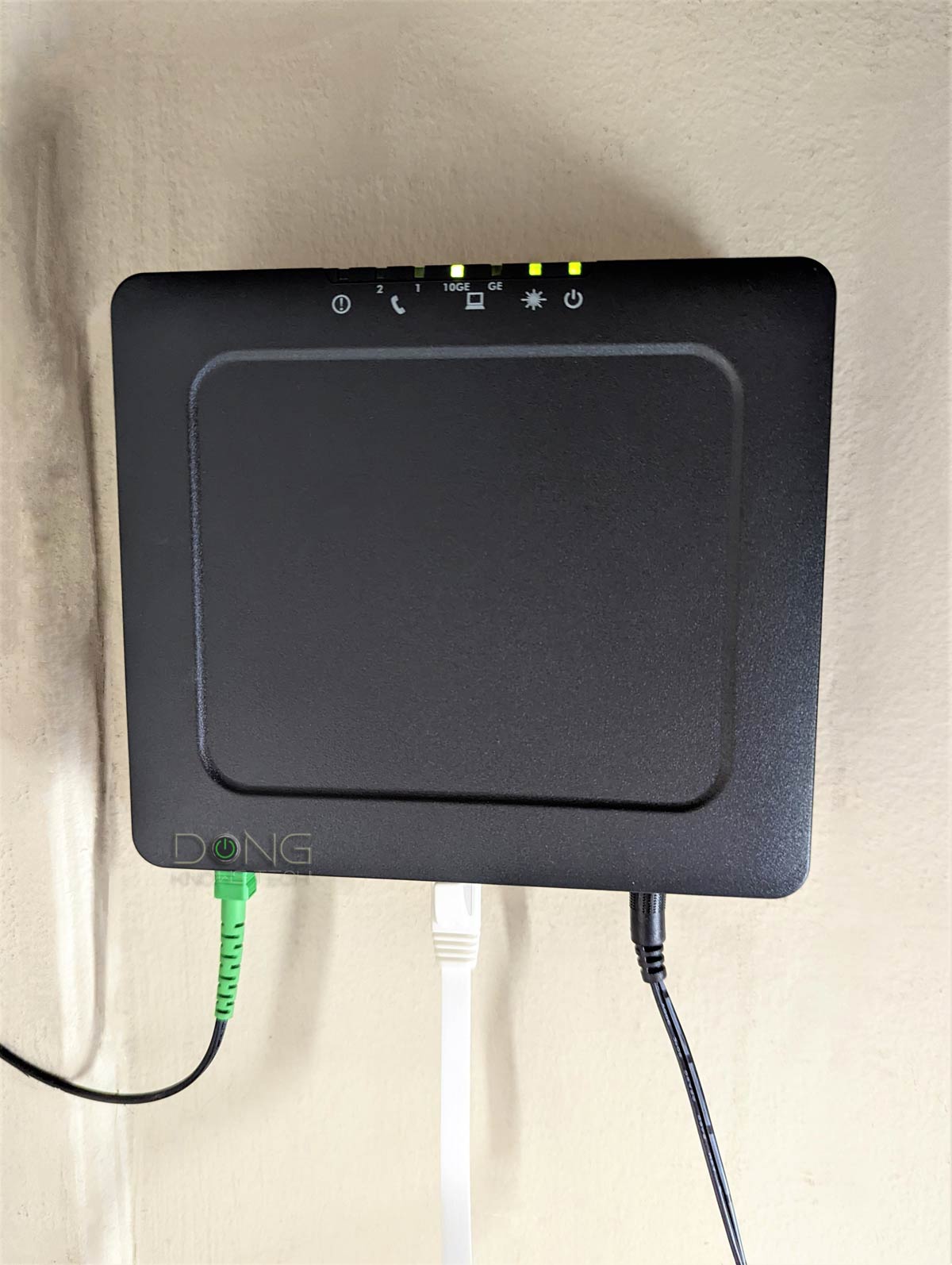
Since the optical wiring is designed for data connections, Fiber doesn’t require a modem. Instead, it uses an ONT at each endpoint, short for Optical Network Terminal. An ONT converts the optical signals into the common Ethernet standard via a Base-T or SFP/SFP+ port.
Base-T vs. SFP
Ethernet port types in brief
BASE-T (or BaseT) is the standard port type for data communication and refers to the 8-position 8-contact (8P8C) wiring method used inside a network cable and in its connectors at both ends.
On the other hand, the SFP, nowadays with its popular SFP+ (plus) rendition, is used for telecommunication and data communication, primarily in enterprise applications. SFP stands for Small Form Factor Pluggable and is the technical name for what is often referred to as Fiber Channel or Fiber.


For data communication, an SFP+ port supports 1Gbps or 10 Gbps. The older version, SFP, supports only 1Gbps, though it uses the same port type as SFP+. This type of port standard and wiring is strict in configuration and physical attachment, offering better reliability and performance.
While physically different, BASE-T and SFP/+ are parts of the Ethernet family, sharing the same networking principles and Ethernet naming convention—Gigabit Ethernet (1Gbps), Multi-Gig Ethernet (2.5GBASE-T, 5GBASE-T), or 10 Gigabit Ethernet (a.k.a 10GE, 10GbE, or 10 GigE).
The BASE-T wiring is more popular thanks to its simple design and speed support flexibility. Some routers and switches have an RJ45/SFP+ combo, which includes two physical ports of each type, but you can use one at a time.
In other words, an ONT is an Internet outlet that links to an Internet service provider (ISP) to deliver Internet to a home or an office. Each ONT has (at least) a network port to connect to a router’s WAN port.
ONT vs. cable modem in a nutshell
Though different in technologies, an ONT to a Fiber-optic service is similar to a modem to a Cable Internet plan.
They are both terminal devices that bring the Internet into a particular location—a home or an office. Specifically, they’re designed to be the endpoint to which you can connect a router’s WAN port.
A modem converts the signals between those of the service line and the data. An ONT sends and receives infrared light pulses to the ISP’s server to transmit data.
Both get you connected at high speeds. How high? That depends on your Internet plan.
But the two share one thing in common: They need to be supported by the provider to work. Each ONT or modem might work with multiple ISPs, but an ISP can dictate which modems or ONTs it supports.
The point is that if you want to get your own terminal device, get one that your Internet service provider supports.
The messy acronyms aside, Fiber-optic provides “high-quality” Internet because the modern super-high-bandwidth optical data line runs (almost) directly from the provider to your home.
Among other things, this type of broadband delivers high speeds in both directions (upload and download)—that’s synchronous Internet—currently up to 10Gbps and even faster.
On the downside, fiber requires new wiring, which is an expensive investment on the provider’s side, and it’s not ubiquitous. It also has a single point of failure. The Internet can be down for a large population if a single line is cut or broken. But it’s also much faster to repair—the provider can locate and fix a broken line relatively easily.


Older ONTs tend to have an SFP/SFP+ data port, but most ONTs use BASE-T nowadays.
Fiber vs. Cable Internet: The future is in the former
Generally, Fiber is the way of the future. It’s clean, fast, versatile, and built purposefully for a high-speed data network. It’s simply far superior to Cable’s old copper wiring.
Furthermore, as TV services move to streaming, there’s no longer a need for new coaxial cable development. Cable Internet is just a matter of leveraging existing infrastructure until it’s no longer suitable or cost-effective to maintain, which is still far in the future.
That said, fiber is the only preferred wiring needed for new real estate and technology developments. In other words, if your area doesn’t have Cable or Fiber right now, it’ll get the latter, if at all.
Another thing to note is that many cable providers use fiber as their primary data line to connect existing segments of cable networks. In this case, users still use a Cable Internet service—a modem is required—but will get faster, higher-quality broadband, though not at the same level as genuine fiber-optic. In return, they can sometimes experience Cable Internet outages across large areas if a main Fiber line is damaged.

Tips on getting the right terminal device
If you’re getting a cable modem today, chances are it’s going to be one of the DOCSIS 3.1 standards.
That said, other than making sure that you pick one that’s explicitly supported by your cable service provider, here are two things to keep in mind in terms of broadband speed:
- If you pay for 900Mbps or slower broadband speeds, virtually any DOCSIS 3.1 modem will do. This is because even a modem with a Gigabit port can deliver this speed at full speed.
- Faster than 900Mbps (Gigabit, Gig+, or Multi-Gig broadband): You want to get a modem with a 2.5Gbps or faster port.
The same idea about broadband speeds applies to the Fiber-optic ONT. Generally, an ONT often comes with a Gigabit port (RJ45 or SFP) or a 10Gbps port (RJ45 or SFP+). This port will determine your final broadband connection. Generally, it’s best to get an ONT with a 10Gbps port.
As for SPF(+) vs. RJ45, this depends on which port type your router’s WAN port is. Generally, if a router has an SPF(+) WAN port, it likely also has another RJ45 WAN port. In any case, you can always convert an SFP(+) port into an RJ45 via an adapter. Most of the time, the Fiber service provider will supply you with an ONT for free. All you have to do is ask for what you want if there are multiple options.
Finally, what’s most important is, when possible, to get just the terminal device itself instead of a combo device —a Wi-Fi router with a terminal device built in, such as a cable gateway or a Wi-Fi router with a built-in ONT (often called an ONR or Optical Network Router).
Getting just the terminal device gives you the flexibility to handle the hardware—you’re not stuck with a combo that’s lacking in either the modem or the Wi-Fi, or both, that you might have to pay a rental fee for. Instead, you can get a separate Wi-Fi solution for your home, a single router, or a mesh system that gives you better control over your privacy.
In some cases, in the US, certain Fiber-optic providers require VLAN tagging (a.k.a IPTV). In this case, you need a router that supports this requirement, and most do.

The takeaway
Either Cable or Fiber can give you faster broadband than any current application would ever need. But in more ways than one, Fiber is the way of the future. It has a much higher ceiling speed, especially for uploads, and much lower latency, making it the only choice for many regions.
In the meantime, those with an existing Cable TV service can benefit from the evolution of coaxial copper wiring. This infrastructure is still more than enough for anyone’s broadband needs for the foreseeable future.
No matter which you get, keep the following in mind:
- Get the terminal device with the LAN port of a faster speed grade than your broadband speed. It’s best to get one with the fastest port available, namely 2.5Gbps or faster.
- Get a standalone terminal device (a cable modem or an ONT) instead of one integrated within a Wi-Fi router. After that, get a router of your own to maximize performance, flexibility, features, and privacy.
