
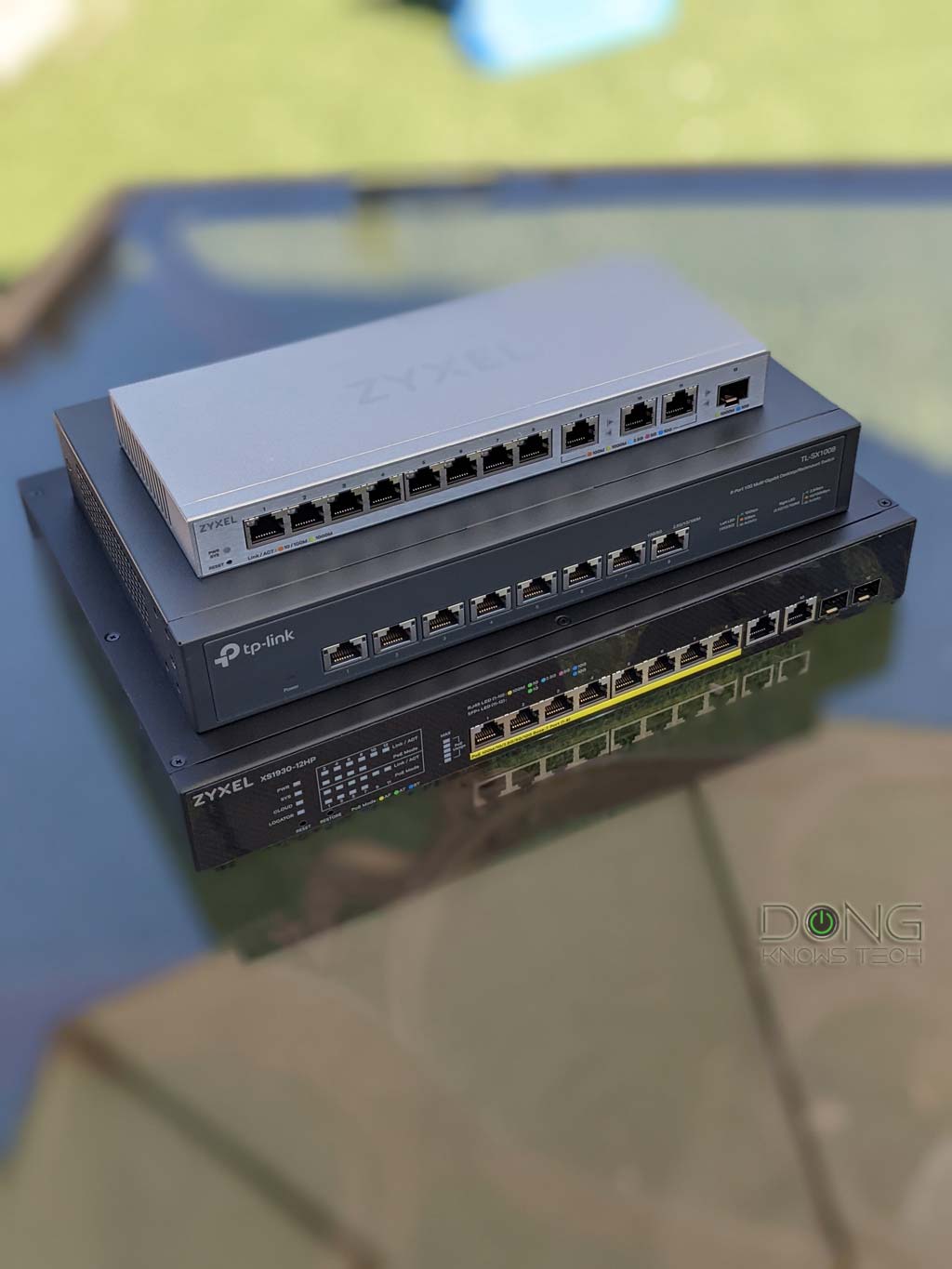

Using network cables is the best way to expand a local network, and in this case, you almost always need a switch—these days, that’s generally means a Multi-Gig switch. This guide will help you pick the correct one and includes the top five to bring home today.
Advanced network users likely won’t need this guide. On the other hand, if you have a home network that’s running out of ways to host wired clients, the tips below will come in handy. Not sure what you’re getting into? Check out this primer post on network switches first.

Best network switches: The quick buying guide and the top five
Two things to note before continuing: First, before getting a switch, your network must have a router, which itself is a type of switch. Additionally, we’re talking about Multi-Gig wired networking here—if you’re content with Gigabit, almost any unmanaged Gigabit switch with the right number of ports will do.
Switch vs. Firewall vs. Router
These devices are all “switches” and differ by the network layers they support.
A switch always has multiple network ports, of which one is the uplink port for an incoming network connection, which is shared among the rest of the switch’s ports. A switch is a physical device that connects different network layers.
A firewall is a managed switch whose main job is to inspect data packets and regulate network traffic accordingly, such as blocking or restricting it. The firewall function starts at network layer 2 and extends to the higher layers, depending on its level of sophistication. Nowadays, most firewalls can also serve as routers.
A router is a managed switch whose main job is to provide and guide (or “route”) the network traffic. A router’s uplink is the WAN port that connects to the Internet. The routing function starts with the network layer 3. Nowadays, all modern routers have built-in firewalls, and an advanced router generally includes a top-tier firewall.
That brings us to the first thing to consider when getting a switch: how many ports do you need to add to the network?
Networking switch buying tip #1: The number of ports
A switch always loses one port for the uplink, so it’s essential to get one with the same number of ports as the wired devices you wish to add to the network, plus one more.
In most cases, you want one with plenty of ports to spare, since you never know when you’ll need an extra port. However, keep the following in mind:
- Switches with 16 or more ports can be quite large. So, for home users, a switch with between five and a dozen ports is generally enough.
- You can cascade switches, and it’s often more applicable to get multiple switches of a few ports than one with lots of ports.
- If you have an “IT” room with a patch panel, make sure you get a switch with the same number of ports as those on the panel itself, plus one more for the uplink.
That said, have a diagram of your network and get switches accordingly. You might only need a few extra ports in one room and many ports in others.
Networking switch buying tip #2: Port type and grades
In most cases, we use the RJ45 (BASE-T) port type. Virtually all home and SMB switches have this type of port. However, in some cases, it’s also beneficial to get a switch with one or two SFP+ ports, specifically:
- Suppose your router (or existing switch) has an SFP+ port. Now this port on the switch can be used as the uplink.
- If you have a device, such as a NAS server, with this type of port.
SFP+ vs. RJ45
BASE-T (or BaseT) is the standard port type for data communication and refers to the 8-position 8-contact (8P8C) wiring method used inside a network cable and in its connectors at both ends.
On the other hand, the SFP, nowadays with its popular SFP+ (plus) rendition, is used for telecommunication and data communication, primarily in enterprise applications. SFP stands for Small Form Factor Pluggable and is the technical name for what is often referred to as Fiber Channel or Fiber.


For data communication, an SFP+ port supports 1Gbps or 10 Gbps. The older version, SFP, supports only 1Gbps, though it uses the same port type as SFP+. This type of port standard and wiring is strict in configuration and physical attachment, offering better reliability and performance.
While physically different, BASE-T and SFP/+ are parts of the Ethernet family, sharing the same networking principles and Ethernet naming convention—Gigabit Ethernet (1Gbps), Multi-Gig Ethernet (2.5GBASE-T, 5GBASE-T), or 10 Gigabit Ethernet (a.k.a 10GE, 10GbE, or 10 GigE).
The BASE-T wiring is more popular thanks to its simple design and speed support flexibility. Some routers and switches have an RJ45/SFP+ combo, which includes two physical ports of each type, but you can use one at a time.
As for port grades, this applies mainly to the RJ45 port type. In this case, keep the following in mind:
- A Multi-Gig port can handle all lower grades. So a 5Gbps port can work as 2.5Gbps, Gigabit, or even Fast Ethernet (100Mbps), depending on the device it hosts.
- It never hurts to use the highest port grade (currently 10Gbps). However, in most cases, 2.5Gbps is enough.
- On a switch with ports of multiple grades, it’s best to use its fastest port as the uplink.
Networking switch buying tip #3: Unmanaged vs. managed vs. PoE
Finally, for most networks, adding an unmanaged switch is the easiest option, as it’s literally plug-and-play. However, in case a managed switch doesn’t cost significantly more, it’s fine to get one, too, as you can always use it in the unmanaged mode, which is generally the factory default setting of a managed switch.
As for PoE (Power over Ethernet), you only need it when you have PoE devices, such as IP cameras, access points, or phones. However, all PoE switches can work as non-PoE ones, but not vice versa. That said, it never hurts to get a PoE switch if cost is not an issue.
Within PoE, it’s best to get a switch with the highest PoE power output (PoE++) since it can support more devices simultaneously.
Extra tip: Get hardware from the same vendor when applicable
All switches generally work with all existing networks. However, if you already have a network powered by a particular ecosystem, it’s better to get a switch from the same family.
For example, suppose you have a network hosted by a UniFi router. In that case, it’s best to get a UniFi switch, as it will naturally be part of the system, functioning as an integrated component of the router. In this case, even if you don’t want to use any advanced feature, you’ll get a better network map and much better device management.
Best network switches: The top 5
Overall, buying a switch is always a case-by-case decision, but you can keep the above in mind as a reference. Ready to make the move? Below is the list of the top five best Multi-Gig switches among those I’ve reviewed.
Have personally used these switches for an extended amount of time, from a few months to a few years, and they all proved to be excellent performers. I’ll also add the alternatives when applicable.
1. Ubiquiti Switch Pro XG 8 PoE
The Pro XG 8 PoE is the top-tier 10Gbps PoE+++ switch. With eight RJ45 and two SFP+ ports, it has enough to power a high-performing network on its own, and it’ll work with any existing router. However, this switch is best used in a UniFi network.
Alternatively, you can also pick the Ubiquiti Enterprise 8 PoE, which supports the 2.5Gbps grade, or any other UniFi switches.
Pros
Ten 10Gbps ports with eight being PoE++; reliable and fast performance
Plug-and-play as an unmanaged switch with the option to deliver more when coupled with Ubiquiti’s UniFi controller
Helpful Etherlighting feature, runs cool and quiet
Cons
Large power adapter, internal fan, no PoE+++
No built-in local web user interface when working as a standalone switch
2. Zyxel XGS1250-12
The Zyxel XGS1250-12 is an affordable switch that blends one SFP+ port, three 10Gbps ports, and eight 2.5Gbps ports to deliver what most home networks would need in terms of Multi-Gigabit connections.
Pros
Fast performance at reasonable pricing
Good feature set, responsive web interface
Cons
Only three Base-T 10Gbps ports
3. Ubiquiti UDB Switch
The UDB Switch is more than a standard PoE switch. Besides being able to work as one, it uniquely has a built-in Wi-Fi 7 media bridge. As a result, it can use Wi-Fi as the uplink, allowing it to host up to 8 PoE devices at a location where you can’t run a network cable.
Pros
Eight Multi-Gig PoE+ ports in a compact design
Plug-and-play as an unmanaged switch with the option to use Wi-Fi 7 as the uplink and advanced port options when coupled with a UniFi cloud gateway
Cons
Wi-Fi uplink requires UniFi Network, can’t work as an access point, no local web user interface
High-wattage power adapter not included
Single 10Gbps port, no Etherlighting
4. Zyxel XS1930-12HP
The Zyxel XS1930-12HP is a top-tier 12-port managed PoE++ switch. It delivers uncompromised performance and is a workhorse for any demanding network. Even though it’s a managed switch, it works as an unmanaged one by default, making it an easy option for any home or small office.
Pros
Lots of 10Gbps ports of Multi-Gig and SFP+ standards
Eight Multi-Gig PoE++ ports
Plug and play—unmanaged mode—out of the box
Runs cool and is relatively quiet
Cons
Mobile app and web interface could use some improvement
5. TRENDnet TEG-S750

The TRENDnet TEG-S750 is an excellent five-port 10Gbps Multi-Gig unmanaged switch for those needing to add a handful of fast wired devices to the network. Alternatively, you can also pick the TRENDnet TEG-S762 (2x 10Gbps, 4x 2.5Gbps) or the TRENDnet TPE-TG350 (5x 2.5Gbps PoE+).
Pros
Five 10Gbps Multi-Gig ports
Fast performance, plug-and-play design
Helpful port indicator, fanless, sturdy design
Cons
No SFP+ port, only 5 BASE-T ports
Extra: Ubiquiti Flex 2.5G PoE
The Flex 2.5G PoE is a special 8-Port PoE switch. Apart from being able to work as a typical PoE++ one, it has a PoE Forwarding function allowing it to host multiple wired (PoE) devices at a local without a power socket.
Pros
Eight Multi-Gig PoE++ ports with a 10G Uplink PoE+++/SFP+ combo port; reliable and fast performance
PoE Power Forwarding support; plug-n-play by default, with the option to deliver more when coupled with Ubiquiti’s UniFi controller
Compact design, run cool and quiet
Cons
No power adapter or PoE injector is included, limited PoE power budget; only one 10Gbps port
No built-in local web user interface
The final thoughts
When it comes to switches, more ports and faster port grades are always better. Unfortunately, that also means the hardware is more expensive.
In most cases, a Gigabit switch with a half-dozen or so ports is a viable option for quickly adding more wired devices to a network. However, if you already have a Multi-Gig router, it’s a good idea to consider switching to the same port grade, at least for the uplink. Nowadays, the 2.5Gbps port grade is popular among wired devices.
The same thing can be said about getting a PoE switch. The higher the PoE output (per port) and the faster the port grade, the more expensive the switch becomes. Generally, it never hurts to have the highest PoE power budget/output and fastest port-grade in switches, but if your PoE device does not require high speed, such as an IP camera, a slow PoE switch will do. For example, a Gigabit PoE switch can easily handle multiple PoE IP cameras or phones.
Other than that, the noise and heat levels are also worth considering. Faster (and higher-PoE-grade) switches tend to have an internal fan and can therefore be noisy. They also tend to produce more heat. On the other hand, Gigabit switches with a dozen or fewer ports tend to be silent.
Last but not least, avoid using a PoE switch with a cheap uninterruptible power supply (UPS) unit, as the built-in battery or outlet may not have enough juice to sustain the switch’s power requirements. (If you have a UniFi network, the UPS-Tower is the best option.)
