

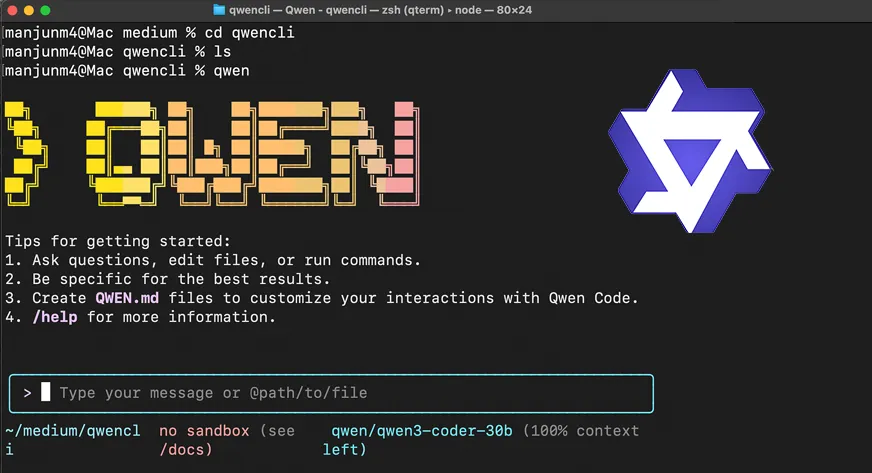

AI technology is revolutionizing the key developer process and workflow at light speed. Alibaba Cloud has released significant releases recently for Qwen Code (0.0.12 to 0.0.14). Qwen Code features powerful capabilities like Plan Mode and Vision Intelligence. This brings an element of security, intelligence, and flexibility to this Qwen AI coding buddy. In this article, we will cover these releases and test them out in a hands-on session.
The New Qwen Code Updates
Qwen Code is an agentic coding companion that resides in your terminal. It extends into your development environment to assist you with writing, debugging, and refactoring code. Though powerful, earlier versions demanded significant trust from the developer.
The AI might change files directly from a prompt. This is fast, but dangerous. A misinterpreted prompt might make unintended changes to the code. The community asked for more control and improved management of non-text content. The engineering team responded with new features. The recent updates are mainly about safety, multimodal, and user experience.
Feature Spotlight: Plan Mode for Safe Coding
The biggest change is Plan Mode. It shifts how the AI coding assistant will work with your codebase.
Before, the AI would apply changes directly. Now, Plan Mode adds a review step. When you provide a complicated task, the AI first produces an in-depth implementation plan. It explains exactly which files it will touch and what changes it will make.
You need to examine and authorize this plan. The AI will only act upon the changes once you positively confirm them. This conforms Qwen Code to the best software development practices. It provides you with complete control and does not allow for unintentional code overwrite. It transforms the AI from a loose order-taker coder to an active junior partner.
As per the 2024 Stack Overflow Developer Survey, 76% of developers are currently or likely to use AI tools, yet accuracy and trust remain the most significant concerns. Plan Mode specifically addresses this lack of trust.
Feature Spotlight: Vision Intelligence
Coding is not always text. It has UI designs, architecture diagrams, and error screenshots. Qwen Code fills this gap now with Vision Intelligence.
The model is now able to recognize when you’re giving image inputs. It auto-switches to the Qwen3-VL-Plus model. This model has a high visual reasoning ability. It has a huge context window.
This helps you to streamline your developer workflow quite heavily. You can send in a screenshot of the buggy webpage layout. The AI will be able to compare the visual output against your code to recommend fixes. It enhances frontend development and debugging effectively.
Zed Integration and Better Control
The updates also improve compatibility. Users of the Zed Code editor now have better authentication support. You can authenticate using OpenAI API keys or Qwen OAuth.
Additionally, the team included granular control options. You can now turn loop detection on and off to avoid having the AI become stuck. The software also includes an ask before overwrite prompt before the /init command deletes files. All these quality-of-life adjustments make Qwen Code a more reliable option for everyday use.
Hands-on: Installing the New Updates
Let’s talk no more, code yes. We will be installing the newest version of Qwen Code and trying Plan Mode and Vision Intelligence.
Prerequisites
- You must have Node.js on your system.
- You must have a working API key for Qwen or a Qwen account at https://chat.qwen.ai/
Step 1: Installation and Setup
Then we need to install or update the tool. Open your terminal.
Run the following command:
npm install -g qwen-code Once installed, navigate to your project directory. Initialize the tool and authenticate.
qwen Link your account by following the prompts on the screen. You may log in by using your Qwen account on https://chat.qwen.ai/
Step 2: Testing Plan Mode
We will use Plan Mode to reformat a Python script. Suppose we have a file called calc.py with ugly code.
Rather than having the AI simply correct it, we request a plan.
Execute this command in your Qwen code:
@calc.py Refactor calc.py to use a class structure. Use Plan Mode. 
Qwen Code did not alter the file. Rather, it prints a plan. The tool is now asking: Do you want to execute this plan? (Y/N) Type Y and press enter.
Now, only the AI code assistant will change your file. This process makes sure you always know what is going on with your code.

Step 3: Testing Vision Intelligence
Now let’s test Vision Intelligence. We have a screenshot of the Homepage UI of Analytics Vidhya.

We would like Qwen Code to examine the image and recommend CSS changes for our style.css file.
Execute this command:
@AV.png Replicate this analytics vidhya home webpage using html css and javascript
The feature identifies the image file extension. It requests changing to the vision model. Then it is followed by providing the visual breakdown of AV.png.

It then suggests HTML, CSS, and JS code for what it finds in the image. This multimodal feature enables a smooth developer flow between design and code.
The produced webpage is not even near the Home page of Analytics Vidhya, but we must keep in mind that there are lots of UI components in the home page which we didn’t have, like images, font, etc. Then this output isn’t that bad. Nevertheless, some improvements are needed, like responsiveness, padding, and margin.
Community Feedback and Future Outlook
The community reaction to these updates has been positive. Developers appreciate the transparency of Plan Mode. The addition of Vision Intelligence opens new possibilities for frontend engineers.
No tool is, however, perfect. Users have complained about repeated problems with the tool not being able to read PDFs. The engineering team is also on GitHub and utilizes the feedback for future updates. Expect additional integration with other development environments and more fine-tuned control features soon.
Conclusion
The new releases to Qwen Code are a significant improvement. Plan Mode brings in the required safety rails for professional use. Vision Intelligence turns it into a true multimodal AI coding assistant. The features greatly bring the developer workflow into the modern age. With the blend of control and high-end AI capabilities, Alibaba Cloud has made an attractive tool. We strongly urge developers to download the latest iteration and try these features out for themselves.
Frequently Asked Questions
A. Plan Mode allows the AI to create a step-by-step plan for code updates. You need to approve and review this plan prior to the AI altering any files.
A. When image inputs are detected, the tool will automatically switch to the Qwen3-VL-Plus model for visual data analysis.
A. Yes, recent updates were enhancing Zed integration. It can now authenticate using both OpenAI API keys and Qwen OAuth.

Harsh Mishra is an AI/ML Engineer who spends more time talking to Large Language Models than actual humans. Passionate about GenAI, NLP, and making machines smarter (so they don’t replace him just yet). When not optimizing models, he’s probably optimizing his coffee intake. 🚀☕
Login to continue reading and enjoy expert-curated content.
