


# Introduction
You want to add Claude to a Python application. Creating an account and making your first API call is straightforward. The official documentation can get you from zero to a working request in a few minutes. The next questions are usually more practical:
- What does the response object contain?
- How do you stream responses so users can see output as it’s generated?
- How do you structure prompts and handle responses in a production application?
The Claude Python SDK takes care of much of the underlying API interaction. It provides typed response objects, built-in retry handling, and a simple interface for working with the Messages API.
This article walks you through setup, your first API call, reading the response, system prompts, and streaming. By the end, you’ll have a working foundation.
# Prerequisites and Installation
You need Python 3.9 or higher, a free Claude Console account, and an API key from the Console’s Settings > API Keys page. You can add $5 in credits and work through everything in this article.
With those in place, install the SDK:
Never hardcode your API key in source files. Store it as an environment variable instead:
export ANTHROPIC_API_KEY="YOUR-API-KEY-HERE"
Or add it to a .env file at the project root if you’re using python-dotenv. The SDK reads the ANTHROPIC_API_KEY from your environment, so you don’t need to pass it anywhere in your code.
# Making Your First API Call
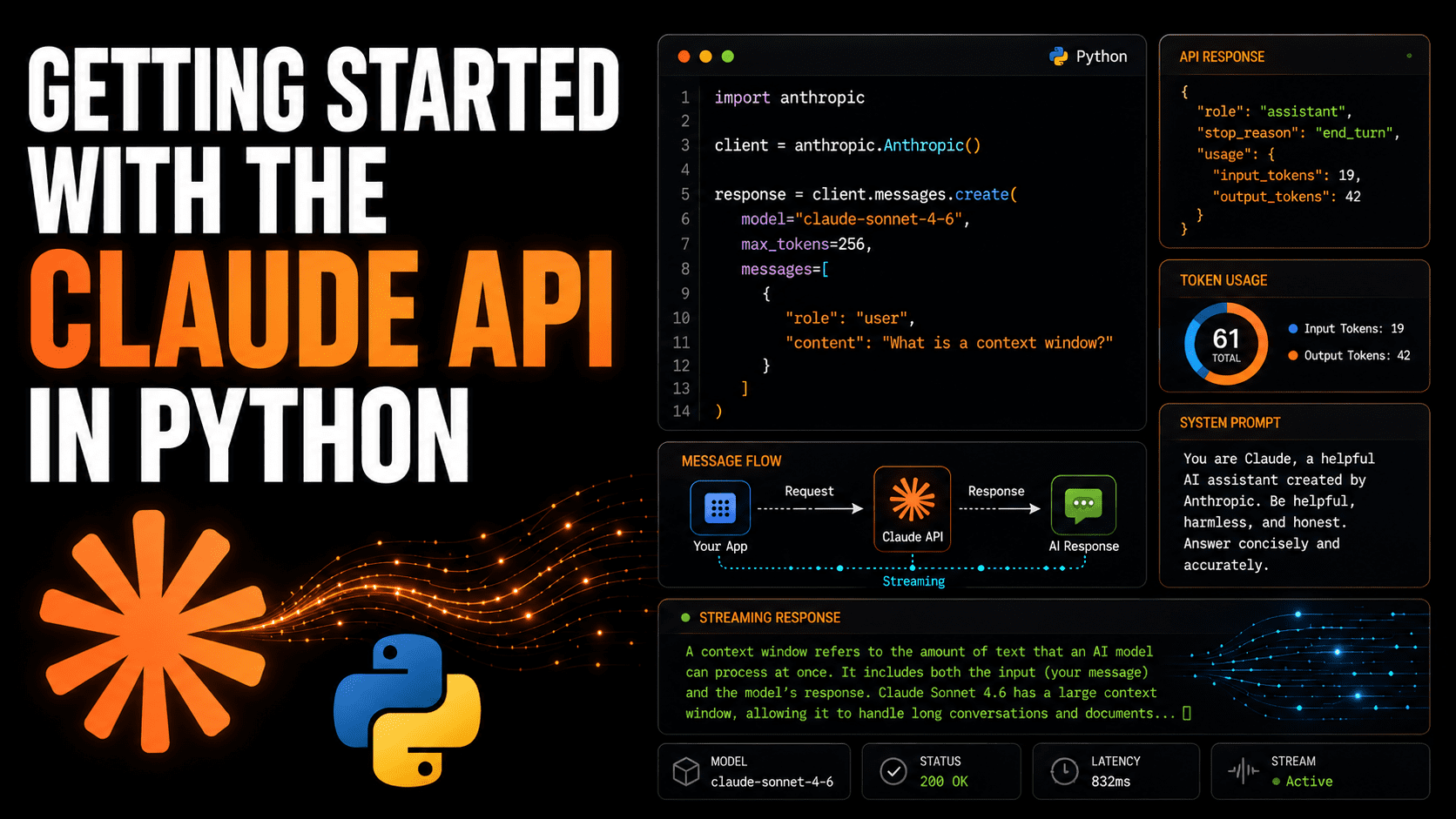
The entry point for every interaction is client.messages.create(). Let’s ask Claude to explain what a context window is, something you’ll actually need to understand as you use the API.
You pass three things: the model ID, a max_tokens limit, and a messages list. The messages list is always a list of dicts, each with a "role" and "content" key.
import anthropic

client = anthropic.Anthropic()

response = client.messages.create(
    model="claude-sonnet-5",
    max_tokens=256,
    messages=[
        {
            "role": "user",
            "content": "In one sentence, what is a context window?"
        }
    ]
)

print(response.content[0].text)
The model field takes the exact model ID string. max_tokens is a hard ceiling on how many output tokens Claude will produce; the response stops there even if the thought isn’t complete, so set it high enough for open-ended requests. The messages list must always start with a "user" turn.
Sample output:
A context window is the maximum amount of text (measured in tokens) that a language
model can process and consider at one time, encompassing both your input and its output.
# Understanding the Response Object
The response from messages.create() is a typed Message object. It’s worth inspecting the full structure before building anything on top of it.
Replace the print line in the previous example with:
Running that gives you the full object:
Message(
  id='msg_01XFDUDYJgAACzvnptvVoYEL',
  type="message",
  role="assistant",
  content=[TextBlock(text="A context window is...", type="text")],
  model="claude-sonnet-5",
  stop_reason='end_turn',
  stop_sequence=None,
  usage=Usage(input_tokens=19, output_tokens=42)
)
A few fields here matter more than they first appear. stop_reason tells you why Claude stopped generating. end_turn means Claude finished on its own terms. If you see max_tokens, the response was cut off by your limit, and you may need to raise it or rethink the prompt.
The usage field tracks both input and output tokens for the request. This is how Anthropic calculates billing, and it’s also how you detect when a prompt is creeping too close to the model’s context limit. content is a list — in standard text responses it always has one item, a TextBlock — so response.content[0].text is the idiomatic way to pull the text out.
# Using System Prompts
A system prompt lets you give Claude a persistent role, set constraints, or provide context that should apply across the entire conversation. You pass it as a top-level system parameter — separate from the messages list, not as a message itself.
Here we configure Claude to act as a code reviewer who only responds in Python and avoids general explanations:
import anthropic

client = anthropic.Anthropic()

response = client.messages.create(
    model="claude-sonnet-5",
    max_tokens=512,
    system=(
        "You are a Python code reviewer. "
        "Respond only with corrected or improved Python code. "
        "Do not explain changes unless the user explicitly asks."
    ),
    messages=[
        {
            "role": "user",
            "content": (
                "def get_user(id):\n"
                "    db = connect()\n"
                "    return db.query('SELECT * FROM users WHERE id=' + id)"
            )
        }
    ]
)

print(response.content[0].text)
The system prompt sits above the conversation in Claude’s context. It carries the same authority throughout all turns, so role instructions, formatting rules, and domain constraints you set here persist without you repeating them in every message.
# Streaming Responses
For requests where Claude may take a few seconds to respond, streaming lets you display text as it arrives instead of waiting for the full response. The SDK exposes this through client.messages.stream(), used as a context manager.
The text_stream iterator yields individual text chunks in real time. Each chunk is a string fragment, not a full sentence. You pass end="" and flush=True to print() so output appears continuously rather than buffering:
import anthropic

client = anthropic.Anthropic()

with client.messages.stream(
    model="claude-sonnet-5",
    max_tokens=512,
    messages=[
        {
            "role": "user",
            "content": "Walk me through what happens when a Python list grows beyond its initial capacity."
        }
    ]
) as stream:
    for chunk in stream.text_stream:
        print(chunk, end="", flush=True)

print()  # newline after stream ends
The context manager ensures the HTTP connection is closed cleanly when the block exits, even if an exception is raised mid-stream. If you need the complete Message object after streaming — including token usage counts — call stream.get_final_message() before the block closes.
Sample output:
Python lists are dynamic arrays. When you append an element and the list has no
room, Python allocates a new, larger block of memory — typically 1.125x the current
size — copies all existing elements into it, and releases the old block. This
operation is O(n) in the worst case, but because it happens infrequently relative to
the number of appends, the amortized cost per append stays O(1). You can pre-allocate
capacity with a list comprehension or by passing an iterable to the list constructor
if you know the final size upfront.
# Next Steps
You now have the core building blocks: requests, structured responses, system prompts, and streaming.
Next, you can learn about error handling, token usage, and multi-turn conversations. Because the API is stateless, you need to send the conversation history with each request. The SDK documentation shows the recommended approach.
The API reference also includes features like structured outputs and tool use. Happy exploring!
Bala Priya C is a developer and technical writer from India. She likes working at the intersection of math, programming, data science, and content creation. Her areas of interest and expertise include DevOps, data science, and natural language processing. She enjoys reading, writing, coding, and coffee! Currently, she’s working on learning and sharing her knowledge with the developer community by authoring tutorials, how-to guides, opinion pieces, and more. Bala also creates engaging resource overviews and coding tutorials.
