

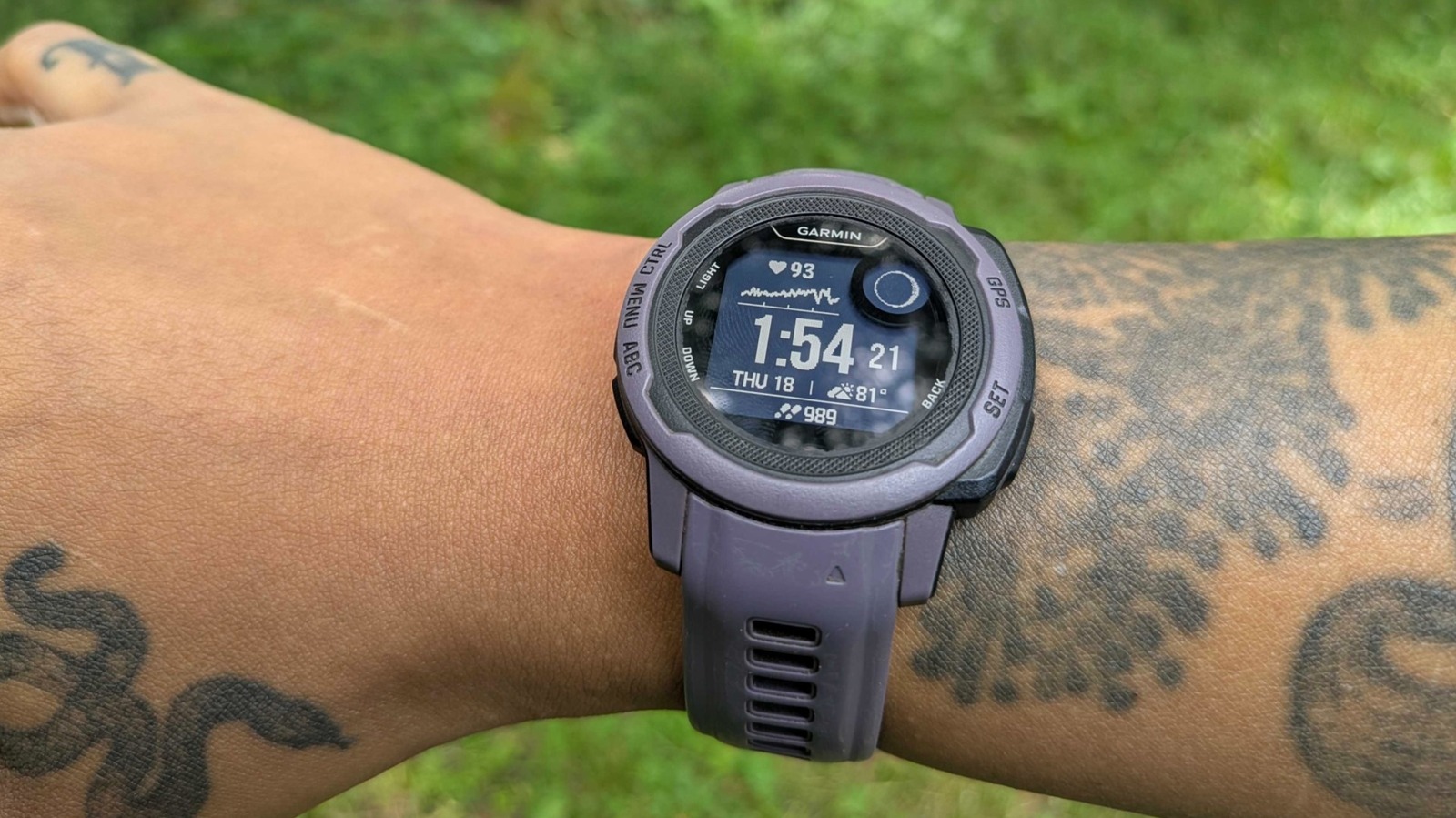

The last thing you want to happen after dropping hundreds of dollars on a wearable is to discover that it doesn’t work with your body. But, that’s a fairly common problem people with wrist tattoos have been running into since the advent of smartwatches and fitness trackers. As countless posts on device support pages and Reddit have chronicled over the years, tattooed skin and the sensors used by wearables often don’t mix well.
One of the main issues people experience is with heart rate sensing. Wearables use a light-based technique called photoplethysmography (PPG) to measure heart rate. That’s the green light you see when you flip your device over. But, tattoos can get in the way of that light, messing with the readings. The other problem is wrist detection, which also uses lights to determine if the tracker is on a person’s wrist (along with an accelerometer and electrical sensors). Slap a fitness tracker on a wrist that’s covered by a tattoo, and the device may not register that it’s being worn at all, consequently requiring the wearer to repeatedly unlock the device whenever they want to interact with it.
It might seem a bit silly that technology advanced enough to respond to gesture controls and provide personalized sleep coaching would be stumped by a bit of pigment, but the tattoo issue isn’t just a baseless gripe that consumers have latched onto. Device makers have acknowledged it and advised buyers to avoid putting their trackers on top of tattoos.
“Tattoos (ink, pattern, saturation) can block the heart rate sensor’s light, causing inaccurate or missing readings,” Garmin notes on a support page. “For best performance, wear the watch on skin that is free of tattoos if possible.” Apple has issued similar notices going back to the release of the first Apple Watch.
Is there a solution?
People with tattoos have devised sorts of workarounds to get the most out of their smart watches and fitness trackers, though none are exactly ideal. The simplest? If the inside of your wrist isn’t tattooed (or at least has larger areas of clear skin), you can position the device there instead of on top of the wrist. Similarly, if your other wrist is tattoo-free, wear the device on that one. But if you’ve grown used to wearing a watch on a certain wrist for years, it’s going to feel pretty weird to change it up.
As a quick fix, some people swear by epoxy bottle cap stickers or layering pieces of clear tape, either of which are placed over the sensors and inexplicably correct the problem for a lot of wearers. Reusable accessories designed to work the same way have seen some success too. There’s also the option of using a chest strap if accurate heart rate tracking is all you’re after — and if you don’t have chest tattoos. Again, though, this isn’t the most comfortable or convenient way to use a wearable in most situations day-to-day.
Ultimately, it’ll continue to be an issue until the sensors these watches and fitness trackers rely on are improved to account for skin variations like tattoo ink. Likewise, light-based sensors have been found to be less reliable for people with dark skin, highlighting a need for more diversity in the research and development of this type of technology.
Anecdotally, it seems like Google’s Pixel Watch 4 might be much better at handling tattooed skin than its predecessors. There were rumors of Samsung introducing an update a few years back to improve things in this area too, but the complaints of tattooed Galaxy Watch users would suggest otherwise.
More research is needed
Identifying the problem is theoretically the first step to solving it, but unhelpfully, the reality is that how much tattoos interfere with sensor readings isn’t consistent from case to case. A study published in 2025 attempted to quantify the difference in readings taken from devices worn over tattooed skin versus non-tattooed skin, and while it did find the former suffered inaccuracies, the results were mixed.
The researchers used the Polar Verity Sense and armband, outfitting participants with one device over a tattoo plus one on the same arm in an area without a tattoo. Participants also wore a Polar H10 chest strap heart rate monitor to establish a baseline, as this style of wearable is considered to be more accurate. Over the course of a day, they were monitored when at rest, walking at their own pace and jogging.
This revealed that the presence of the tattoos did have an impact on heart rate readings, but it was dependent on the wearer’s activity level, “with the greatest effect observed at rest and variation decreasing as exercise intensity increases.” And in some cases, the researchers note, “the presence of an arm tattoo did not affect the heart rate validity measurement at all.” There are a number of variables that must be taken into account — like ink color, saturation and depth — and as it stands today, there just hasn’t yet been enough research down to the nitty-gritty of the problem to bring about a solution.
