


“Is it time to replace my Wi-Fi router? I’ve had it for a few years!” I receive questions like that regularly, especially from those who still use Wi-Fi 5. Since the introduction of Wi-Fi 7, folks have been worried about replacing their Wi-Fi routers, sometimes for the wrong reasons. They think that their router is “dated,” “out of date,” or “no longer relevant.”
And that’s understandable. Wi-Fi 7 is two generations newer than Wi-Fi 5 — two and a half if you include Wi-Fi 6E. The marketing hype and online clickbait can create a huge sense of FoMO, at the very least. That’s not to mention Wi-Fi 8 is slated to be available as early as 2027.
However, just because there’s a new standard doesn’t mean older Wi-Fi devices are automatically obsolete. Getting a new router doesn’t mean existing clients are magically updated; existing devices will continue to use Wi-Fi 5 (or even older standards) for the rest of their lives.
Additionally, while the latest Wi-Fi devices will work with any existing (old) router, the opposite is not necessarily true: a router of the latest Wi-Fi standard does not always work with all existing clients.

The point is that, you shouldn’t replace a Wi-Fi host device — a router, access point, extender, or mesh Wi-Fi system — just because of the Wi-Fi standard it supports. No standard is obsolete if you can still use it. So, the real question is when it makes sense to upgrade or replace your networking hardware, beyond just staying on the cutting edge.
This post provides a comprehensive and detailed answer. The short answer: replace a device only when it no longer meets your daily needs.
Dong’s note: I first published this post on March 18, 2023, and updated it on July 9, 2026, to include up-to-date and relevant information.
Wi-Fi hardware replacement: It’s always case by case
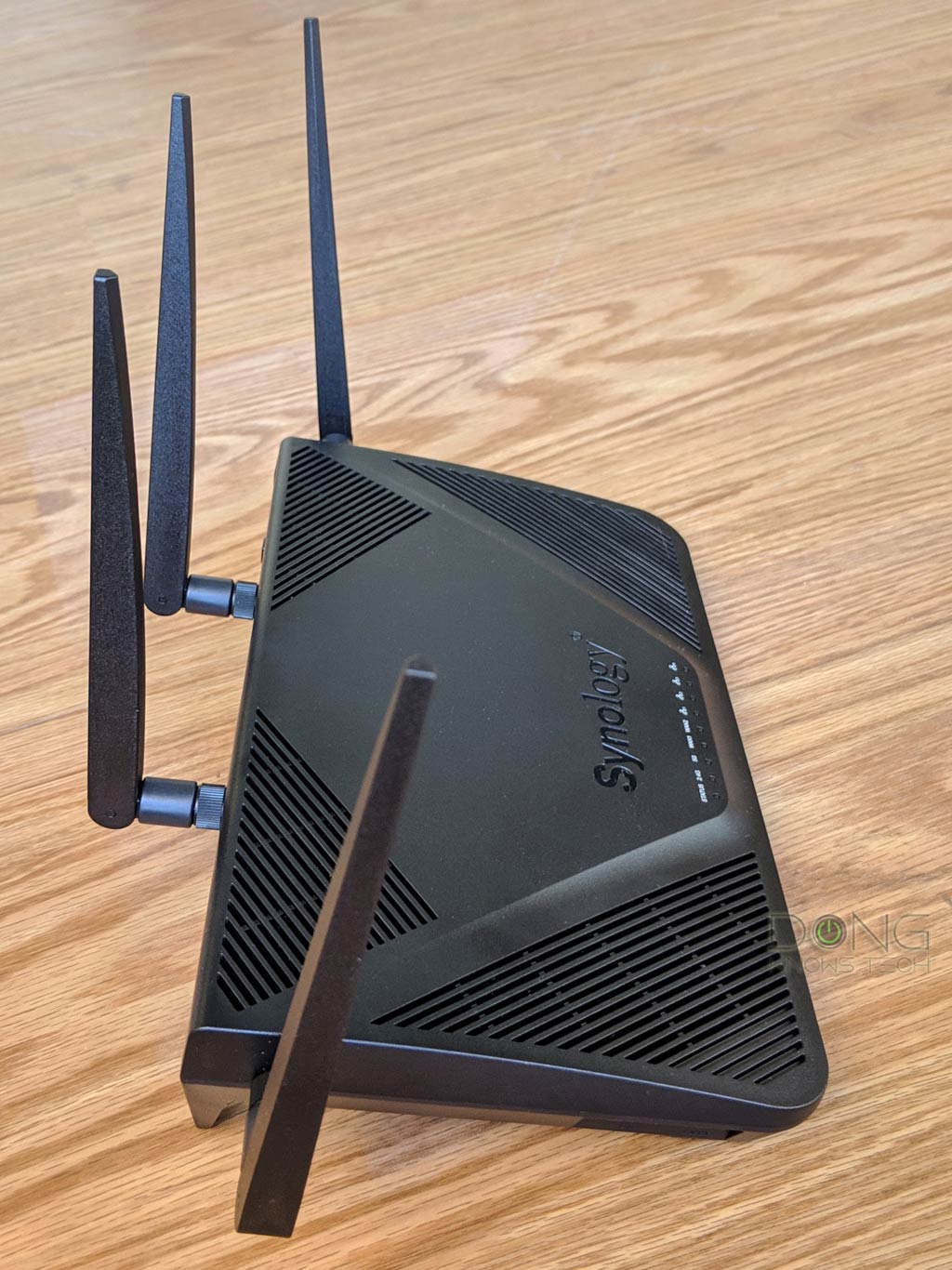
It’s mid 2026, and I’m still using a couple of Wi-Fi 5 routers at different locations, including a UniFi Dream Machine and a Synology RT2600ac.
The reason is simple: they have worked well. (In fact, the UDM can still run the latest UniFi OS and will remain relevant for a long time, especially since you can simply ignore its built-in Wi-Fi.) Restarting each of them occasionally and upgrading them to the latest firmware when applicable has been all the necessary maintenance.
So, despite having a garage half-full of practically new hardware I’ve used for the reviews, I’ll still keep these old routers in their place for the foreseeable future. However, over the years, I’ve replaced many networking devices, including routers, access points, switches, and whatnot. All for one or more of the following five reasons.
1. Broken hardware
This case is the most obvious. If something is broken, then you need to replace it.
When it comes to networking hardware, stuff often breaks on the inside. A router can look fine physically, but its internal memory or circuitry is damaged for one reason or another — a botched firmware update or a power surge is often enough to render it useless.
So, if your hardware is broken, you have no choice but to replace it. But this applies to everything and could happen to a brand-new piece of hardware. You know a router is broken when it no longer turns on, even with a replacement power adapter, or it fails to assign IP addresses to a client (like a computer) even after a hard reset.
2. Security risk vs. firmware updates
Security risk is probably the most important factor determining whether a router is worth keeping.
However, not all risks are equal. Specifically, there are two sides of a router where security applies differently: your local network (typically your home) and the Internet (the outside world).
Security on the local network (LAN) side
Within your home, the router’s security keeps connected clients in check. In most cases, you want to keep unwanted devices from your network. Consequently, here are a few things to consider:
- If your local network doesn’t require restrictions, such as an intentionally open Wi-Fi network (SSID) without a password, then security doesn’t apply. In this case, any Wi-Fi standard or security level works.
- If you want to make your Wi-Fi public and have already isolated the access point, no additional security is necessary.
- If you need to keep your network private, keep in mind that WPA with AES encryption is the minimum requirement, WPA2 is generally the norm, and WPA3 is required for Wi-Fi 6E and Wi-Fi 7 newer devices. In this case, a replacement is generally recommended if the current router does not support WPA2.
So, on the local (home) front, security can be optional. It depends on how much you want to keep your devices safe from local threats, which are generally limited by physical proximity.

Security on the Internet (WAN) side
On the other hand, the security against online threats — those from the outside world via the Internet connection — is more severe since geophysical boundaries do not limit them. It’s where you don’t want to overlook or compromise when applicable.
If a router has a known vulnerability on the WAN side and no security patch is available, you must let it go.
However, note that “known” is the keyword. That’s because all devices are vulnerable to some degree when connected to the Internet. It’s a matter of keeping that secret, or unknown, from interested parties.
It’s only when a vulnerability becomes known that the device, and therefore the user, is at risk of being controlled or exploited by a remote, unauthorized party.
So, when you hear about a serious vulnerability, and it’s not yet patched or will not be fixed (soon enough) via firmware updates — there are a lot of online security “experts” standing by to talk about it — it’s time to get a different router model (better yet, from another vendor).
Tip
Security is nuanced. By default, every device connected to the Internet is vulnerable, much like as long as you live, you’re at risk of dying. Absolute security exists only when you’re unplugged or cease to exist.
Not all routers have (known) vulnerabilities, and those that do often have fewer, or even none, the longer they have been on the market. Plus, the older a router is, the less of a target it becomes, since fewer people have it.
In other words, newly released hardware might have more vulnerabilities than older ones. That is partly why Wi-Fi routers tend to have new firmware less frequently over time.
Router and firmware updates
Firmware updates, or the lack thereof, should not be a decisive factor when choosing or discarding a router.
While some vendors add new features or improvements with updates, most new firmware revisions contain required security patches. So, no update can mean there’s no credible vulnerability, which is a good thing. (Security firmware updates to routers are like recalls to cars. Having a lot of them is not necessarily a good thing.)
The lack of firmware updates also doesn’t mean the router is no longer supported. That’s a case-by-case decision. Many routers still work fine even after the vendor has declared them unsupported. (You don’t need to get a new car just because the model you’re driving is no longer in production.)
Again, security is about nuance. Just because a router no longer has firmware updates doesn’t necessarily mean it needs to be replaced. But if you want to be sure, security is always a good reason to get new devices. In this case, keep in mind that newer doesn’t necessarily mean fewer vulnerabilities.
3. Broadband speed grades
We generally use local networking devices to access the Internet. So, if you upgrade your broadband to a significantly faster tier, such as from a sub-Gig to a full Gig or multi-Gig plan, it’s likely time to upgrade the hardware to take advantage of the new bandwidth.
Still, in most cases, upgrading is unnecessary if you just want a connection fast enough for specific applications, and most applications don’t require more than 100Mbps. I wrote in detail about broadband in this post on Gigabit Internet.
The table below shows which Wi-Fi standard applies based solely on the broadband bandwidth you want to deliver.
| Broadband Speed | Minimum Port Speed Grade (WAN and LAN ports on the router and switches) |
Minimum Wi-Fi Standard to Consider for a Single Broadcaster (Router / Access Point) |
Minimum Wi-Fi Standard to Consider for a Mesh System |
| 50Mbps or slower | Fast Ethernet (100Mbps) |
Any Wi-Fi Standard | Any Wi-Fi Standard |
| Up to 150Mbps | Gigabit | Wi-Fi 4 | Wi-Fi 4 (via wired access points) |
| Up to 250Mbps | Gigabit | Wi-Fi 4 (top-tier) Wi-Fi 5 |
Wi-Fi 5 |
| Up to 500Mbps | Gigabit | Wi-Fi 5 | Wi-Fi 5 (wired backhauling) Wi-Fi 6 |
| Up to Gigabit | 2.5Gbps Multi-Gig | Wi-Fi 6 or 6E | Wi-Fi 6/ 6E (top-tier, preferably via wired backhauling) |
| Up to Gig+ | 2.5Gbps Multi-Gig | Wi-Fi 6 or 6E (top-tier) |
Wi-Fi 6/6E (top-tier with Multi-Gig wired backhauling) or Wi-Fi 7 with MLO backhaul |
| 2Gbps or Faster | 5Gbps Multi-Gig, 10Gbps Multi-Gig, SFP+ |
Wi-Fi 7 and later | Wi-Fi 7 and later (preferably via 2.5Gbps or faster wired backhauling) |
Again, note that all Wi-Fi standards (and network ports) work with all Internet plans. The standards mentioned above are the minimum recommended to deliver the desired broadband speeds wirelessly.
In other words, if your Internet is 500Mbps or slower, you only need a Wi-Fi 5 router. Getting a Wi-Fi 6 or Wi-Fi 7 router doesn’t hurt, but that isn’t necessary. On the other hand, even with 10 Gbps broadband, a Wi-Fi 6 or Wi-Fi 5 router will still suffice, as long as you don’t care about peak performance on the end device (which you don’t necessarily need).
Speaking of performance, generally no Wi-Fi connection can deliver more than 4 Gbps of real-world sustained throughput, as is the case with 2×2 Wi-Fi 7 adapters, which are currently the fastest. But a faster router lets you deliver high speeds to multiple devices simultaneously.
Tip
Gig+, or Gig Plus, denotes a speed grade between 1Gbps and 2Gbps. So, it’s 1.5Gbps, give or take a couple of hundred megabits per second, and it’s not speedy enough to qualify as Multi-Gig Ethernet or multi-Gigabit. Intel coined the term to describe its Wi-Fi 6E client chips, the AX210 and AX211, in terms of their real-world speeds.
Gig+ primarily applies to sustained Wi-Fi 6 or Wi-Fi 7 speeds via a 2×2 at 160MHz connection, or to broadband internet speeds.

4. Moving from wireless to wired networking
Wi-Fi is always wireless, but to have the best Wi-Fi around a large property, running network cables is a must. With physical wiring, your Wi-Fi network benefits from a strong backhaul link. In this case, with Multi-Gig hardware, you can even achieve multi-Gigabit bandwidth.
So, if you’ve always used your Wi-Fi mesh system in a fully wireless setup, getting your home wired might require a network hardware upgrade, especially if you want to move from Gigabit-class to multi-Gigabit speed grades to enjoy Wi-Fi 7 (and later) to its fullest.
The other way around is also applicable. If you move from a wired home where low-end dual-band Wi-Fi 6 or tri-band Wi-Fi 6E mesh hardware has worked well to a large house without wiring, better hardware might be needed for a fully wireless setup.
5. Features and privacy risks
Over the years, routers have become increasingly sophisticated. Many routers can work as mini NAS servers or have built-in practical features such as online protection, QoS, or Parental Controls. Those from Ubiquiti’s UniFi family can also host other applications, such as IP phones or surveillance cameras.
So if yours doesn’t have the feature you’d like, maybe it’s time to consider one that has.
Note that some routers have all these features for free, while others might sell them as premium add-ons.
Another thing to note is online privacy risks.
If the router requires a login account with the hardware vendor to work, it will likely collect your information. That’s not to mention the fact that you don’t have control over the hardware you supposedly own. If you’re uncomfortable with that, avoid routers from known data miners such as Amazon’s eero or Google Nest Wifi. If you’re using one, replace it!
Other routers won’t collect anything by default, but once you’ve enabled a specific feature, your traffic will be routed to a third party. But that’s a given since, even in real life, you must be exposed to the party that protects you, the security detail, if you want to be protected.


And that’s it. When you find yourself in one of the situations above, it’s time to get a new Wi-Fi machine. You’re justified in doing so. In this case, you can get the latest and greatest or the just-right one that delivers the best bang for your buck.
How about range? Isn’t a new router supposed to offer wall-to-wall coverage?
If you’ve read somewhere that a new router would offer “wall-to-wall coverage,” that’s a meaningless, lazy sale pitch. How close are those walls to each other? Range, or coverage, is the most nuanced notion of Wi-Fi, breeding all sorts of nonsensical ideas and claims. Here’s the deal:
The range of a Wi-Fi device depends on its radio frequency and broadcasting power. The latter is generally limited by local regulations, so typically only the former counts.
That said, the range of a band — 2.4GHz, 5GHz, or 6GHz — is generally the same across hardware of the same tier, regardless of the Wi-Fi standard. However, a good router will deliver faster or more stable connection speeds at greater distances. After all, the range is meaningless without usable data rates.
Open the cabinet below if you want to learn more about the Wi-Fi range, but the gist is that starting with Wi-Fi 5, a new router doesn’t necessarily improve the coverage. That depends.
Wi-Fi range in brief (or maybe not so brief)
Wi-Fi range in theory: It’s “clean” and generous
Radio signals work such that the lower the frequency, the longer the wave can travel. AM and FM radios use frequencies measured in kilohertz and megahertz — you can listen to the same station across a vast area, such as an entire region or a city.
Wi-Fi uses 2.4GHz, 5GHz, and 6GHz frequencies — all of which are incredibly high. As a result, it has much shorter ranges than radios. That’s especially true given that the broadcast power of Wi-Fi devices is regulated.
But regardless of Wi-Fi standards, these bands generally share the following: the higher the frequencies (in Hz), the higher the bandwidth (speeds), the shorter the ranges, and the more bandwidth is progressively lost over increasing distance.
Generally, physically larger Wi-Fi devices tend to have better range than smaller ones — they use all the allowed broadcast power and have enough processing power to deliver the most bandwidth at the far end of the signal. Still, it’s impossible to accurately determine each one’s actual coverage because it fluctuates wildly and depends heavily on the environment.
That said, here are my estimates of a home Wi-Fi broadcaster’s ranges in the best-case scenario, specifically:
- Outdoor environment
- On a sunny day
- No interference or broadcasters in proximity
- Maximum broadcasting power (30 dBm)
- 2.4GHz: This band has the best range, up to 200 ft (≈ 60 m). However, it is also the most popular band used by non-Wi-Fi devices like cordless phones and TV remotes. Its real-world speeds suffer severely from interference and other factors. As a result, for years, this band has been considered a backup, applicable when range is more important than speed.
- 5GHz: This band offers much faster speeds than the 2.4GHz band but has shorter range, maxing out at around 150 ft (≈ 45 m).
- 6GHz: This is the latest available band. Two things to keep in mind:
- Wi-Fi 6E: The first standard to support this band, which shares the same ceiling speed as 5GHz. However, thanks to less interference and overhead, its actual real-world rate is faster. In return, due to the higher frequency, it has just about 70% of the range, which maxes out at approximately 115 ft (≈ 35m).
- Wi-Fi 7: This is the latest standard, in which the 6GHz band’s channel width (and bandwidth) is doubled. Additionally, with devices that support AFC, such as the Ubiquiti E7, this band gets a boost in broadcast power to deliver the same range as 5GHz.
Wi-Fi range in real life: The devil is in the little and big details
In real-world use, Wi-Fi devices operating on the same frequency band and with the same transmit power generally deliver the same coverage. Specifically, they are all the same if you measure the signal reach alone.
What differentiates them is their sustained speeds and signal stability, or how the quality of their Wi-Fi signals changes as you increase the distance. And that generally varies from one model or Wi-Fi standard to another.
Your router’s Wi-Fi range is always much shorter than the theoretical number mentioned above. That’s because Wi-Fi signals are sensitive to interference and obstacles.
While the Wi-Fi range doesn’t depend on the channel width, the wider the channel and the higher the frequency, the less stable it becomes. It’s more susceptible to interference and obstacles, and its range is more acutely hindered. So, within the same standard, more bandwidth generally equals higher fragility.
Below are the items that will affect Wi-Fi ranges.
Common 2.4 GHz interference sources: Impossible to measure
- Other 2.4 GHz Wi-Fi broadcasters in the vicinity
- 2.4GHz cordless phones and other appliances
- Fluorescent bulbs
- Bluetooth devices
- Microwave ovens
Common 5 GHz interference sources: Impossible to measure
- Other nearby 5GHz Wi-Fi broadcasters
- 5GHz cordless telephones and other appliances
- Radars
- Digital satellites
Common signal blockage for all Wi-Fi bands: Measurable, albeit challenging, walls and large objects
Physical objects, such as appliances or elevators, hinder all Wi-Fi bands. However, walls are the most problematic obstacle since they are everywhere. Different types of walls block Wi-Fi signals differently, but no wall is good for Wi-Fi.
Here are my rough real-life estimations of how much a wall blocks Wi-Fi signals — generally use the low number for the 2.4GHz and the high one for the 5GHz; add another 10%-15% to the 5GHz for the 6GHz band:
- A thin, porous wall (wood, sheetrock, drywall, etc.) will block between 5% and 30% of Wi-Fi signals — a router’s range will be much shorter when placed next to it.
- A thick porous wall: 20% to 40%.
- A thin nonporous wall (concrete, metal, ceramic tile, brick with mortar, etc.): 30% to 50%.
- A thick nonporous wall: 50% to 90%.
Again, these numbers are just ballpark figures, but you can use them to gauge how far the signal will reach when you place a Wi-Fi broadcaster at a specific spot in your home. A simple rule is that more walls mean worse coverage: generally, a single wall will reduce the signal by approximately 30%.
That said, in real life, when all adverse elements are taken into account and depending on the situation and where you stand relative to the broadcaster, we need to discount the theoretical ranges mentioned above by 40% to 90% to get a broadcaster’s realistic coverage.
Three bad excuses for Wi-Fi router replacement
And there are “bad” reasons to purchase things you don’t need. Here are a few examples when it comes to Wi-Fi routers:
- I want to stay on the cutting edge and “future-proof” my home: Generally, future-proofing doesn’t exist (with the Ubiquiti UniFi Dream Machine Beast being the only and very expensive exception). Case in point: Wi-Fi 7 is just a couple of years old, and Wi-Fi 8 is almost here.
- Because “I found a great deal”: It’s only great if you need a new router. If your current one works well, getting a new one, even at a deal, only means money down the drain. Plus, the act harms the environment.
- I’ve used mine for a few years already: A Wi-Fi router has no expiration date.
Again, as long as your current router works for your needs, there’s no need to replace it — not until your situation changes and you require more bandwidth, features, or both.
Wi-Fi Router replacement: The takeaway
You can replace your router at any time — it’s up to you to handle your money and your time however you see fit. But it only makes sense to spend resources on things that work for your needs or immediately provide tangible improvements you expect.
Getting a new Wi-Fi router just because you feel compelled or pressured to do it, for no practical reason, is a waste of precious resources, not to mention the unnecessary e-waste. But you’ve made up your mind? Bookmark this regularly updated top-5 page for the best routers and mesh systems you can confidently bring home today.
