

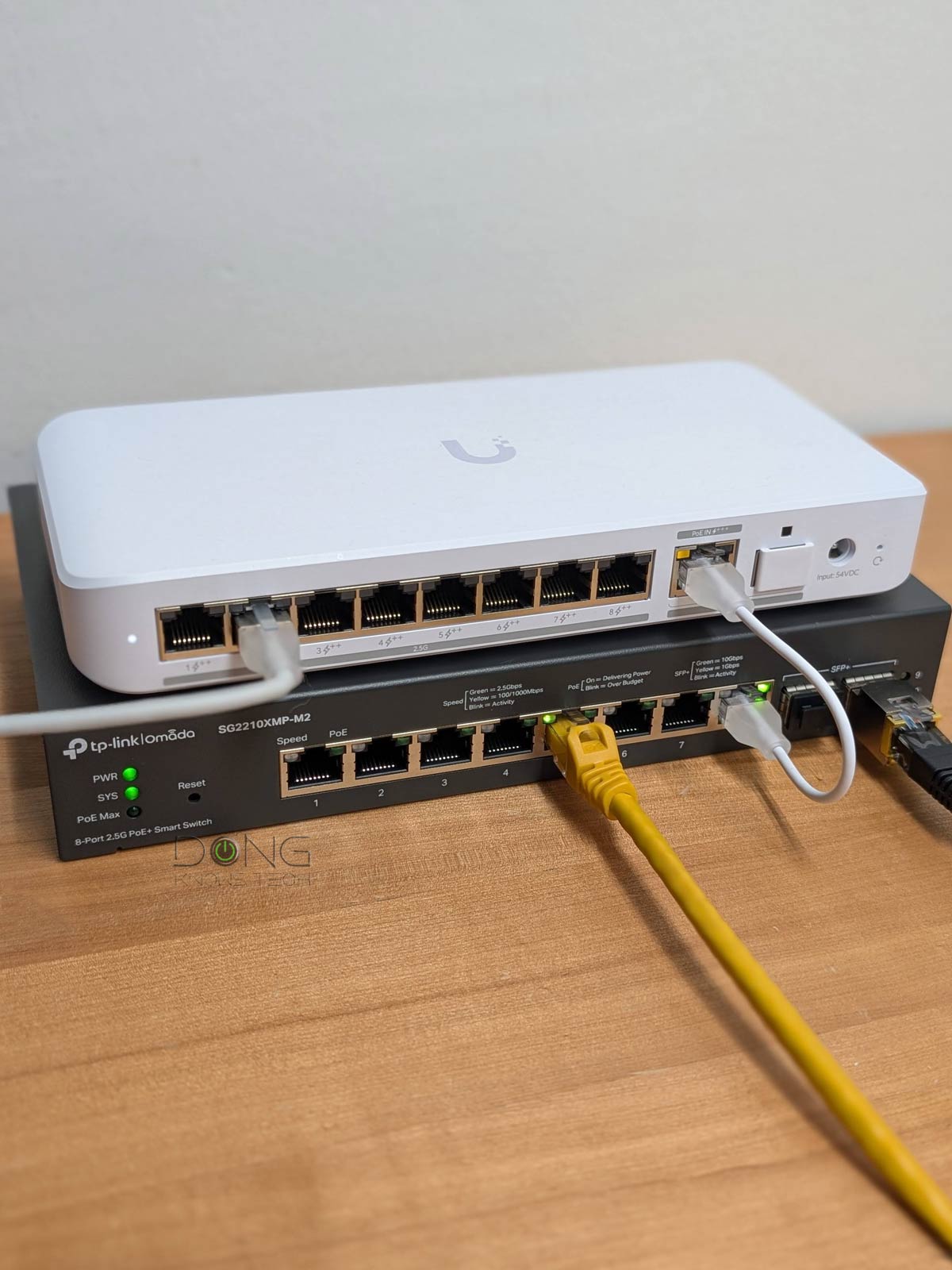

To have a faster-than-Gigabit experience, whether for Internet or Wi-Fi, we need a wired connection that delivers multi-Gigabit performance in real-world use. And that’s where Multi-Gig Ethernet—”Multi-Gig” for short—comes into play.
You’ll learn all about it in this post, but the gist is that if your home network is currently wired for Gigabit, there’s nothing you need to do regarding cabling—it’s ready. However, if you’re in the process of building or remodeling your home, consider adding CAT6a or higher cable grades to the budget.
Most importantly, get your home wired. It will make a huge difference now and in years to come. With that, let’s start with what Multi-Gig in Multi-Gig Ethernet means.

Multi-Gig Ethernet: The base of multi-Gigabit Internet and Wi-Fi
To qualify as multi-Gigabit, a networking party involved—a router, a client, a broadband connection, or a cellular device—must deliver a sustained rate of 2Gbps or faster in a single link.
Tip
Gig+, or Gig Plus, denotes a speed grade between 1Gbps and 2Gbps. So, it’s 1.5Gbps, give or take a couple of hundred megabits per second, and it’s not speedy enough to qualify as Multi-Gig Ethernet or multi-Gigabit. Intel coined the term to describe its Wi-Fi 6E client chips, the AX210 and AX211, in terms of their real-world speeds.
Gig+ primarily applies to sustained Wi-Fi 6 or Wi-Fi 7 speeds via a 2×2 at 160MHz connection, or to broadband internet speeds.
Multi-Gig Ethernet is one of many ways to experience multi-Gigabit connectivity. It’s the friendly name for the decade-old BASE-T wired network standard, IEEE 802.3bz, introduced in 2016, designed to deliver beyond Gigabit (1GBASE-T) by leveraging the same infrastructure. It’s backward compatible with Gigabit and Fast Ethernet (100MBASE-T).
Multi-Gig has two tiers: 2.5Gbps (2.5GBASE-T) and 5Gbps (5GBASE-T). The number indicates the maximum connection speed they can deliver—the actual speed depends on the devices involved—and a Multi-Gig port supports any lower speed, such as that of a broadband connection.
That raises the question of the 10Gbps (10GBASE-T) standard, available on many switches and routers: Is 10Gbps part of Multi-Gig Ethernet? To answer this question, we first need to address the elephant in the room: the difference between BASE-T and SFP.
BASE-T vs. SFP+
BASE-T (or BaseT) is the standard port type for data communication and refers to the 8-position, 8-contact (8P8C) wiring method used in copper network cables and their connectors at both ends.
This type is known by the misnomer “Registered Jack 45” (RJ45), which is more commonly used. For decades, RJ45 has been the go-to standard for consumer-grade and office network connectivity.
Generally, copper network cables can support up to 10Gbps connection speeds and feature the following speed grades:
- Standard Ethernet: 10Mbps
- Fast Ethernet: 100Mbps
- Gigabit: 1000Mbps
- Multi-Gig Ethernet: 2.5GbE (2.5Gbps) and/or 5GbE (5Gbps)
- 10GbE: 10000Mbps
RJ45 ports and cables are interchangeable and backward-compatible across speed grades.


On the other hand, the SFP, now with its popular SFP+ (plus) variant, is used for both telecommunications and data communications, primarily in enterprise applications. SFP stands for Small Form Factor Pluggable and is the technical name for what is often referred to as fiber.
The SFP port standard and wiring are strict in configuration and physical attachment, offering better reliability and performance. For data communication, it supports the following speed grades:
- SFP: Gigabit (1000Mbps)
- SFP+: 10GbE (10Gbps), backward compatible with SFP
- SFP28: 25GbE, backward-compatible with SFP+ and SFP
- QSFP+: 40GbE (40Gbps)
- QSF28: 100GbE (100Gbps), backword compatible with QSFP+
BASE-T vs. SFP (a.k.a copper vs. fiber): While physically different, both are part of the Ethernet family, sharing the same networking principles and Ethernet naming convention as shown above. However, the two only share Gigabit and 10GbE. SFP is the only standard that can go beyond 10GbE.
The BASE-T wiring is more popular thanks to its simple design and support for speed, flexibility, and low costs. In recent years, more and more networking hardware (routers and switches) has featured both of these port types.
10Gbps and Multi-Gig Ethernet
While the SFP port type is definitely not part of Multi-Gig Ethernet, 10Gbps BASE-T is both yes and no.
No, because the 10GBASE-T wired standard predates the concept of Multi-Gig Ethernet. It’s the friendly name of the IEEE 802.3an-2006 specification, first available in 2006, a decade before Multi-Gig Ethernet mentioned above.
Per its specifications, 10GBASE-T requires CAT6 (or later) cable grade to deliver 10Gbps. When connected to lower-grade CAT5e cabling, this standard only supports Gigabit speeds.
As a result, to take advantage of IEEE 802.3an-2006’s 10Gbps bandwidth, a CAT5e-ready home would need rewiring, which is a high-cost, labor-intensive task. A decade or so ago, Gigabit was more than fast enough—it’s still plenty fast today in most cases—and CAT5e wiring has been widely used. Consequently, the 10Gbps BASE-T standard has never taken off due to the rewiring requirement.
In fact, this inflexibility of the original IEEE 802.3an-2006 is the reason the new Multi-Gig Ethernet standard, IEEE 802.3bz, was formed in 2016 to fill 2.5Gbps and 5Gbps in the gap between Gigabit and 10Gbps, while remaining compatible with all previous BASE-T standards.
Most importantly, Multi-Gig Ethernet leverages existing CAT5e cabling and instantly turns the popular Gigabit wiring into multi-Gigabit. It also supports CAT6 and all higher cable grades.
And here’s the exciting part: With the availability of Multi-Gig Ethernet, the IEEE 802.3an-2006 was also fine-tuned to support CAT5e. As a result, all modern routers and switches that support 10GBASE-T can deliver 10Gbps over CAT5e, albeit over shorter cable lengths than CAT6 or higher grades.
The maximum length to which each type of network cable can deliver up to 10Gbps:
- CAT5e: 45 meters (148 feet)
- CAT6: 55 meters (180 feet)
- CAT6a: 100 meters (328 feet)
- CAT7: Over 100 meters
With the Multi-Gig Ethernet standard, you can expect the popular CAT5e cable to deliver 10 Gbps-grade speeds in most cases. In the worst case, a solid 5Gbps sustained speed is generally guaranteed.
Indeed, since 2016, virtually all switches and routers with 10GBASE-T ports have also supported Multi-Gig (5Gbps, 2.5Gbps), Gigabit, and lower RJ45 grades. They feature both IEEE 802.3an (2006) and IEEE 802.3bz (2016).
Consequently, yes, it’s safe to count the 10GBASE-T standard as part of Multi-Gig Ethernet, though technically both are part of multi-Gigabit Ethernet. But that’s only semantics.
Tip
Network hardware needs at least two 10GbE network ports, high processing power, and compatible firmware to deliver top real-world performance at this grade.
Generally, consumer-grade 10GbE-capable routers and switches do not deliver true 10Gbps (10,000Mbps) throughputs. After “overhead”, they sustain between 6.5Gbps and 9Gbps. Traffic-related features, such as QoS and security, when enabled, can adversely affect its bandwidth.
Hardware supporting the entry-level Multi-Gig, 2.5GbE, often can deliver closer to 2.5Gbps in real-world performance.
Multi-Gig Ethernet and you
To take advantage of the Multi-Gig Ethernet standard, a home needs to be wired with network cables. If it already has CAT5e, this standard saves you from running new network cables.
However, if you need to run new cables today, pick CAT6a or a later grade—in fact, you should also consider fiber wiring if you want faster-than-10Gbps in the future.
If you think you don’t need Multi-Gig because Gigabit is already fast enough, you might be right. However, remember that a Gigabit connection doesn’t deliver true 1Gbps (1000Mbps) sustained rates. After overheads, you’ll get between 500 Mbps and 900 Mbps. So, Multi-Gig is the only way to have a real Gigabit.
That said, if you want to enjoy Gigabit broadband, you need a router with a Multi-Gig WAN port. For the same token, if you want to experience multi-Gigabit Internet, such as a 2Gbps or 6Gbps broadband plan, then you need a router with a 2.5Gbps or 10Gbps WAN port, respectively. Now, if you have 10Gbps broadband, the top-tier 10Gbps Multi-Gig port can only give you around 9000Mbps at most after overhead—it’s time to think about fiber.
In any case, Multi-Gig Ethernet has slowly become the norm, whether you think you need it or not.
How to upgrade your home to Multi-Gig Ethernet
Assuming your current home is wired for Gigabit—again, that’s CAT5e or higher—you can easily upgrade it to Multi-Gig via a qualified hardware (routers or switches).
To have a Multi-Gig connection, the two devices at the ends of a link must support this standard, and the data throughput between them is always capped at the slowest device’s rate.
You’ll also find routers or switches with just one Multi-Gig port, with the rest being Gigabit. In this case, the Multi-Gig port is not useless. The device hosted by a Multi-Gig port can simultaneously deliver full Gigabit connections to multiple devices.
For example, a server connected at 5Gbps to a router can theoretically deliver full 1Gbps speeds to up to five Gigabit devices simultaneously.
Many home routers have just a single Multi-Gig port. In this case, the port can operate exclusively on the WAN or selectively on the WAN or LAN side. The former (WAN side) is for those with super-fast broadband, and the latter is for those with a super-fast local client, such as a NAS server.
However, to have a genuine multi-Gigabit connection, we need a router or switch with at least two Multi-Gig ports. The more high-speed ports, the better, and a Multi-Gig switch will help.
Tip
Devices connected to a switch will have the switch’s speed grade independent of the router. So, for local Multi-Gig connectivity, you don’t need a Multi-Gig router, just a switch.
Specifically, if you have a Gigabit router—the case for most existing routers—and a Multi-Gig switch, wired devices connected to the switch will enjoy Multi-Gig speeds between themselves as long as they also support 2.5Gbps, 5Gbps, or 10Gbps.
Multi-Gigabit: Wi-Fi vs. Multi-Gig Ethernet
Even though the latest Wi-Fi standards can deliver multi-Gigabit speeds on paper, that only happens if the access point (or router) has a multi-Gigabit uplink. Specifically, if an access point has a Gigabit uplink port, its Wi-Fi bandwdith will be limited to 1000Gbps, regardless of the standard.
That’s not to mention Wi-Fi is always half-duplex and suffers greatly from signal loss over distances.
Network connection: Wi-Fi vs. Wired
- Wi-Fi: Partial bandwidth and always half-duplex. Data moves in one direction at a time using a portion of a band (spectrum) called a channel. Half-duplex is similar to walkie-talkie voice communication.
- Wired (Ethernet):
- Networking cables: Full bandwidth and (generally) full-duplex. Data travels using the entire cable’s bandwidth and in both directions simultaneously. Full-duplex is similar to a phone call in voice communication.
- MoCA: Likely half-duplex, depending on the standard, but with comparable speed and reliability to network cables of the same port grade.
- Powerline: Always half-duplex, highly susceptible to interference by plugged-in appliances, slow real-world rates.
Wi-Fi is super convenient, but it’s only relevant when operating over a reliable, fast wired uplink. At reasonable distances, Wi-Fi is much better than Powerline.
For this reason, all Wi-Fi 7 routers come with Multi-Gig Ethernet ports. That’s the minimum to deliver top Wi-Fi speeds.
That’s to say, if you want to enjoy the fastest possible Wi-Fi speeds, get your home wired and have at least a Multi-Gig switch to connect devices, including your Wi-Fi access points.
Real-world Multi-Gig Ethernet speeds
In networking, there’s a difference between theoretical and sustained real-world speed. While wired connections have less overhead than Wi-Fi, the Multi-Gig standard has its own discrepancies.
After testing dozens of routers and switches with Multi-Gig Ethernet ports, I’d say we need to discount their ceiling speeds by 10 to 40 percent to get real-world performance. Below are the wired performance charts for popular switches and routers with two or more Multi-Gig Ethernet ports that I’ve tested over the past few years.

Generally, the higher the grade, the higher the percentage of potential bandwidth loss. Specifically, 2.5GBASE-T delivers closer to 2500 Mbps of sustained speed than 10GBASE-T, which is 10000 Mbps.
In any case, Multi-Gig Ethernet has proven to be consistently fast enough to deliver a true multi-Gigabit experience, and that’s a good thing.
The takeaway
In many ways, the Multi-Gig standard (2.5Gbps and 5Gbps) is somewhat of a “hack” to significantly exceed 1Gbps in a wired network using existing CAT5e (or higher-grade) cabling.
This standard is a lesser variant of 10GBASE-T, though the two are now blurred into one, and a sweet spot that allows us to take full advantage of Wi-Fi 7 (and the upcoming Wi-Fi 8) without replacing the existing infrastructure.
If you’re into this non-compromising performance, get your home wired and a pair of a Multi-Gig switch and a Multi-Gig router. The result can be pretty exciting, especially if you have Gigabit or faster broadband.
Dong’s note: I first published this post on November 23, 2021, and updated it on June 14, 2026, to add up-to-date information.
