

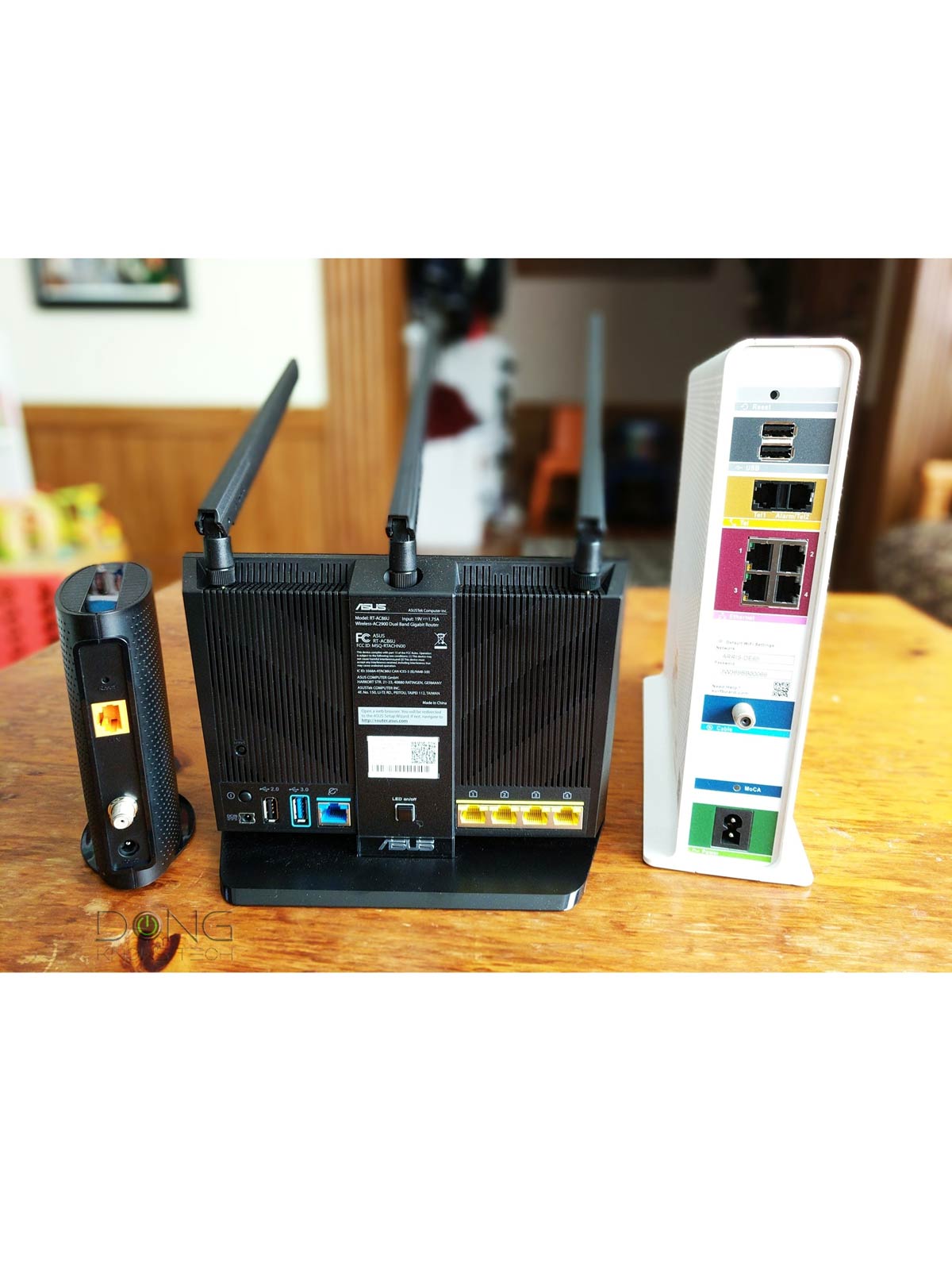

When connecting to the Internet, you might have come across different devices you might, quite correctly, call “my Internet box”. But this box, or boxes, can actually be different devices with a different technical name depending on your situation.
Knowing how to differentiate between them will ensure you get the right equipment or do the right thing when troubleshooting or getting help. This post will explain all that and more.
Dong’s note: I first published this post on May 13, 2025, and later updated it on April 20, 2026, with the latest information.

Modem vs. router vs. gateway: Same, same, but totally different
As you might have guessed from the headline above, the “Internet box or boxes” you’re using is likely a modem, a router, or a gateway. The question is, which one is which?
Modem, router, and gateway (a.k.a. residential gateway) are three standard hardware devices that connect a home to the Internet. Chances are you’re using one of them right now in your home.
The table below gives you a quick idea of what they are.
| Broadband Terminal Device | Wi-Fi Router | Gateway | |
|---|---|---|---|
 |
|
|
|
| Composition | A broadband receiver device that connects to the Internet, often a cable modem or a fiber-optic ONT |
A router with a built-in Wi-Fi access point, including the primary unit of a Wi-Fi mesh system. (a 2-in-1 device) |
A single device that includes a terminal device and a Wi-Fi router in one box (a 3-in-1 device) |
| Internet-Related Role | Brings the Internet to a single device (the router) in your home via the service line | Brings the Internet from the terminal device to local devices for them to communicate with the outside world via network cables or Wi-Fi signals. | Both |
| Local Network Role | None | Creates a local area network (LAN) for devices to communicate internally within the home network. | Both |
| IP Address Handling |
Maintain a wide area network (WAN) public IP address | Assigns and manages LAN private IP addresses to local devices | Both |
| Notes | 1. Easy to replace or upgrade. 2. Can connect a single wired device, the router, to the Internet. |
1. Easy to replace/upgrade. 2. Need a terminal device to connect to the Internet, but it works with all Internet types. 3. Share the Internet connection (of the terminal device) to multiple devices in the network via Wi-Fi or network ports. 4. Will create a double NAT when connected to a gateway. 5. Most models can be configured to work simply as an access point |
1. Support only the broadband type of the service port (cable or fiber-optic), but can immediately share Internet access with multiple local devices. 2. Impossible to replace or upgrade just the terminal or router part, which is often limited in features and hardware capability. 3. Some models can be ” bridged” to work as simply a terminal device. |
With that, let’s go into the details of each.
What is a modem?
The word should be MoDem. It’s an acronym for a device that functions as both a modulator and a demodulator. A modem converts computer data signals into those of the service line and vice versa.
Modems were first invented for the original Internet connection via the phone line, which required a dial-up modem. After that, a newer type of modem was used for the faster DSL, which also used the phone line. Nowadays, the most relevant is the cable modem, which uses the coaxial service line originally laid for cable TV.
The gist is that a modem is needed when the Internet is delivered to a home via a service line that wasn’t originally intended for the Internet.
As such, the modem is one of the two popular broadband terminal devices. The other is the optical network terminal (ONT), which is made for the latest purpose-built broadband connection via fiber-optic wiring.
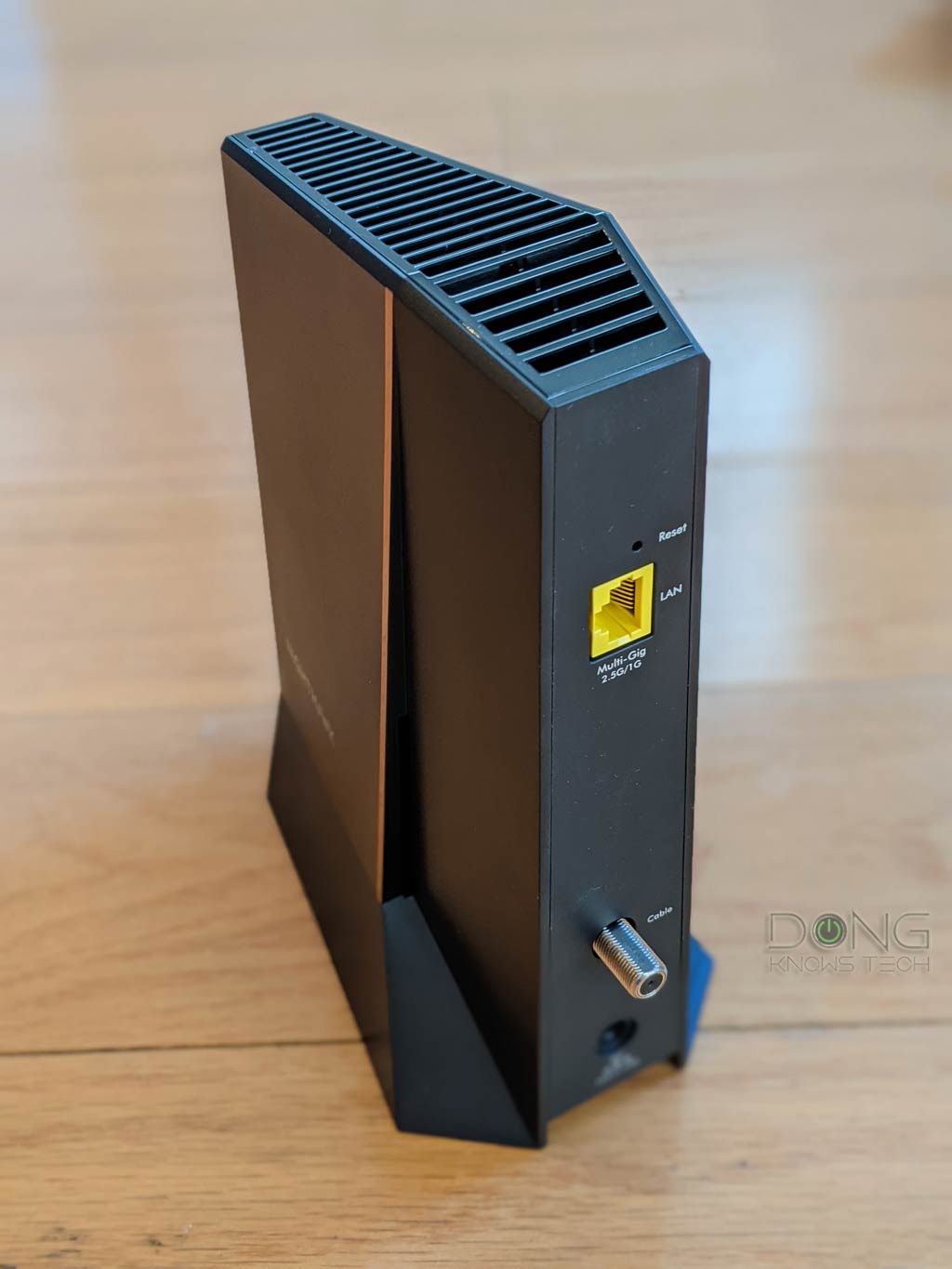
It’s relatively easy to identify a modem. It’s a device that always has one service connector (or port) to connect to the service line, which comes into your home from the utility pole outside. For example, a cable modem will have a tip connector made for the coaxial wire. After that, a modem has at least one network port, often an RJ45 port. This network port is where you connect the router’s WAN port.
Some cable modems also have a phone jack for phone service, and others might have an additional network port for WAN Link Aggregation. But generally, when you see a service port on a device, it’s either a modem or has one inside. Here’s the clearest sign when a device is a modem: it often has the word “Modem” on its label.
Generally, a terminal device can provide Internet access to only one wired device connected to its LAN port. Since we all have more than one device at home, we need a way to share that connection with multiple devices. That brings us to the router.

What is a router?
Every home network must have one router, and preferably no more. A standard router always has one WAN (Internet) port to connect to the Internet source and a few LAN ports to host wired devices. Nowadays, routers are often “Wi-Fi routers” that also have a built-in Wi-Fi access point.
Most Wi-Fi routers can be configured to work as a simple Wi-Fi access point. In this case, none of its routing-related features are used, and all of its network ports function as LAN ports.
Tip
Generally, you can use a standard router with any Internet source, as long as the source has a network port that the router’s WAN port can connect to, which is the case with cable modems and fiber-optic ONTs. A standard router can’t connect directly to a service line—it needs a broadband terminal device to connect to the Internet.
Here’s how to identify a Wi-Fi router: In addition to the ports mentioned above, a Wi-Fi router typically has a few external antennas, though some may have internal ones. But generally, if you look at its label, you’ll see the word “router”.
The job of a router is to create a network that allows multiple devices to communicate with one another locally, each with a different IP address. After that, it shares the broadband connection from the connected terminal device (such as a modem) with the entire network.
What is a gateway?
A gateway, or residential gateway, is a combo device that has a Wi-Fi router and a terminal device (such as a modem) inside a single hardware box. That said, a gateway generally has a service connector/port plus a few LAN ports. Since it can connect directly to the service line, it typically doesn’t have a WAN port.
If you use equipment provided by a cable service provider, chances are it’s a gateway. In this case, the company technician might call it a “modem,” which, though partly true, is incorrect. However, the misnomer is so prevalent that many hardware vendors use the term “modem” for their gateways, making them relatable to consumers accustomed to the practice.
For example, the SURFboard G54, pictured below, is a cable gateway, but ARRIS calls it a “Quad-band Wi-Fi 7 Cable Modem”. Consider that a proper name, not the device type.


A gateway is convenient since you don’t have to deal with many hardware boxes and wires. In a way, it helps declutter your home. In return, it’s rigid: you simply can’t upgrade just the terminal (modem) or the router—you have to replace the entire box. However, the biggest issue with gateways is that they’re often relatively poor in functionality and features compared to standard Wi-Fi routers.
Note that while a gateway has a router and a modem on the inside, and many gateways can work as a modem, a gateway without a WAN port (which is often the case) can’t work as a standalone router.
The final tips
If you get an Internet box from your Internet service provider, chances are it’s a gateway. However, you can also buy a retail gateway; in that case, as mentioned, the options are much more limited than with a standard router (or mesh Wi-Fi system).
Generally, it’s best to get only the broadband terminal device (a cable modem or a fiber-optic ONT). This way, you have the freedom to get any router or system that best fits your needs, with an easy option for future upgrades.
If you already have a gateway and can’t replace it, keep in mind that some of them have “bridge mode,” which makes them work as a simple terminal device. That is an effective way to upgrade your hardware without resorting to a double-NAT setup.
