
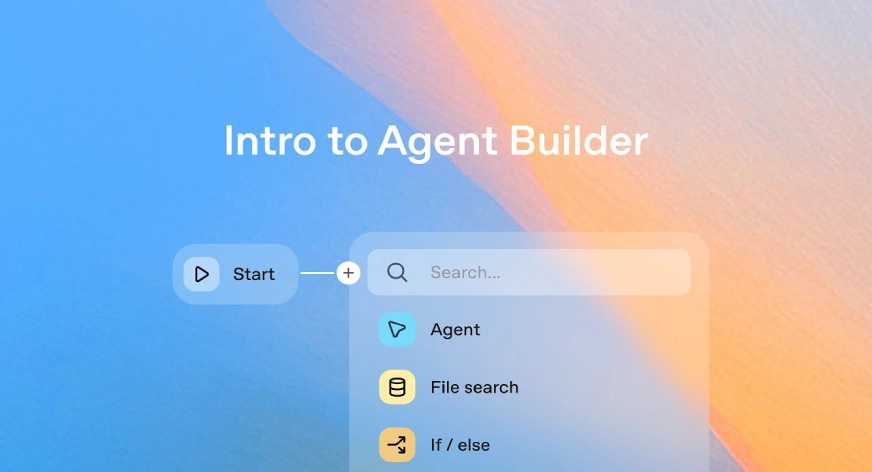

I’ve been using n8n for quite a while now, building all kinds of automation workflows: some simple, some pretty complex. But after OpenAI announced AgentKit, and especially their new Agent Builder tool, I couldn’t help but check it out. It’s been getting a lot of buzz lately, and honestly, it looks like it could shake up the entire automation space. In this blog, I’ll walk through what AgentKit actually is, try out Agent Builder, and see how it stacks up against n8n.
What is AgentKit?
OpenAI’s AgentKit is a new suite of tools built to help developers and teams create, deploy, and manage AI-powered agents with less friction.
Until now, building agentic workflows meant juggling multiple tools, writing orchestration logic, and spending too much time on frontend work. AgentKit changes that. It lets you design workflows visually and integrate agent-powered UIs much faster, thanks to three main components:
- Agent Builder: a visual canvas for creating and versioning multi-agent workflows.
- Connector Registry: a single place for admins to manage how data and tools connect across OpenAI products.
- ChatKit: a toolkit for embedding customizable chat-based agent experiences directly into your product.
OpenAI is also rolling out new evaluation features, things like datasets, trace grading, and automated prompt optimization. All aimed at helping teams monitor and improve agent performance more systematically. And third-party model support to measure and improve agent performance.
What is Agent Builder?
At the core of AgentKit is Agent Builder, a visual canvas where you can design multi-agent workflows with simple drag-and-drop actions. It comes with built-in version control, live previews, and guardrails to prevent errors, data leaks, or unsafe behavior.
The Connector Registry makes it easy to manage data and integrations across multiple workspaces and apps from one place. And ChatKit handles the interface side, letting you embed conversational agents directly into your product without dealing with frontend complexity.
How to Access Agent Builder?
Time needed: 2 minutes
To access Agent Builder, follow these steps:
- Sign in to OpenAI Platform:
Log in to your OpenAI account on their official website.
- Navigate to Agent Builder:
Visit this page and click on open Agent Builder.
- Access Agent Builder:
Once in, click on Create workflow.
- Start Building:
Use the visual canvas to drag, drop, and connect components to create your agent workflows.
My Agentic Workflow using Agent Builder ?
I built a custom agentic workflow using OpenAI’s Agent Builder to see firsthand how simple it is to create and deploy agents. The workflow was designed visually in Agent Builder, where I added a FileSearchTool that lets the agent read and search through the transcripts of my YouTube videos.
With this setup, the agent can answer user questions by searching those transcripts intelligently. Thanks to GPT-5’s reasoning capabilities, it understands context and pulls up accurate, relevant responses in seconds.
Here’s how the process works:
Step 1: Define Agent Role and Instructions
- Configure the agent’s purpose as a helpful assistant set to answer user queries by utilizing the YouTube video transcript.

Step 2: Integrate FileSearchTool and Upload Transcripts
- Add the FileSearchTool to the workflow

- Upload the video transcripts to this tool, enabling context-aware searching within the content.

Step 3: Preview & Test Agent
- Use the Agent Builder preview feature.

- In the chat UI, input queries related to your video.
- Receive accurate, context-driven answers based on the transcript.

This approach illustrates the power of Agent Builder’s drag-and-drop design, built-in AI orchestration, and seamless tool integrations to create sophisticated agentic workflow without heavy coding.
Full Demo:
Agent Builder and AgentKit Price
AgentKit gives you access to Agent Builder, ChatKit, and Evals. Billing begins on November 1, 2025, and there won’t be any charges before that. Storage costs apply only to ChatKit file and image uploads, with a free tier of 1 GB per account per month. Beyond that, the price is $0.10 per GB-day. Some features are always free, including using Agent Builder to design and iterate until you hit Run, self-hosting ChatKit (you only pay for model-token usage), and enterprise controls like SSO, RBAC, and audit logs, which are included at no extra cost.
You can read more about it here.
OpenAI’s Agent Builder vs n8n
While n8n is mature and popular no-code/low-code automation platform with thousanAgds of integrations and strong community, Agent Builder takes the unique approach of integrating advanced AI agents with streamlined conversational UI and guardrails built-in. Some of the key differences are:
| Feature | n8n | Agent Builder |
|---|---|---|
| Workflow Design | Visual, node-based drag & drop | Visual canvas with multi-agent orchestration, versioning |
| AI Integration | Limited, reliant on external APIs | Native AI agent orchestration with GPT-5 powered reasoning |
| Chat UI Embedding | Requires custom frontend development | Built-in ChatKit for embedding chat-based agent experiences |
| Safety & Guardrails | Manual implementation of data privacy and security | Modular guardrails for masking PII, jailbreak detection, and safe behavior |
| Data Connectors | Extensive integrations, community-built | Managed via Connector Registry, centralized control |
| Evaluation & Monitoring | Logs, executions, and some monitoring via plugins | Integrated evals with automated grading, prompt optimization, and trace grading |
Agent Builder’s combination of AI-first workflows, built-in chat UIs, and safety features position it as a strong contender, especially for AI powered automation scenarios. whereas n8n remains a go-to for versatile automation beyond specific workflows.
Also Read:
Conclusion
OpenAI’s Agent Builder is changing how we think about AI automation. Its visual, AI-native design, built-in safety guardrails, and integrated chat UI make it surprisingly easy to build intelligent agents without the usual technical hurdles.
n8n, on the other hand, still shines as a flexible, open-source automation platform with a massive integration library and a strong community behind it.
If you’re looking for streamlined, AI-first workflows with enterprise-level control, Agent Builder feels like the next big step. But if flexibility, community support, and open customization matter more to you, n8n still holds its ground. I’ll be publishing a detailed comparison soon, diving deeper into where each platform really wins.
Podcast: Play in new window | Download

I am a Data Science Trainee at Analytics Vidhya, passionately working on the development of advanced AI solutions such as Generative AI applications, Large Language Models, and cutting-edge AI tools that push the boundaries of technology. My role also involves creating engaging educational content for Analytics Vidhya’s YouTube channels, developing comprehensive courses that cover the full spectrum of machine learning to generative AI, and authoring technical blogs that connect foundational concepts with the latest innovations in AI. Through this, I aim to contribute to building intelligent systems and share knowledge that inspires and empowers the AI community.
Login to continue reading and enjoy expert-curated content.
