Close Menu

    Subscribe to Updates

    Get the latest news from tastytech.

    What's Hot

    ‘Cotton picking’: US lawmaker condemned for racist comment about Jeffries | Race Issues News

    May 12, 2026

    Using Polars Instead of Pandas: Performance Deep Dive

    May 12, 2026

    Five Best Wi-Fi Range Extender: The Most Flexible and Convinient Options for Better Coverage

    May 12, 2026
    Facebook X (Twitter) Instagram
    Facebook X (Twitter) Instagram
    tastytech.intastytech.in
    Subscribe
    • AI News & Trends
    • Tech News
    • AI Tools
    • Business & Startups
    • Guides & Tutorials
    • Tech Reviews
    • Automobiles
    • Gaming
    • movies
    tastytech.intastytech.in
    Home»Tech Reviews»Five Best Wi-Fi Range Extender: The Most Flexible and Convinient Options for Better Coverage
    Five Best Wi-Fi Range Extender: The Most Flexible and Convinient Options for Better Coverage
    Tech Reviews

    Five Best Wi-Fi Range Extender: The Most Flexible and Convinient Options for Better Coverage

    gvfx00@gmail.comBy gvfx00@gmail.comMay 12, 2026No Comments5 Mins Read
    Share
    Facebook Twitter LinkedIn Pinterest Email


    A Wi-Fi range extender and a Wi-Fi access point differ only by how they connect to the existing network. The latter uses a network cable, which can be infrastructure-prohibitive, whereas the latter is always much more readily applicable since it uses, well, the air.

    Wi-Fi range extender: What they are and how to pick the right one for your needs

    You’ll find the top 5 Wi-Fi range extenders to bring home in this post.

    Before continuing, though, keep in mind that, just like access points, extenders are not created equal—what you should get depends on the hardware of your current Wi-Fi network.

    The ASUS RP-BE58 has a Gigabit uplink port
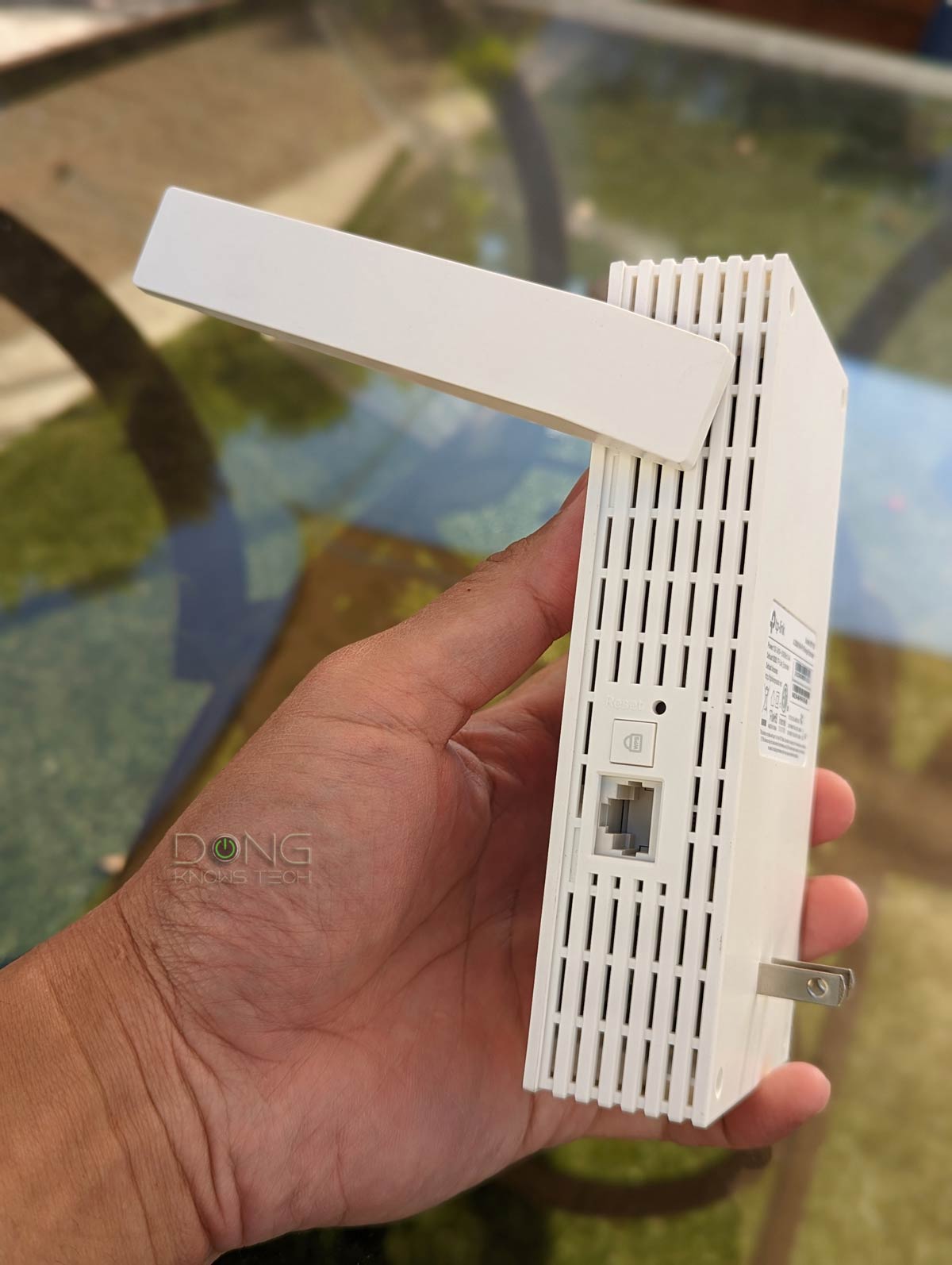
    Generally, an extender with at least one network port is recommended, as it can use a wired uplink or host a wired client.

    Related stories on home networking

    Table of Contents

    Toggle
    • The top five best Wi-Fi range extenders for different use cases
      • 1. TP-Link RE653BE: TP-Link’s EasyMesh-ready tri-band Wi-Fi 7 extender
      • Pros
      • Cons
      • 2. Ubiquiti U7 Mesh: Ubiquiti’s dual-band UniFi extender with extreme backhaul range
      • Pros
      • Cons
      • 3. ASUS RP-BE58: ASUS’s low-cost dual-band Wi-Fi 7 AiMesh extender
      • Pros
      • Cons
      • 4. ASUS RP-AX58: ASUS’s low-cost dual-band Wi-Fi 6 AiMesh extender
      • Pros
      • Cons
      • 5. TP-Link RE715X: TP-Link’s EasyMesh-ready dual-band Wi-Fi 7 extender
      • Pros
      • Cons
    • The final thoughts
      • Related posts:
    • ASUS RT-BE58 Go: A Solid Wi-Fi 7 Travel Router
    • Meta’s star AI scientist Yann LeCun plans to leave for own startup
    • 7 Kitchen Tools You Don't Have But Should -- According to Professional Chefs

    The top five best Wi-Fi range extenders for different use cases

    There are many Wi-Fi range extenders on the market. However, I only consider those with the following two criteria for the best list:

    1. They must have at least one network port that can serve as the uplink (access point mode) or as a LAN port to host a wired client (extender mode).
    2. They must belong to an ecosystem in which they can function as a mesh point (a.k.a. node or satellite unit).

    In other words, these devices must be able to function as standalone range extenders by default, as a standard Wi-Fi access point, or a member of a Wi-Fi system when used with a supported router.

    The point here is that you should look at them as representatives of different use cases—they are the absolute best for all situations. The list is ordered by the rating with the highest on top, but any will be your “best” option depending on the situation.

    1. TP-Link RE653BE: TP-Link’s EasyMesh-ready tri-band Wi-Fi 7 extender

    The TP-Link RE653BE is a large Wi-Fi 7 extender
    Best Wi-Fi extender: The TP-Link RE653BE is quite large.

    The TP-Link RE653BE is one of a few tri-band Wi-Fi 7 extenders on the market with top-tier hardware specs and a 2.5Gbps uplink/LAN port. It works best when paired with a tri-band TP-Link Wi-Fi 7 router.

    Pros

    2.5Gbps uplink/LAN port with various operation modes (extender, access point, and EasyMesh node)

    Top-tier Wi-Fi 7 specs with fast, reliable performance and good coverage

    Convenient design, full web interface

    Cons

    Bulky design with no pass-through power socket

    Awkward support for MLO, IoT, and Guest SSIDs when working as an extender or EasyMesh point


    2. Ubiquiti U7 Mesh: Ubiquiti’s dual-band UniFi extender with extreme backhaul range

    The Ubiquiti U7 Mesh comes with a PoE injector and mounting accessories
    Best Wi-Fi extender: The Ubiquiti U7 Mesh includes a PoE injector, enabling it to operate as a mesh point or extender without a PoE connection.

    The U7 Mesh is not technically an extender by design, but it can work as one in a UniFi Wi-Fi network. In this case, it has the best uplink range to date.

    Pros

    Compact and rugged design with reliable performance and exceptionally extended backhaul range

    Seamless integration with a UniFi Cloud Gateway, as an access point or a mesh unit, to deliver a robust Wi-Fi system with advanced and useful features

    Simple to set up and manage, fanless design, low PoE power draw, runs relatively cool, 2.5Gbps PoE injector included

    Cons

    Modest dual-band Wi-Fi 7 specs with only Gigabit-class real-world rates

    A UniFi network is required to deliver the full potential


    3. ASUS RP-BE58: ASUS’s low-cost dual-band Wi-Fi 7 AiMesh extender

    The ASUS RP-BE58 working as an access point
    Best Wi-Fi extenders: The ASUS RP-BE58 is working via wired uplink

    The ASUS RP-BE58 is a low-cost and modest dual-band Wi-Fi 7 extender. It can work with any existing network but is best paired with a dual-band ASUS Wi-Fi 7 router.

    Pros

    Affordable with dual-band Wi-Fi 7

    Reliable performance for sub-Gigabit bandwidth needs

    Versatile operation modes

    Convenient design, responsive web user interface with optional mobile app

    Cons

    Uplink bandwidth is limited to a Gigabit

    2×2 Wi-Fi specs with modest real-world rates

    Relatively bulky with no passthrough socket


    4. ASUS RP-AX58: ASUS’s low-cost dual-band Wi-Fi 6 AiMesh extender

    ASUS RP AX58 Extender working as a wireless mesh satellite
    Best Wi-Fi extenders: The ASUS RP AX58 is working as an AiMesh mesh unit

    The ASUS RP-AX58 is the Wi-Fi 6 version of the ASUS RP-BE58 above—the two look identical. It works best with an ASUS Wi-Fi 6 router, making it an even more affordable option these days.

    Pros

    Reliable and relatively fast Wi-Fi (for the specs) with good coverage

    Can work as an Access Point, a Media Bridge, an Extender, or an AiMesh node (via wireless or wired backhaul)

    Convenient design, excellent web interface

    Cons

    Modest 2×2 specs; only one Gigabit port; no Multi-Gig support

    Bulky for a snap-on device


    5. TP-Link RE715X: TP-Link’s EasyMesh-ready dual-band Wi-Fi 7 extender

    TP-Link RE715X Wi-Fi 6 Range Extender in action
    Best Wi-Fi extenders: TP-Link RE715X Wi-Fi 6 Range Extender in action

    The TP-Link RE715X is somewhat the Wi-Fi 6 version of the TP-Link RE653BE above and is best paired with a TP-Link Wi-Fi 6 router that supports OneMesh or EasyMesh.

    Pros

    Versatile and easy to use; can work as an extender, an access point, or a OneMesh satellite

    160MHz support, reliable performance with decent data rates and coverage

    Convenient design, full web interface

    Cons

    No wired backhauling as a OneMesh satellite

    Super-bulky, no pass-through socket

    Slow performance as a standard extender with virtual MAC address issue.


    The final thoughts

    Again, none of the range extenders above are the absolute best. Rather, they are best used within a network that supports Wi-Fi. If you don’t have such a network, they will still work, just not at their best.

    Related posts:

    Sunday Night Football: How to Watch Falcons vs. 49ers Tonight

    Sabalenka vs Rybakina Free Streams: How to Watch Australian Open 2026 women's final

    AI is so ubiquitous 'it will be more practical to fingerprint real media than fake media'

    Share. Facebook Twitter Pinterest LinkedIn Tumblr Email
    Previous ArticlePeople Are Already Playing Subnautica 2 After It SEemingly Leaks
    Next Article Using Polars Instead of Pandas: Performance Deep Dive
    gvfx00@gmail.com
    • Website

    Related Posts

    Tech Reviews

    Linux bitten by second severe vulnerability in as many weeks

    May 12, 2026
    Tech Reviews

    Sony’s New Wearable Air Conditioner Runs Even Cooler

    May 12, 2026
    Tech Reviews

    ‘The Rings of Power’: Here’s When Season 3 Hits Prime Video

    May 12, 2026
    Add A Comment
    Leave A Reply Cancel Reply

    Top Posts

    Black Swans in Artificial Intelligence — Dan Rose AI

    October 2, 2025150 Views

    Every Clue That Tony Stark Was Always Doctor Doom

    October 20, 202583 Views

    We let ChatGPT judge impossible superhero debates — here’s how it ruled

    December 31, 202576 Views
    Stay In Touch
    • Facebook
    • YouTube
    • TikTok
    • WhatsApp
    • Twitter
    • Instagram

    Subscribe to Updates

    Get the latest tech news from tastytech.

    About Us
    About Us

    TastyTech.in brings you the latest AI, tech news, cybersecurity tips, and gadget insights all in one place. Stay informed, stay secure, and stay ahead with us!

    Most Popular

    Black Swans in Artificial Intelligence — Dan Rose AI

    October 2, 2025150 Views

    Every Clue That Tony Stark Was Always Doctor Doom

    October 20, 202583 Views

    We let ChatGPT judge impossible superhero debates — here’s how it ruled

    December 31, 202576 Views

    Subscribe to Updates

    Get the latest news from tastytech.

    Facebook X (Twitter) Instagram Pinterest
    • Homepage
    • About Us
    • Contact Us
    • Privacy Policy
    © 2026 TastyTech. Designed by TastyTech.

    Type above and press Enter to search. Press Esc to cancel.

    Ad Blocker Enabled!
    Ad Blocker Enabled!
    Our website is made possible by displaying online advertisements to our visitors. Please support us by disabling your Ad Blocker.