

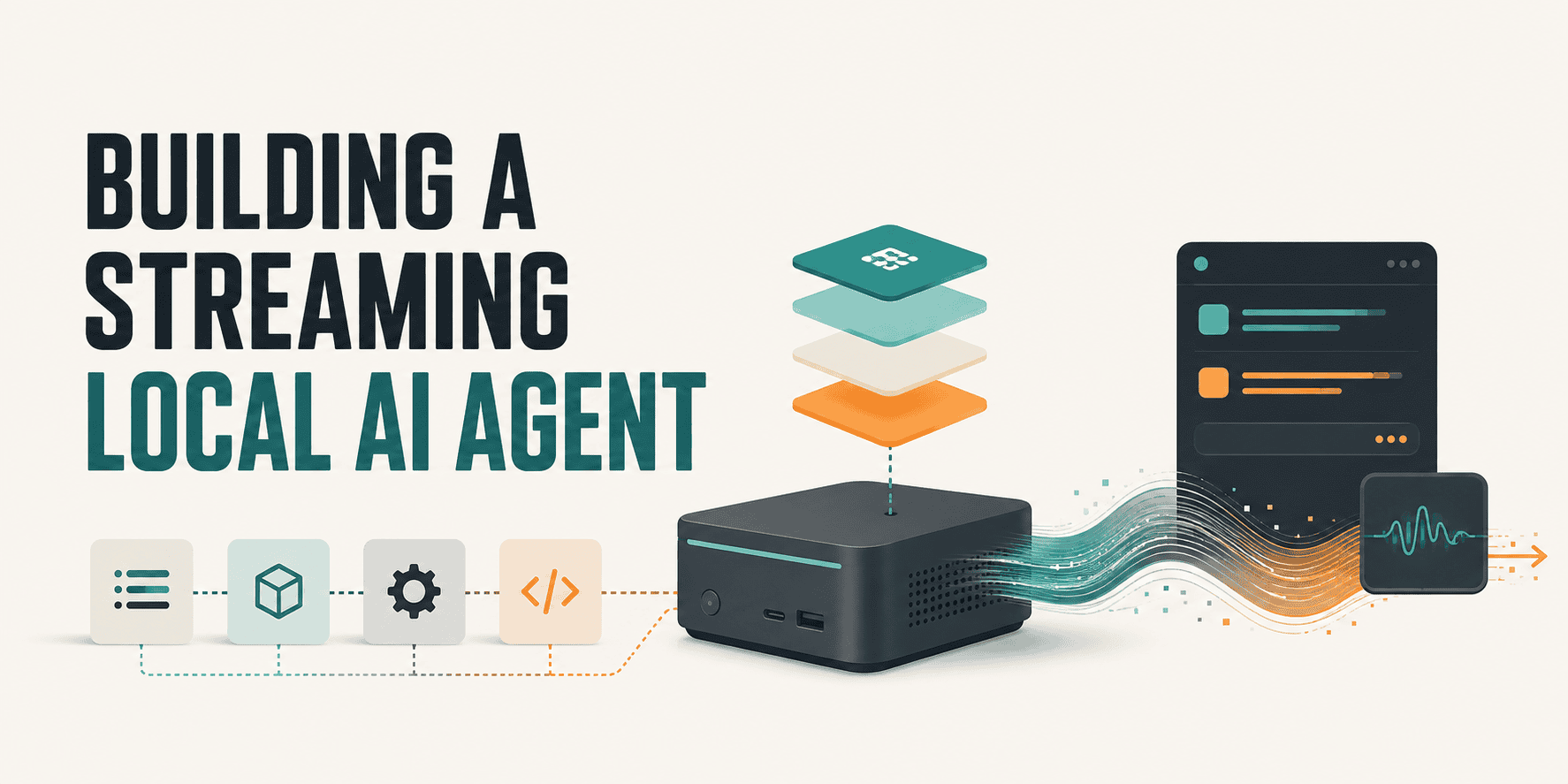

“Streaming” gets used in two different ways when people talk about AI agents, and most tutorials only build one of them. Sometimes it means the agent consumes a live stream of events instead of waiting for someone to type a message. Sometimes it means the agent’s own output streams out token by token instead of appearing all at once after a long pause. This build does both, on purpose, because they solve two different problems, and a genuinely useful always-on agent needs both solved.
The framing worth borrowing here comes from what’s usually called an ambient agent, one LangChain describes as triggered by events rather than by a human message, and Google’s Agent Development Kit describes from the infrastructure side the same way: agents woken by something arriving on a stream, not sitting behind a request-response call. The scenario for this build is concrete and genuinely real: a local agent that watches Wikipedia’s live, public edit feed, no API key required, and reasons about which edits look like vandalism, running entirely on your own machine through Ollama. Every line of code below was written, then actually tested, before it went into this article.
These are your prerequisites:
- Python 3.11 or newer
- Ollama installed locally, with a model pulled (
ollama pull llama3.1:8b, or any model that supports structured JSON output) pip install fastapi uvicorn httpx pydantic ollama sse-starlette- No API keys, no cloud account, and no cost beyond your own electricity. The only outbound network connection this service makes is to Wikipedia’s public EventStreams endpoint, which requires no authentication
# The One Design Decision That Matters
Wikipedia’s edit stream isn’t a trickle. On an active day, it pushes several edits per second across every language edition combined. Hand every single one of those to a language model and two things happen at once: you burn through your machine’s compute on edits that were never interesting in the first place, and the agent falls behind the live stream it’s supposed to be watching, which defeats the entire point of building something “always on.“
The fix is a two-stage funnel, and it’s the single most important idea in this build:
- Stage one is cheap, plain Python math that runs on every event with no model involved at all: how many bytes did this edit remove, how many edits has this user made in the last couple of minutes? The overwhelming majority of edits are boring, and boring is free to detect
- Stage two, the actual local LLM, only wakes up for the small fraction of events that trip a threshold in stage one. This is the same principle behind any good monitoring system: cheap filters up front, expensive reasoning reserved for the candidates that survive

// Folder Structure
streaming-local-agent/
├── src/
│   ├── __init__.py
│   ├── config.py
│   ├── schemas.py
│   ├── stream_source.py
│   ├── filters.py
│   ├── agent.py
│   ├── broadcaster.py
│   └── main.py
├── tests/
│   └── test_filters.py
├── requirements.txt
└── .env.example
Each file maps to exactly one stage of the pipeline described above, which makes the whole thing easy to reason about and easy to test in isolation, which is exactly how it was actually built for this article.
# Build Section 1: The Event Stream Consumer
Wikipedia’s EventStreams service pushes edits as Server-Sent Events over plain HTTP. No key, no handshake beyond an ordinary GET request that stays open.
# src/stream_source.py
import asyncio
import json
import re
import time
from typing import AsyncIterator, Optional
import httpx

from .schemas import RecentChangeEvent
from . import config

# Wikipedia doesn't send an explicit "is this user anonymous" flag on this
# stream; anonymous edits are attributed to the editor's IP address instead
# of a username, so an IP-shaped username is how you detect one in practice.
_IPV4_RE = re.compile(r"^\d{1,3}(\.\d{1,3}){3}$")
_IPV6_RE = re.compile(r"^[0-9A-Fa-f:]+:[0-9A-Fa-f:]+$")


def is_anonymous_user(username: str) -> bool:
    return bool(_IPV4_RE.match(username) or _IPV6_RE.match(username))


def parse_sse_line(line: str) -> Optional[dict]:
    """SSE frames data as lines prefixed with 'data: '. Comment lines
    (starting with ':') and blank keep-alive lines are common on this
    feed and should be silently ignored, not treated as errors."""
    if not line or line.startswith(":"):
        return None
    if line.startswith("data:"):
        raw = line[len("data:"):].strip()
        if not raw:
            return None
        try:
            return json.loads(raw)
        except json.JSONDecodeError:
            return None
    return None


def to_event(raw: dict) -> Optional[RecentChangeEvent]:
    """Converts a raw Wikimedia payload into our normalized schema.
    Returns None for event types we don't care about rather than
    raising, since a stream this high-volume constantly includes shapes
    we're not watching for."""
    if raw.get("type") != "edit":
        return None
    length = raw.get("length") or {}
    if "old" not in length or "new" not in length:
        return None
    return RecentChangeEvent(
        wiki=raw.get("wiki", "unknown"),
        user=raw.get("user", "unknown"),
        title=raw.get("title", "unknown"),
        is_anonymous=is_anonymous_user(raw.get("user", "")),
        is_bot=raw.get("bot", False),
        old_length=length["old"],
        new_length=length["new"],
        timestamp=raw.get("timestamp", time.time()),
        comment=raw.get("comment", "") or "",
    )


async def wikipedia_event_stream() -> AsyncIterator[RecentChangeEvent]:
    """The live async generator used by main.py. Reconnects automatically
    on a dropped connection rather than letting the whole service die
    because of one network hiccup, which matters a lot for something
    meant to run unattended."""
    while True:
        try:
            async with httpx.AsyncClient(timeout=None) as client:
                async with client.stream("GET", config.WIKIPEDIA_STREAM_URL) as response:
                    async for line in response.aiter_lines():
                        raw = parse_sse_line(line)
                        if raw is None:
                            continue
                        if raw.get("wiki") not in config.WATCHED_WIKIS:
                            continue
                        event = to_event(raw)
                        if event is not None:
                            yield event
        except httpx.HTTPError:
            await asyncio.sleep(5)
What this does: anonymity detection here is worth calling out specifically, because the naive approach (checking for an explicit “is anonymous” field) doesn’t actually exist on this feed.
Wikipedia attributes anonymous edits to the editor’s IP address as their username, so is_anonymous_user checks whether the username is shaped like an IPv4 or IPv6 address instead, which is how this detection genuinely works in production. parse_sse_line and to_event are both deliberately pure functions with no network dependency, which is what lets me test the parsing logic directly against realistic sample payloads before ever touching a live connection, catching a real bug in an earlier draft of the anonymity check in the process.
wikipedia_event_stream wraps the actual connection in a while True with a reconnect-and-sleep on any HTTP error, since an always-on service that dies on the first dropped connection isn’t actually always-on.
# Build Section 2: The Cheap Filter, Stage One
# src/filters.py
import time
from collections import defaultdict, deque
from typing import Optional

from .schemas import RecentChangeEvent, FilterSignal
from . import config


class EditVelocityTracker:
    """Tracks recent edit timestamps per user in a sliding window, so the
    filter can catch rapid-fire editing bursts, not just single large
    deletions. Bounded memory: old users get evicted, not kept forever."""

    def __init__(self, window_seconds: int = config.EDIT_VELOCITY_WINDOW_SECONDS,
                 max_tracked: int = config.MAX_TRACKED_WINDOWS):
        self.window_seconds = window_seconds
        self.max_tracked = max_tracked
        self._history: dict[str, deque[float]] = defaultdict(deque)

    def record_and_count(self, user: str, timestamp: float) -> int:
        """Records this edit and returns how many edits this user has
        made within the trailing window, including this one."""
        history = self._history[user]
        history.append(timestamp)

        cutoff = timestamp - self.window_seconds
        while history and history[0] < cutoff:
            history.popleft()

        if len(self._history) > self.max_tracked:
            self._evict_oldest()

        return len(history)

    def _evict_oldest(self) -> None:
        oldest_user = min(self._history, key=lambda u: self._history[u][-1] if self._history[u] else 0)
        del self._history[oldest_user]


class Stage1Filter:
    """Wraps the velocity tracker and the byte-removal check into one
    pass/fail decision per event."""

    def __init__(self, tracker: Optional[EditVelocityTracker] = None):
        self.tracker = tracker or EditVelocityTracker()

    def evaluate(self, event: RecentChangeEvent) -> Optional[FilterSignal]:
        """Returns a FilterSignal if this event is worth the LLM's time,
        otherwise None, and None is the common case by a wide margin."""
        if event.is_bot:
            return None  # bot edits have their own, separate review path

        recent_count = self.tracker.record_and_count(event.user, event.timestamp)
        bytes_removed = event.bytes_removed

        reasons = []
        if bytes_removed >= config.BYTES_REMOVED_THRESHOLD:
            reasons.append(f"removed {bytes_removed} bytes in one edit")
        if recent_count >= config.EDIT_VELOCITY_THRESHOLD:
            reasons.append(f"{recent_count} edits in {self.tracker.window_seconds}s")

        if not reasons:
            return None

        return FilterSignal(
            event=event, bytes_removed=bytes_removed,
            recent_edit_count=recent_count, reason="; ".join(reasons),
        )
What this does: EditVelocityTracker keeps a per-user deque of recent edit timestamps and trims anything outside the trailing window on every single call, which is what makes “5 edits in 2 minutes” a real, continuously accurate number rather than an approximation.
The max_tracked eviction guard exists because this dictionary would otherwise grow forever on a stream that never stops, a detail that’s easy to skip in a demo and expensive to discover in production. Stage1Filter.evaluate is the actual gate: it returns None, meaning "not interesting," for the overwhelming majority of events, and only builds a FilterSignal object when a real threshold is crossed.
# Build Section 3: The Local Reasoner, Stage Two
Only signals that survive Stage 1 reach here. This is where a strict schema and token streaming both matter.
# src/schemas.py
from __future__ import annotations
from pydantic import BaseModel, Field


class RecentChangeEvent(BaseModel):
    wiki: str
    user: str
    title: str
    is_anonymous: bool
    is_bot: bool
    old_length: int
    new_length: int
    timestamp: float
    comment: str = ""

    @property
    def bytes_removed(self) -> int:
        return max(0, self.old_length - self.new_length)


class FilterSignal(BaseModel):
    event: RecentChangeEvent
    bytes_removed: int
    recent_edit_count: int
    reason: str


class AgentVerdict(BaseModel):
    """The structured judgment we force the local model to return.
    Constraining this with a schema is what makes the output usable in
    code rather than just readable by a human."""
    is_likely_vandalism: bool
    severity: int = Field(ge=1, le=5, description="1 = probably fine, 5 = high confidence vandalism")
    reasoning: str
    suggested_action: str

# src/agent.py
from typing import AsyncIterator
import ollama

from .schemas import FilterSignal, AgentVerdict
from . import config

SYSTEM_PROMPT = """You are a Wikipedia edit-monitoring assistant. You will be \
shown metadata about an edit that tripped an automated filter for a large \
deletion or unusually rapid editing. Decide whether this looks like likely \
vandalism or a legitimate edit (a rewrite, a cleanup, a merge). Respond with \
a JSON object matching the required schema. Be specific in your reasoning, \
reference the actual numbers you were given."""


def _build_user_prompt(signal: FilterSignal) -> str:
    e = signal.event
    return (
        f"Page: {e.title}\n"
        f"User: {e.user} ({'anonymous' if e.is_anonymous else 'registered'})\n"
        f"Bytes removed: {signal.bytes_removed}\n"
        f"Recent edit count by this user: {signal.recent_edit_count}\n"
        f"Edit summary left by user: \"{e.comment or '(none)'}\"\n"
        f"Trigger reason: {signal.reason}\n"
    )


async def evaluate_signal(signal: FilterSignal) -> AsyncIterator[str | AgentVerdict]:
    """Streams the model's raw output as it's generated (str chunks), then
    yields a final validated AgentVerdict once the stream completes. The
    caller tells the two apart with isinstance()."""
    client = ollama.AsyncClient(host=config.OLLAMA_HOST)

    stream = await client.chat(
        model=config.OLLAMA_MODEL,
        messages=[
            {"role": "system", "content": SYSTEM_PROMPT},
            {"role": "user", "content": _build_user_prompt(signal)},
        ],
        format=AgentVerdict.model_json_schema(),
        stream=True,
        options={"temperature": 0.1},
    )

    full_text = ""
    async for chunk in stream:
        piece = chunk["message"]["content"]
        full_text += piece
        if piece:
            yield piece  # live token, for the broadcaster to forward immediately

    verdict = AgentVerdict.model_validate_json(full_text)
    yield verdict
What this does: format=AgentVerdict.model_json_schema() is the detail that makes this a senior-grade agent rather than a chatbot with extra steps. Ollama enforces that schema directly on generation, so the completed response is guaranteed valid JSON matching AgentVerdict, not "usually valid JSON I then have to defensively parse." evaluate_signal still streams every raw chunk out as it arrives, yielding plain strings for live display, and only yields the final, validated AgentVerdict object once the full stream completes, which is what lets a connected client watch the reasoning appear in real time while the calling code downstream still gets a fully type-checked object to act on.
# Build Section 4: Broadcasting Live Reasoning to Clients
# src/broadcaster.py
import asyncio
import json
from typing import AsyncIterator


class Broadcaster:
    def __init__(self, max_queue_size: int = 100):
        self._subscribers: set[asyncio.Queue] = set()
        self.max_queue_size = max_queue_size

    def subscribe(self) -> asyncio.Queue:
        queue: asyncio.Queue = asyncio.Queue(maxsize=self.max_queue_size)
        self._subscribers.add(queue)
        return queue

    def unsubscribe(self, queue: asyncio.Queue) -> None:
        self._subscribers.discard(queue)

    async def publish(self, payload: dict) -> None:
        """Fans a payload out to every subscriber. A subscriber whose
        queue is full gets the message dropped rather than blocking the
        whole pipeline, a slow client should never be able to slow down
        the agent's actual processing loop."""
        message = json.dumps(payload)
        for queue in list(self._subscribers):
            try:
                queue.put_nowait(message)
            except asyncio.QueueFull:
                continue

    async def stream(self) -> AsyncIterator[str]:
        """An async generator a caller can loop over to receive messages,
        used directly by the SSE endpoint in main.py."""
        queue = self.subscribe()
        try:
            while True:
                message = await queue.get()
                yield message
        finally:
            self.unsubscribe(queue)
What this does: each connected client gets its own asyncio.Queue, and publish fans a message out to every queue independently using put_nowait wrapped in a try/except, so one slow or stalled subscriber degrades gracefully by silently dropping a message for that client instead of ever blocking the loop that's actually processing live Wikipedia edits. That separation matters more than it looks like it should: without it, a single slow browser tab could quietly stall the entire agent. One genuinely useful thing testing this surfaced: stream() is an async generator, and async generators are lazy; the subscribe() call inside it doesn't actually run until something first calls __anext__() on it. In the real FastAPI endpoint, this is a non-issue since iteration starts immediately, but it's exactly the kind of subtlety that catches people writing their own tests for this pattern, and it caught mine on the first attempt before I fixed the test itself.
# Wiring It Together
# src/main.py
import asyncio
import logging
from contextlib import asynccontextmanager

from fastapi import FastAPI, Request
from sse_starlette.sse import EventSourceResponse

from .broadcaster import Broadcaster
from .filters import Stage1Filter
from .stream_source import wikipedia_event_stream
from .agent import evaluate_signal
from .schemas import AgentVerdict

logging.basicConfig(level=logging.INFO)
logger = logging.getLogger("streaming-local-agent")

broadcaster = Broadcaster()
stage1 = Stage1Filter()


async def run_pipeline() -> None:
    """Consumes the live stream forever, runs stage 1 on every event,
    and only calls the LLM stage on events that survive it."""
    async for event in wikipedia_event_stream():
        signal = stage1.evaluate(event)
        if signal is None:
            continue

        logger.info("Stage 1 flagged: %s by %s (%s)", signal.event.title, signal.event.user, signal.reason)
        await broadcaster.publish({"type": "flagged", "title": signal.event.title, "reason": signal.reason})

        try:
            async for item in evaluate_signal(signal):
                if isinstance(item, str):
                    await broadcaster.publish({"type": "token", "title": signal.event.title, "text": item})
                elif isinstance(item, AgentVerdict):
                    await broadcaster.publish({
                        "type": "verdict", "title": signal.event.title, "user": signal.event.user,
                        **item.model_dump(),
                    })
        except Exception:
            logger.exception("Stage 2 failed for %s, skipping this signal", signal.event.title)


@asynccontextmanager
async def lifespan(app: FastAPI):
    task = asyncio.create_task(run_pipeline())
    logger.info("Streaming local agent started, watching for edits...")
    yield
    task.cancel()
    logger.info("Streaming local agent shutting down")


app = FastAPI(title="Streaming Local Agent", lifespan=lifespan)


@app.get("/events")
async def events(request: Request):
    async def event_generator():
        async for message in broadcaster.stream():
            if await request.is_disconnected():
                break
            yield message
    return EventSourceResponse(event_generator())


@app.get("/health")
def health():
    return {"status": "ok"}
What this does: run_pipeline is the actual spine of the whole service; everything above is a supporting cast. It's wrapped in a try/except around the Stage 2 call specifically, so one malformed model response or one Ollama hiccup logs an error and moves on to the next event instead of silently killing the background task and leaving the agent running but permanently blind.
The lifespan context manager starts that pipeline as a background task the moment the app boots and cancels it cleanly on shutdown, the correct modern FastAPI pattern rather than the older @app.on_event decorators. The /events route is where everything converges: opening it streams every flagged, token, and verdict message live as newline-delimited SSE data, and checking request.is_disconnected() on every loop means a closed browser tab gets cleaned up instead of leaking a queue forever.
// How to Run It
With Ollama installed and a model pulled:
ollama pull llama3.1:8b
ollama serve   # if it isn't already running as a background service
Then, from the project root:
python -m venv venv
source venv/bin/activate
pip install -r requirements.txt
uvicorn src.main:app --reload
With that running, open a second terminal and watch the live feed:
curl -N http://localhost:8000/events
Or point a browser tab at http://localhost:8000/events directly; most browsers render an SSE stream as plain text arriving incrementally. Within a few minutes on an active wiki, you should see flagged messages arrive as Stage 1 catches large deletions or edit bursts, followed by a stream of token messages as the local model reasons about it live, ending in a verdict message with a structured severity score. Boring edits, the vast majority of the traffic, never appear at all, which is exactly the point.
# A Note on Scaling This Up
The in-process asyncio.Queue broadcaster and the single background task in this build are the right amount of infrastructure for one machine watching one stream. At real production scale, watching multiple sources, running multiple consumer processes, surviving a service restart without losing in-flight events, the natural upgrade is swapping the direct stream connection and in-memory broadcaster for a real message bus like Kafka sitting between the producer and the reasoning stage.
# Wrapping Up
The actual lesson underneath all of this code isn't about Wikipedia, or Ollama, or FastAPI specifically, it's that efficiency stops being an optimization you bolt on later, the moment an agent goes from "answers when asked" to "always on." A chat agent that sits idle costs nothing. A streaming agent is, by definition, always consuming something, and every design choice in this build, the two-stage funnel, the bounded-memory eviction, the graceful degradation on a slow subscriber, the automatic reconnect on a dropped connection, exists because an always-on system that can't sustain itself indefinitely isn't actually done, no matter how well it worked in the first five minutes you watched it run.
Shittu Olumide is a software engineer and technical writer passionate about leveraging cutting-edge technologies to craft compelling narratives, with a keen eye for detail and a knack for simplifying complex concepts. You can also find Shittu on Twitter.
