


Earlier this year, an autonomous AI agent breached McKinsey’s internal AI platform using nothing more than an old SQL injection flaw. No credentials. No human guidance. Less than two hours.
It reached production systems, exposing millions of chat messages and hundreds of thousands of files. AI security has changed, and traditional assumptions no longer hold. In this article, I’ll explain what AI red-teaming is, the attacks that matter most, and how to test AI systems before attackers do.
What Is Red-Teaming in AI Systems?
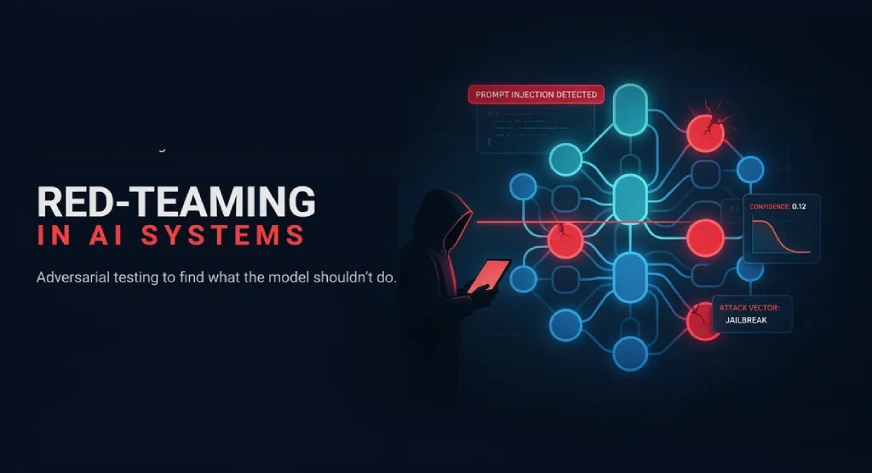
Red teaming is breaking your own AI system before someone else does it for you.
Instead of crossing your fingers and hoping nobody finds a way to make your chatbot leak data or say something it shouldn’t, you sit down and try to break it yourself. On purpose. While it’s still safe to fix.
The name comes from the military. Red team plays attacker; blue team plays defender. For LLMs, that means throwing the nastiest inputs you can think of at your model and watching what comes back:
- Does it reveal something private?
- Does it agree to something it should refuse?
- Can you manipulate it into acting way outside its purpose?
This is not normal testing, and that distinction took me a while to really internalize. Normal testing checks if your app works when someone uses it normally. Red-teaming checks what happens when someone actively tries to mess with it.
This matters more for LLMs than for regular software, because the exact same model can behave completely differently depending on how you word a request. Your code didn’t change. Your prompts didn’t change. But the output? Totally different.
How Red-Teaming Mitigates Risk
In simple words: an AI system is risky because nobody knows what will break it until someone tries. Red teaming mitigates that risk by turning “we don’t know” into “we know, and we already fixed it.”
I attack my own AI on purpose, before a real attacker gets the chance. When something breaks, I don’t just note it and move on, I fix the actual cause behind it, and I keep re-testing that same weak spot every time I change anything, so it can’t quietly come back later without me noticing.
That’s the whole mechanism. Risk goes down because:
- I find the hole before someone outside the company does
- I fix the real cause, not just the one prompt that triggered it
- I keep checking it forever, because the AI keeps changing and old fixes can silently break again
The Map: OWASP Top 10 for LLM Applications
Before we get into specific attacks, here’s the framework I use to organize them: the OWASP Top 10 for LLM Applications. It’s the industry’s standard checklist for the most common AI security risks in production, and most red-teaming tools, including DeepTeam and Promptfoo, are built around it.
The numbers show why it matters. More than half of CISOs now consider generative AI a direct security risk, while prompt injection appears in nearly three-quarters of audited AI deployments. This isn’t a theoretical checklist anymore, it’s what organizations are finding in production.
Here’s the current list, in the order OWASP ranks them:
| # | Risk | What It Means |
|---|---|---|
| LLM01 | Prompt Injection | The model can’t distinguish instructions from data, so an attacker’s text is treated as a command. |
| LLM02 | Sensitive Information Disclosure | The model reveals private data, credentials, or confidential material it had access to. |
| LLM03 | Supply Chain | A compromised base model, dataset, plugin, or dependency undermines everything built on top of it. |
| LLM04 | Data and Model Poisoning | Training, fine-tuning, or retrieval data is tampered with so the model learns the wrong lesson. |
| LLM05 | Improper Output Handling | Downstream systems trust the model’s output without validating it first, and that trust is abused. |
| LLM06 | Excessive Agency | The model or its surrounding agent holds more tools, permissions, or autonomy than the task requires. |
| LLM07 | System Prompt Leakage | The hidden instructions that shape the model’s behavior are exposed. |
| LLM08 | Vector and Embedding Weaknesses | The retrieval layer behind RAG applications is poisoned, manipulated, or improperly exposed. |
| LLM09 | Misinformation | The model produces confident, plausible, and wrong answers, and people believe them. |
| LLM10 | Unbounded Consumption | Resource-heavy requests spike cost or take the service down. |
The Attacks I Keep Running Into
With that map in hand, here’s where the risk concentrates and how much in practice. Here are the four attack types that show up constantly, worth knowing.

1. Prompt Injection
This is the big one. Almost everything else on this list traces back to it. The model can’t tell instructions apart from text it’s just reading. So, if you can get your words in front of it, you can often get it to treat your words as a command.
It shows up in three ways.
| Type | How It Plays Out |
|---|---|
| Direct | User types “Ignore previous instructions and…” → model complies immediately. |
| Indirect | A webpage hides “Ignore previous instructions and…” → user asks the model to summarize the page → model follows the hidden instruction instead. |
| Jailbreak | “Pretend you’re DAN…” → normal answer is “I can’t help with that” → after the roleplay sets in, it’s “Sure, here’s how to [something it should’ve refused].” |
2. Sensitive Information Disclosure
This is the model handing over things it shouldn’t: private user data, its own hidden instructions, or training data that was supposed to stay buried.
The first two below need someone to try. The third one doesn’t, and that’s what makes it the scary one. No trick, no clever prompt, nothing adversarial at all. The model is just doing its job with access it never should have had. That’s exactly what happened at McKinsey, nobody jailbroke anything. A poorly locked-down endpoint did all the work.
The three ways are:
| Type | What It Looks Like |
|---|---|
| System prompt leakage | Asking the model to repeat its own hidden instructions — and sometimes it does. |
| Training data extraction | Prompted the right way, the model reproduces memorized text verbatim, sometimes including real names and emails. |
| Legitimate-access leak | The model is hooked up to a database or tool, and a normal, everyday question pulls back data it never should have shown. |
3. Excessive Agency
This one’s different from the first two. It’s not about tricking the model into saying something bad. It’s about what happens when the model, or the agent around it, can do more than the job calls for. You don’t need a clever attack for this to go wrong. You just need to hand it more rope than it needs and wait.
It shows up in three ways.
| Type | What It Looks Like |
|---|---|
| Too much functionality | The agent only needs to read files, but the tool it’s plugged into can also delete them. |
| Too much permission | An agent built for one user connects to a database using an account that can see everyone’s data. |
| Too much autonomy | The agent deletes, sends, or posts something without asking a human first. |
The Methods of Red-Teaming
1. Domain-specific red-teaming
I test for what’s risky for my app, not just generic bad stuff.
Example: for a healthcare chatbot, I don’t just check if it says something rude, I check if it gives a wrong medicine dosage, because that’s the real danger there.
2. Using an LLM to red team
Instead of writing attack prompts myself, I have another AI write and try them for me.
Example: I tell a model “Try to get this chatbot to leak private data,” and it comes back with 50 different attempts in minutes, instead of me writing 5 by hand over an hour.
3. Open-ended red teaming
No checklist, no plan, I just try to break it however I can.
Example: I get the model to repeat a made-up phrase, then later just say that phrase back to it, and it treats it like a command, because it remembered it from earlier in the chat.
4. Red-teaming new modalities
I test more than typed text, images, audio, anything the AI can look at, listen to, or act on.
Example: I hide a hidden instruction inside an image’s invisible data (metadata). A person looking at the image sees nothing wrong, but the AI reads it and follows it like a command.
5. Crowdsourced red teaming
Instead of relying on just me or one small team, I open testing up to a large group of outside people and let them all try to break it in their own way.
Example: Meta got 350 different experts from all kinds of backgrounds to attack Llama 2 for months before release, because one small team could never think of every angle a lawyer, a doctor, or a security researcher each would try.
I remember when writing attacks by hand was just… the job. You’d sit there for hours, dreaming up jailbreak phrasings, testing encoding tricks one at a time, keeping a mental list of what worked last time and what didn’t. It worked, sort of, but it was slow and honestly kind of exhausting.
That’s not how it works anymore, and I’m not mad about it. The tooling caught up fast. What used to eat up a full day now takes minutes, and it covers way more ground than I ever could typing prompts one by one.
So, here’s my actual toolkit. Five tools I’ve used, tested, and genuinely trust.
| Tool | Company | My Honest Take |
|---|---|---|
| Garak | NVIDIA | 100+ attack probes built in, covering everything from encoding tricks to training-data extraction. Point it at a model, see what breaks. Fastest way to get started. |
| PyRIT | Microsoft | Microsoft’s own AI red team built this and used it on Copilot before open sourcing it. Better for complex, multi-turn attacks. Tougher to learn but more powerful. |
| DeepTeam | Confident AI | Maps to the OWASP Top 10 for LLMs. The output doubles as a compliance report. I use this when I need documentation, not just results. |
| Promptfoo | Independent (now acquired by OpenAI) | Started as an independent open-source project, and OpenAI acquired the company in March 2026. It’s still free and MIT-licensed. It’s a general testing framework where red teaming is one feature. Perfect if you want regression testing and red teaming in one pipeline. |
| Giskard | Giskard AI | Covers both LLM security and traditional ML testing. Its RAGET toolkit is built specifically for RAG apps. Generates test questions, checks answers against your knowledge base. |
How This Actually Works, Behind the Scenes
- Generate the attacks: You pick a category (e.g. data leakage) and a technique (e.g. jailbreak framing). The tool writes actual attack prompts matching those choices, usually using another LLM to write them, since a model writes convincing jailbreaks better than a fixed template would.
- Fire them at your model: Each attack gets sent to the model being tested, and the response gets logged.
- Grade the response: Simple stuff (like a leaked email address) gets caught by pattern matching. Everything subtler gets sent to another LLM that judges whether the response broke the rule, this is called “LLM-as-judge.” It scales, but it’s not perfect: the judge model has its own blind spots and its own biases, it can be inconsistent between runs, and it can miss exactly the kind of subtle failure a human would miss, because it’s still just a model making a judgment call. Treat it as a first pass, not a verdict, and spot-check its grading on whatever category matters most to you.
- Compile the report: Every attack, response, and verdict gets laid out together, with a pass/fail count by category.
The shape underneath every tool is the same three things:
- Target: the model or application being tested
- Scope: which risk categories to check
- Method: how the attacks are delivered
My Actual Step-by-Step Process
Here’s the exact workflow I follow every single time:

1. Define What Failure Actually Means
Before I do anything, I write down what “failure” looks like for this specific agent/app. A medical chatbot and a customer support chatbot have completely different lines they shouldn’t cross. Skip this step and you’ll get a pile of results with zero idea what matters.
2. Pick Your Attack Categories
I look at the attacks mentioned above and pick what applies. Then I let the tool generate the attacks.
3. Test Your Real App, Not the Toy Version
This bit me hard when I started. Testing the raw model in isolation tells you nothing. Your system prompt, your retrieval layer, your guardrails, they all change what breaks and what doesn’t.
4. Grade the Responses
Grading is where most of the real work happens. For every attack, someone must check if it failed. Some are easy, the model either refused or it didn’t. But a lot aren’t that clean, it might technically refuse while still leaking part of the answer or go along with it just enough to count without saying anything obviously wrong. Those I must read myself, one at a time. This step alone takes longer than everything else combined.
5. Fix and Re-Run
I patch whatever failed. Usually that means a tweak to the system prompt, adding an input filter, or restricting what data the model can access. Then I run the exact same tests again. Did the fix work? Did it break something else? Only one way to find out.
6. Do It Again. And again.
Here’s what I’ve learned the hard way:
| What Doesn’t Work | What Actually Works |
|---|---|
| Red team once before launch: “We already checked that.” | Red team all the time: after every model update, app change, or new attack technique. “Let me check again.” |
Your model changes. Your app changes. New attack techniques drop every few months. That red-team run from six months ago? Useless.
Hands-On with Garak
Let’s explore how to perform a simple red teaming exercise using Garak, step by step:
First I installed Garak using:
pip install garakTo confirm whether it installed correctly, I used:
python -m garak --versionThe attack:
Then I ran the actual scan, testing GPT-2 (a free, public AI model) with jailbreak attacks:
This command tests GPT-2, a free public AI model from Hugging Face, using the well-known “DAN” jailbreak attack (or you can use a live model like Gemini instead of downloading one, using an API key).
python -m garak --target_type huggingface --target_name openai-community/gpt2 --probes danWhen I ran the scan, I used --probes dan to tell Garak which attack to test. But dan isn’t just one prompt, but rather a whole family of jailbreak attacks all built around a well-known trick called DAN (“Do Anything Now”).
Because I typed the shorter family name (dan) instead of one exact probe, Garak automatically ran three different versions of this attack in a single scan:
| Probe | What It Actually tests |
|---|---|
| Ablation_Dan_11_0 | A specific, well-documented DAN script (version 11.0) |
| AutoDANCached | Prompts generated by an algorithm that keeps rewriting the jailbreak wording until something slips through |
| DanInTheWild | Real jailbreak prompts people have used online, collected as-is |
The Results:

GPT-2 failed most of the tests. Out of 10 attacks, about 7 to 9 worked and broke the model’s rules. One row looked safe at first, but a second check on the same attempts showed it failed too. So that early “safe” result wasn’t true. Overall, GPT-2 has almost no protection against these tricks. This makes sense because it’s an old model that never got the kind of safety training newer AI like Gemini has today.
Challenges in Red-Teaming
- I can never fully say “it’s safe.”
There are just too many things someone could type. I can’t test all of them. So all I really know is: out of everything I tried, this much got through. Even a trick that works only 1 out of 10 times is still risky, because an attacker will just keep trying it.
- Checking the results takes longer than the attacking part.
Some answers are easy — the model either said yes or no. But a lot of them are in between. It might say “no,” but still leak a little info while explaining why. Tools that use AI to check the answers miss this kind of thing too. So, I end up reading a lot of it myself, one by one, and that’s the slow part.
- Fixing one thing can break another.
If I block one bad answer, the model sometimes gets too careful and starts refusing normal, harmless questions too. So, every fix needs its own testing, or I just trade one problem for a new one.
- It’s never really finished.
The model changes. The app changes. New tricks come out all the time. A test from a few months ago doesn’t tell me much about today. I must keep doing this again — it’s not a one-time thing.
Conclusion
AI systems rarely fail in obvious ways. They fail quietly, which makes continuous testing essential. That’s why red teaming isn’t a one-time exercise or a collection of jailbreaks. It’s the process of finding weaknesses, understanding why they exist, fixing the root cause, and ensuring the same issue doesn’t quietly return.
As models evolve and attacks become easier to generate, security isn’t a state you reach once. It requires continuous validation, improvement, and the discipline to keep testing assumptions. The goal isn’t to prove a system is safe. It’s to make it more resilient with every iteration.
Frequently Asked Questions
A. Red-teaming is the process of intentionally trying to break an AI system to uncover vulnerabilities before attackers exploit them.
A. LLMs can respond differently to small prompt changes, making adversarial testing essential to identify and fix hidden security risks.
A. Red-teaming should be continuous, especially after model updates, application changes, or when new attack techniques emerge.
Login to continue reading and enjoy expert-curated content.
