


One of your colleagues asserts that “we require improved loop engineering,” yet the fundamental issue lies within the harness itself. Others may create graphs with 40 nodes before they observe how the agent executes a given task at a single time. Does this sound like something you have encountered before?
This ongoing confusion surrounding agent harness engineering, loop engineering, and graph engineering is becoming quite common. All three work with the same model and involve some type of recurring activity. However, they address distinct problems and mixing them can become costly as soon as an agent works with real APIs or files.
What Do These Three Terms Actually Mean?
Here’s how I would explain it to you under a minute:
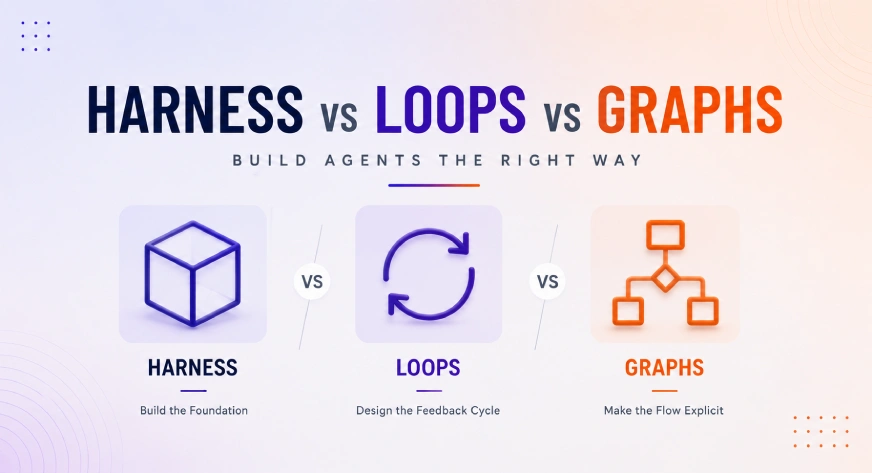
- Harness engineering refers to the process of creating an environment where the model will function.
- On the other side, loop engineering is responsible for the process design concerning the activities and feedback cycle.
- Graph engineering is aimed at making clear the configuration of the process in terms of nodes, branches, merges, and controlled loops.
So, the sequence that we must follow when something breaks down in production is environment-feedback-flow.
An unprocessed model is incapable of writing onto a file system. It does not have the capability of retaining state from previous sessions, nor can it boot after a failure. All of this is dependent on what is built around it. This is the reason why the stack is changing into layers. This is the reason why the discussion exploded on Twitter in July 2026. Peter Steinberger posed a question that reverberated in meaning:

Agent Harness Engineering: The Foundation Layer
The agent is defined in the simplest way as a model combined with a harness. A harness is identified as everything that is present outside the model, such as code, configuration, and execution logic.
To test the concept, we can delete the model in the architecture diagram. What remains is the harness. The harness includes tools, storage, middleware, information retrieval, logging, and retry processes.
The same foundational model is given to two teams. Team one is provided with clean tools, stable working environment, and observable data. Team two receives poor instructions and an unstable API wrapper
A typical harness generally contains:
- Contextual information: guidance, gathered data, dialogue history, approaches to the task
- Execution mechanisms: APIs, web browsers, command line interfaces, code execution language, more
- Storage and retrieval: files, state of execution, sessions, git history
- Control over execution: time to live, retries, spending limits, routing of models, gates of approval
Make use of harness whenever an agent is unable to do a certain task or cannot pick up from where it left off. This is also applicable when the agent’s information is not consistent or is lost. Anthropic realized this with its long-running coding agent. Just compacting the context is not sufficient for keeping the agent on track. The successful implementation should be a full-system solution with an initializer, progress files, or git history. A new context should just pick up where it was left before.
Loop Engineering: Designing the Feedback Cycle
Each device utilizing tools operates with a loop of sorts already built in. By making the call and then conducting the action and submitting the result back to repeat with a ground-up cycle, one has constructed a cycle.
The term ‘loop engineering’ comes into play when one uses additional cycles intentionally on an ongoing basis.
As Boris Cherny, head of Claude Code at Anthropic, said in an interview in June of 2026, “I don’t prompt Claude anymore, I activate loops that prompt Claude. All I do is create loops!”. Products like Claude Code and OpenAI are now releasing, for example, commands such as /goal and /loop, making it evident. Now, let’s look at a barebones loop verifier:
def run_loop(agent, task, max_attempts=5):
    for attempt in range(max_attempts):
        output = agent.act(task)
        passed, feedback = verify(output, task.spec)
        if passed:
            return output
        task.context.append(feedback)  # specific, not vague
    return escalate_to_human(task, output)


def verify(output, spec):
    # deterministic check beats "does this look right?"
    if spec.type == "code":
        return run_tests(output), "tests failed: see diff"
    return validate_schema(output, spec.schema)
Note what is absent here: no “continue refining until it seems right”. The process concludes with proof that tests are passed, model confirmed and not based on certainty of the model. This is where the distinction lies.
Loops can have different definitions, which can be classified into four important kinds:
- Turn-based: a cycle acts on every user command
- Goal-based: a loop continues its operation until achieving a satisfying end.
- Time-based: a cycle performs an action as scheduled.
- Proactive: the system executes an action without user intervention.
A system that fixes bugs is one that is based on a purpose. On the other hand, a system that outputs daily updates relies on schedule accurately. Therefore, when grouped together, all forms of loop engineering hypotheses can lead you to erroneous conclusions.
Graph Engineering: Making the Control Flow Explicit
The inquiry regarding the graph is different. It’s not about “what is being done by the agent”, but rather “what is permitted to continue onward”.
A loop can be characterized as being a graph comprising exactly one node that cycles back onto itself. Rather than discarding loops, one uses them for developing the graph. Each node of the graph executes its own loop, Discover, Plan, Execute, and Verify just at the level of that node. Graph engineering does not replace loop engineering, but rather it incorporates loops into the graph, adding routing on top of that.
The following is an example of minimal graph following the LangGraph paradigm as used in a research-brief workflow:
from langgraph.graph import StateGraph, END

graph = StateGraph(BriefState)
graph.add_node("researcher", fan_out_sources)   # runs in parallel
graph.add_node("writer", draft_from_notes)      # sees clean notes only
graph.add_node("reviewer", check_accuracy)      # fresh context, no bias

graph.add_edge("researcher", "writer")
graph.add_conditional_edges(
    "writer", lambda s: "reviewer",
)

graph.add_conditional_edges(
    "reviewer",
    lambda s: END if s.approved else "writer",  # loop back on failure
)
This reviewer node functions under a new context. The reviewer node can view the completed brief and the accuracy measure, but not the efficient processing it took to produce it. Therefore, the reviewer has fresh perspectives and not the eyes that did the drafting.
Hands-On Task: Fix Three Bugs Three Different Ways
You have learnt about the three layers theoretically, but it is time to take some practical steps. You should execute the following task using all three techniques: first using the harness-only architecture, then with the loop structure, and then with the graph architecture.
Create the Broken Mini-Repo
Create a new directory where you will put your three broken files. Each of those files will have one bug and one test created by pytest:
# calc.py
def divide(a, b):
    return a // b  # bug: integer division, not float


# test_calc.py
from calc import divide


def test_divide():
    assert divide(7, 2) == 3.5


# strings_utils.py
def reverse_words(sentence):
    return sentence.split()[::-1]  # bug: returns a list, not a string


# test_strings_utils.py
from strings_utils import reverse_words


def test_reverse_words():
    assert reverse_words("hello world") == "world hello"


# dates_utils.py
from datetime import date


def days_between(d1, d2):
    return (d2 - d1).days + 1  # bug: off by one


# test_dates_utils.py
from datetime import date
from dates_utils import days_between


def test_days_between():
    assert days_between(date(2026, 1, 1), date(2026, 1, 10)) == 9
Install what you need, then confirm all three tests currently fail:
pip install pytest anthropic
pytest -q
Add a tiny model wrapper every round will reuse:
# model.py

import os
from anthropic import Anthropic


client = Anthropic(api_key=os.environ["ANTHROPIC_API_KEY"])


def call_model(prompt: str) -> str:
    resp = client.messages.create(
        model="claude-sonnet-5",
        max_tokens=1024,
        messages=[
            {"role": "user", "content": prompt}
        ],
    )

    return resp.content[0].text
Output:
Round 1: Harness Engineering
In this stage, the agent is given access to some tools and abilities like file writing and reading and running tests, but no retry or routing processes are allowed. The operation will be performed once for each file, and the process must be documented.
# round1_harness_only.py

import subprocess
from model import call_model


FILES = ["calc.py", "strings_utils.py", "dates_utils.py"]


def run_tests(file):
    r = subprocess.run(
        ["pytest", f"test_{file}", "-q"],
        capture_output=True,
        text=True,
    )
    return r.returncode == 0, r.stdout + r.stderr


def fix_once(file):
    passed, log = run_tests(file)

    if passed:
        return True

    code = open(file).read()

    prompt = (
        f"This code fails its test:\n{code}\n\n"
        f"Test output:\n{log}\n"
        "Return only the fixed code, nothing else."
    )

    open(file, "w").write(call_model(prompt))

    passed, _ = run_tests(file)

    return passed


for f in FILES:
    print(f, "fixed:", fix_once(f))
Output:
Round 2: Loop engineering
The context must be returned to the previous stage and now the verification process will be provided by utilizing loops, which will not allow the agent to stop the operation after the first failure.
# round2_loop.py

from model import call_model
from round1_harness_only import FILES, run_tests


def run_loop(file, max_attempts=5):
    for attempt in range(max_attempts):
        passed, log = run_tests(file)

        if passed:
            return attempt

        code = open(file).read()
        prompt = f"Fix this failing code:\n{code}\n\nTest failure:\n{log}"

        open(file, "w").write(call_model(prompt))

    return None


for f in FILES:
    attempts = run_loop(f)

    print(
        f,
        "fixed in",
        attempts,
        "attempts" if attempts is not None else "failed",
    )
Output:
Round 3: Graph engineering
The step requires resetting the context of the experiment. Now, several nodes are created for three files, and the verification process is performed for each of them. When completing the experiment, the performance of the nodes will be verified with the actual check of the tasks completed.
# round3_graph.py

import subprocess
from concurrent.futures import ThreadPoolExecutor

from round1_harness_only import FILES
from round2_loop import run_loop


def coder_node(file):
    return file, run_loop(file)


def reviewer_node():
    r = subprocess.run(["pytest", "-q"], capture_output=True, text=True)
    return r.returncode == 0


with ThreadPoolExecutor(max_workers=3) as pool:
    results = list(pool.map(coder_node, FILES))

print(results)
print("full suite passes:", reviewer_node())
Output:
What each layer bought
| HARNESS | LOOP | GRAPH |
|---|---|---|
| Made the work possible and proved the failure. Without access to the files and the testing runner, there is no assignment to be executed. The harness is not the basic level; in fact, it is the basic level that gives rise to the actual information consumed by other levels. (Note: “The harness is not the basic level”; in this sentence, the term “harness” means “the process of testing”.) |
Acquired accuracy, and paid in delay An additional model call took 2.8 seconds longer, and the third defect was fixed. This time, it was only the process layer that affected the result. {Note: that the trade went the opposite way: the running time increased. In case of a team trying to optimize the latency dashboard, this layer would be removed, and 2/3 would work.} |
An independent check of time rather than accuracy The same four calls and three fixes result in 6.0 seconds saved; the graph did not help the agent fix bugs any better, it simply made the same work occur simultaneously and transferred final judgment to another party. |
Conclusion
Harness engineering creates the machine in which the model works. Loop engineering enables us to work in an iterative and verifiable manner. Graph engineering clarifies the complicated execution path. None of the three methods cancels the use of the other methods. If there are lots of beautifully drawn graphs but harnesses lose their state, it doesn’t make sense. The best harness can be rendered useless if there are no stopping rules.
Make sure to design all three. Then you will be able to create a system that can be debugged rather than a demonstration that will crash the first time it is used.
Read more: Graph Engineering for AI Agents: Beyond the Single-Agent Loop
Frequently Asked Questions
A. The harness acts as the foundational environment, providing the necessary tools, storage, execution logic, and state management required for the model to function effectively.
A. Loop engineering focuses on designing feedback cycles for task execution, whereas graph engineering defines the explicit control flow, routing, and node-based structure of the process.
A. You should focus on the harness when an agent struggles to maintain state, fails to resume tasks, or experiences inconsistent data retrieval during its operation.

Data Science Trainee at Analytics Vidhya
I am currently working as a Data Science Trainee at Analytics Vidhya, where I focus on building data-driven solutions and applying AI/ML techniques to solve real-world business problems. My work allows me to explore advanced analytics, machine learning, and AI applications that empower organizations to make smarter, evidence-based decisions.
With a strong foundation in computer science, software development, and data analytics, I am passionate about leveraging AI to create impactful, scalable solutions that bridge the gap between technology and business.
📩 You can also reach out to me at [email protected]
Login to continue reading and enjoy expert-curated content.
