

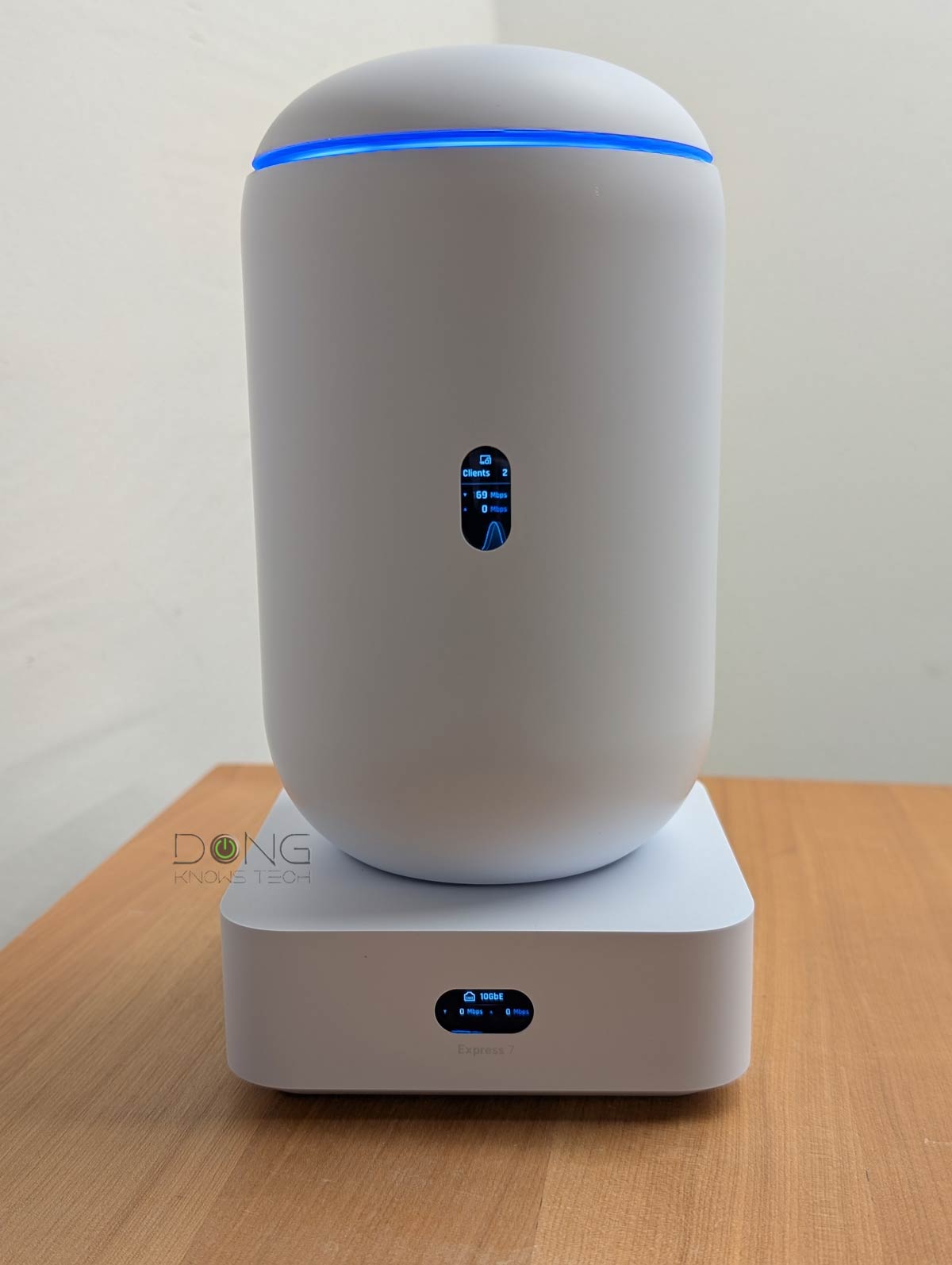

Since the beginning of 2025, Ubiquiti’s UniFi has become increasingly relevant for the home, in addition to the business and enterprise environments that were once its original sole focus.
This post includes the current five best Wi-Fi UniFi Cloud Gateways, a.k.a. UniFi consoles or “UniFi Wi-Fi routers” if you will, based on my real-world experience, for home users or small offices.
Dong’s note: I first published this frequently revised roundup on April 26, 2025, and last updated it on June 19, 2026, with the latest, up-to-date picks.

Best Wi-Fi UniFi Cloud Gateways: 2026’s current top-five list
There are a good number of UniFi consoles, often referred to as “UniFi Cloud Gateways” (UCGs).
UniFi Consoles (Cloud Gateways or “routers”) in a nutshell
A UniFi console is always a container device that runs UniFi OS plus one or more UniFi applications, with Network being the most significant — the primary app.
However, not every UniFi console is equipped with this app. Network-enabled UniFi consoles are called “UniFi Cloud Gateways” (UCGs) and include the UniFi Dream series, such as Dream Machine (UDM) or Dream Wall (UDW) — all of which are UniFi “routers” if you prefer to call them that way.
A few UCGs have just this Network app — they are Network-only UniFi consoles. Most UCGs can host additional applications to qualify as a multi-app, Network UniFi consoles.
All UniFi Cloud Gateways (a.k.a. Network-enabled UniFi consoles) share the same basic features and settings. However, their capacities — specifically, the number, breadth, and depth of UniFi applications they can handle simultaneously — vary with hardware specifications.
The following are the current UniFi applications, with the first six belonging to the original UniFi Application Suite:
- Network (primary): This application enables the hardware to function as an advanced router, thereby qualifying it as a “UniFi Cloud Gateway” (UCG). This app handles all network-related aspects, including security, firewalls, access points, Wi-Fi system management, and more. On a UCG, the Network app is the default and can’t be uninstalled.
- Protect: The support for IP cameras as an advanced surveillance system, including a built-in UniFi Network Video Recorder (UNVR) of a UniFi console. Protect is the default app of a standalone UNVR. Generally, a standalone UNVR is a multi-app, non-Network console that can also host the Access and InnerSpace applications, but it’s often classified as a “Protect-only UniFi console”.
- Talk: A locally hosted Voice-over-IP system.
- Access: A “platform designed for Access Control Systems” — per Ubiquiti. Examples include door-related security IoT devices such as doorbells, key fobs, and locks.
- Connect: Application that manages digital signage and EV Stations
- InnerSpace: A visualization tool that allows users to map out their UniFi network by uploading floor plans, drawing walls, etc., for the deployment of UniFi devices.
- Drive: The latest app that turns a UniFi console into a UniFi network-attached storage (NAS) server, known as a UNAS. Generally, a UNAS server is a single-app non-Network UniFi console — it’s a “Drive-only UniFi console”.
Each of these applications is a world in itself, with various in-depth customizations, and some require UniFi devices to function as intended.
The top-five list below includes only those with built-in Wi-Fi. They are perfect for places where a single Wi-Fi access point is enough.
As Wi-Fi 8 is on the horizon, it makes sense to consider Wi-Fi 7 hardware today. However, it’s worth noting that the UniFi ecosystem lets you disable a gateway’s built-in Wi-Fi radios or ignore them, making it a smart financial choice to buy one with dated Wi-Fi specs. That said, any of the routers below can serve as the primary unit in a Wi-Fi system when additional access points are thrown into the mix.
While they are listed in the rating order with the highest on top, any of them will work equally well as long as you pick the right one for your situation.
1. UniFi Dream Router 7 (UDR7): A robust Multi-Gig Wi-Fi-7 UniFi Cloud Gateway

The UDR7 is Ubiquiti’s first UniFi console with built-in Wi-Fi 7. It comes with plenty of 2.5Gbps ports and one 10Gbps port, making it suitable for a network with broadband speeds slightly above 2.5Gbps. Additionally, the built-in PoE support and microSD slot for storage are also beneficial.
Alternatively, those who only care about the UniFi Network app can pick the UniFi Express 7 (UX7), which is more of a standard Wi-Fi router — compare the two. By the way, you can combine multiple UX7 units and the U7 Mesh to form a wireless mesh system as detailed here.
Pros
All Multi-Gig ports, support all of Ubiquiti’s business hardware segments, built-in PoE
Excellent throughput performance with excellent coverage (for the specs)
Tons of useful networking features, including a mesh controller, all via a comprehensive web user interface and an optional mobile app — neither requires a login account.
Compact and beautiful design, comparatively affordable, quiet operator
Cons
No 2nd 10Gbps ports, single low-power PoE port
Not wall-mount-ready, internal fan, awkwardly placed microSD slot
2.4GHz band’s performance could be better
2. UniFi Cloud Gateway Industrial (UCG-Industrial): An all-in-one rugged dual-band Wi-Fi 7 router
The Cloud Gateway Industrial (UCG-Industrial) is somewhat a combination of the UDR7 and UCG-Fiber. As a result, it’s the most complete UniFi console with Wi-Fi 7, top PoE output, 10Gbps port grade, and even built-in SIM slots for Remote SIM configuration when hosting the UniFi 5G Max Outdoor.
Additionally, it features a modular, rugged design that fits any situation or environment. It’s a tough UniFi console that’s safe for any use case.
Pros
All-in-one UniFi console with 10Gbps capability, top PoE power output, built-in Wi-Fi 7, and SIM slots with Remote SIM support
Excellent wired and wireless performance (for the specs)
Tons of useful networking features, including a mesh controller and a UNVR, all via a comprehensive web user interface and an optional mobile app — neither requires a login account.
Practical, compact, and rugged design; runs cool and quiet
Cons
Only two 10Gbps ports, no built-in cellular modem, no NVMe or SATA drive support for storage
Modest dual-band Wi-Fi 7 specs, bulky power adapter
3. Dream Router 5G Max (UDR-5G-Max): A 5G-ready UniFi Wi-Fi 7 Cloud Gateway
The Dream Router 5G Max is essentially a combo of the UDR7 above and the UniFi 5G Max add-on PoE modem. This 2026 gateway reuses the cool design of the AmpliFi Alien. In addition to everything the UDR7 offers, it also includes a built-in 5G modem that supports two SIMs simultaneously. It’s a perfect UniFi router for those who need cellular as the primary or backup Internet connection.
Pros
Excellent performance and lots of features for homes and business environments, including UniFi mesh and built-in UNVR
One SFP+ and four 2.5GbE Multi-Gig ports with a built-in 5G cellular modem that supports dual-SIM
Comprehensive web-based user interface and optional mobile app — neither requires a login account.
Compact and beautiful design, comparatively affordable, quiet operator
Cons
No 2nd 10Gbps ports, single low-power PoE port
Not wall-mount-ready, internal fan
No external antenna option for cellular, 2.4GHz performance could use some improvement
4. UniFi Express 7: A versatile UniFi Wi-Fi 7 router
The UX7 is unique among Wi-Fi 7 UniFi Cloud Gateways because it can serve as either a router or an access point. As a result, you can use multiple units to form a Wi-Fi system, or add it to another UCG for the same effect. After that, its compact design and excellent performance only help.
Pros
Flexible enough to be the primary router or a satellite unit of a robust UniFi mesh system
Excellent throughput performance for the specs, reliable coverage
Tons of useful network-related features, including a mesh controller
Compact, fanless, and beautiful design, comprehensive web user interface with an optional mobile app
Affordable, quiet, and remains relatively cool during operation
Cons
Only two network ports, with only one being 10 Gbps, no PoE, support only the UniFi Network application
Convenient network-related features require a UI login account, not wall-mount-ready
Rigid backhaul as a mesh satellite unit; no AP mode when hosting a Wi-Fi system; the MLO feature could be better overall
5. UniFi Dream Router (UDR): A valuable and capable Wi-Fi 6 UniFi Cloud Gateway
The UDR is the Wi-Fi 6 version of the UDR7 above. Despite supporting the older Wi-Fi standard, thanks to the UniFi ecosystem’s non-obsolescence approach, it can host modern UniFi access points to deliver a top-tier Wi-Fi network. Its compact design and now-lower cost mean it’s an excellent buy. Alternatively, the original UDM is also a great choice if you can find it. (Check street prices of the two.)
Pros
Built-in support for all of Ubiquiti’s business hardware segments (Network, Protect, Talk, and Access)
Reliable Wi-Fi performance, excellent range, mesh-ready
Tons of useful networking features, a comprehensive web user interface, and a mobile app
Compact and beautiful design, two PoE ports
Comparatively affordable, quiet operator
Cons
No Multi-Gig, Dual-WAN, or Link Aggregation; middling Wi-Fi specs and modest processing power; only one additional app (Talk, Protect, or Access) is supported at a time
Security feature reduces Wi-Fi 6 speed; power over Ethernet doesn’t support PoE+ or PoE++
Many features require an account with UniFi; not wall-mount-ready, internal fan
The final shopping tip
Other than the UX7, all of the UniFi Wi-Fi Cloud Gateways above can function more than standard routers. Specifically, they can work as a robust UniFi NVR for UniFi Protect, a formidable camera surveillance system. That’s something to consider, apart from Wi-Fi standards and specs, when picking the right one for your home.
