

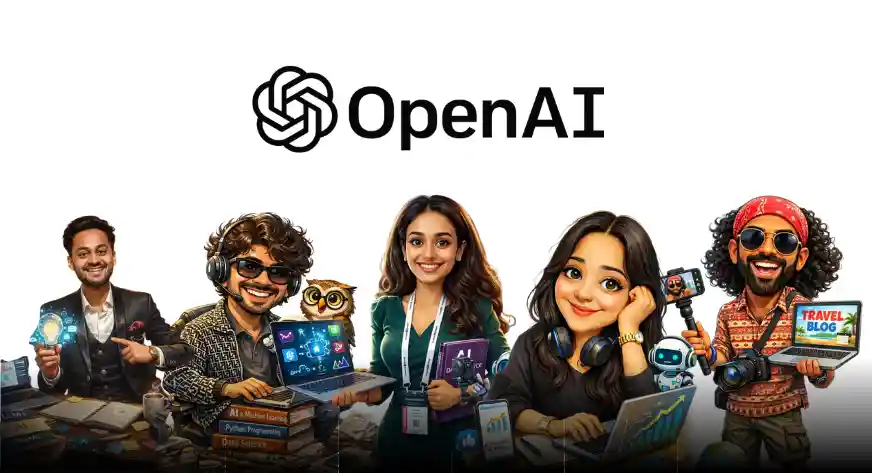

Another month, another AI-powered trend taking over the internet, and this one is all about turning yourself into a caricature using ChatGPT Image.
From LinkedIn feeds to group chats, people are sharing playful versions of themselves that capture not just their faces, but also their profession, personality, and vibe. The best part is that you don’t need any design skills or complex tools. With just a photo and a simple prompt, ChatGPT can create a fun caricature in seconds.
In this article, we will walk you through what this caricature trend is, how you can try it yourself, the prompt that works best, and a few fun examples to inspire you to jump on the trend.
Steps to Create Your Caricature in ChatGPT
Creating your own caricature using ChatGPT is surprisingly simple. Follow these steps to get started.
Step 1: Log in to your ChatGPT account using your browser or app.
Step 2: On the left-hand side of the screen, click on the Images tab. This is where ChatGPT’s image generation and editing features are available.

Step 3: If you see a Caricature Trend or a similar preset option, select it. This helps ChatGPT understand the style you are aiming for.

Step 4: Upload a fresh photo of yourself, or choose an existing image already saved in your ChatGPT memory. Clear, well-lit photos generally give better results.

Step 5: Upload a fresh photo of yourself, or choose an existing image already saved in your ChatGPT memory. Clear, well-lit photos generally give better results.
Alternative Method: Use a Direct Prompt
If you do not see a dedicated caricature option, you can still create one easily using a prompt.
Create a caricature of me and my job based on everything you know about me.
You can also customize the prompt further by adding details like:
- your profession
- preferred art style such as cartoon, comic, or digital illustration
- mood like fun, professional, or quirky
- background elements related to your work
The more context you provide, the more personalized the caricature will be.
Examples of Caricature Images
Now comes the fun part.
Using this prompt, my coworkers and I tried creating our own caricatures, and the results were surprisingly accurate and entertaining. Find some of them below:

This one is mine. I work across content and social media at Analytics Vidhya, and that’s exactly what my caricature reflects. While it did a great job capturing my role, the Analytics Vidhya logo and social media icons could have been a bit more accurate.

This is my colleague Riya. She is a Data Science Trainee who works on social media automations and a wide range of technical tasks, from GenAI frameworks and technical writing to building GenAI courses. Her caricature captures her role and interests quite well.
Vipin is a physics enthusiast who loves all things AI. From maintaining notebooks for important GenAI projects to building agents using the latest AI technologies, he does it all. Or at least, his ChatGPT does.
Abhiraj manages our YouTube channel at Analytics Vidhya. Creating videos and writing scripts are his primary responsibilities. Interestingly, his caricature seems to show travel research details, which makes it look like he might already be planning his next trip.
Also Read:
Conclusion
Image generation models have evolved rapidly in just a few months, with new trends emerging all the time. These tools offer a fun and easy way for everyone to participate and feel part of the AI revolution. Give this caricature trend a try and let me know how your image turned out in the comments below.

Hello, I am Nitika, a tech-savvy Content Creator and Marketer. Creativity and learning new things come naturally to me. I have expertise in creating result-driven content strategies. I am well versed in SEO Management, Keyword Operations, Web Content Writing, Communication, Content Strategy, Editing, and Writing.
Login to continue reading and enjoy expert-curated content.
