

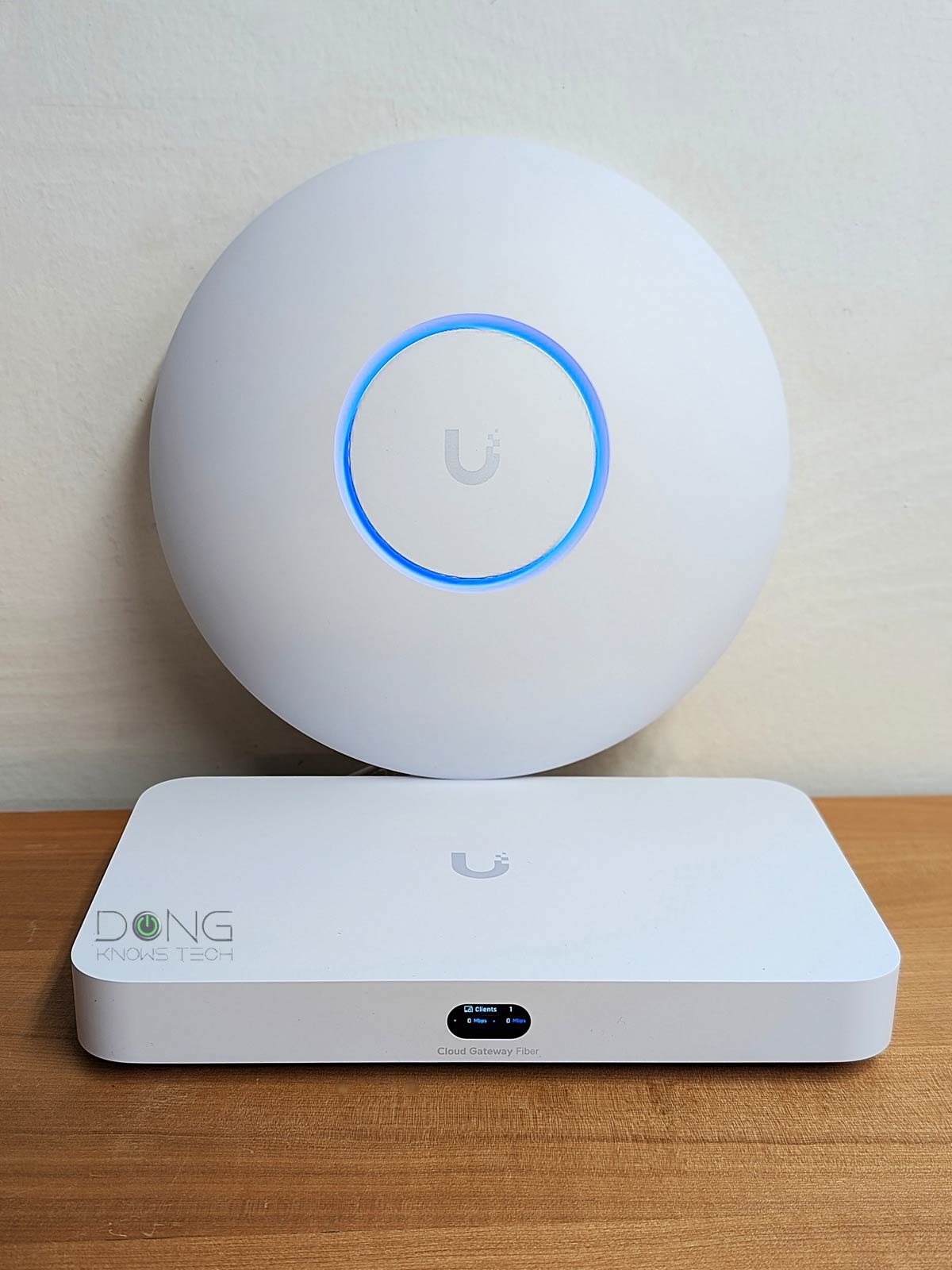

Wi-Fi has become so popular that, nowadays, obtaining a router without it—a non-Wi-Fi router—can be a challenge.
Yet such a router is the best way to start when building a robust network, including one with the optimal Wi-Fi coverage. In fact, now that Wi-Fi 8 is on the horizon, getting a non-Wi-Fi router today is the sure way to avoid being left “behind”.
This post explains how non-Wi-Fi routers are the sensible way to build a robust Wi-Fi network, and includes the five best standard routers without built-in Wi-Fi that I’ve tested and used in real-world applications.
Let’s dig in!
Dong’s note: I first published this post on September 11, 2024, and updated it on January 15, 2026, with the latest information.

Why a non-Wi-Fi router?
Needless to say, when you don’t need or want Wi-Fi, a non-Wi-Fi router is a fitting option. However, the point here is that such a router remains an excellent choice even when you want Wi-Fi.
Let me explain!
Technically, a Wi-Fi router is a standard router that includes a Wi-Fi access point (WAP) within the same hardware box—the latter broadcasts Wi-Fi signals. This convenient design works well when:
- You only need one Wi-Fi access point, which is when you live in a relatively small home, and
- You can place it at the ideal spot within your home for optimal coverage—often the center of the home.
The problem is that in real life, the placement of the Wi-Fi router is often dictated by the location of the Internet terminal device, namely, the cable modem or fiber-optic ONT. And in most homes, this location is often at one end of the house or in the basement, which is not ideal for a Wi-Fi access point.
Since Wi-Fi signals emanate from the access point in a spherical pattern, placing the Wi-Fi router in a corner of a house means coverage is off-center, creating many Wi-Fi “dead zones” while leaving Wi-Fi strong where it’s not needed.
For this reason, separating the Wi-Fi access point from the router provides flexibility for optimal hardware placement: the router near the terminal device, and the Wi-Fi access point at or near the center of the desired Wi-Fi coverage area, with a network cable linking the two.
The point is that getting a non-Wi-Fi router is an excellent option for all homes, as long as you can run one or a few network cables, depending on how many access points you need.
That said, it’s important to note that using a non-Wi-Fi router to build a Wi-Fi network is applicable only to homes already wired with network cables or to those who are willing to run network cables manually, which can be a fun weekend project.
Below is a list of the top five best non-Wi-Fi routers you can bring home today, from most recommended to least. I’ll also include their wired networking grades and recommended access points for each, when applicable.
Top five best non-Wi-Fi routers: The list
As you will notice, most of the options below are from Ubiquiti. That’s because its UniFi family, since early 2025, has proven in my extensive hands-on testing and real-world usage to deliver the best networking solution for home and SMB environments, in addition to its original demographic of enterprise-class applications.
Thanks to the robust UniFi OS, feature-rich Network application, and the friendly pricing, it’s safe to recommend a UniFi router to anyone with or without Wi-Fi needs.
1. Ubiquiti UniFi Cloud Gateway Fiber: A 10Gbps Multi-Gig/SFP+ PoE+ router


The UniFi Cloud Gateway Fiber (UCG-Fiber) is a top-tier 10Gbps-class console that, like all UniFi consoles, offers more functionality than just a standard router.
For example, it can be used as the NVR for an IP camera surveillance system, the controller for an IP phone system, and more. And it can do all of that simultaneously. That, plus the compact design, top-tier hardware specs, non-compromising port-grade, and excellent performance, make its $279 price tag (no storage) a steal.
The UCG-Fiber works with all standalone access points, but it’s designed to host those from the same UniFi family and have a PoE+ port to power one. In this case, it’ll create a robust Wi-Fi system when you use multiple UniFi APs with it.
Pros
Top-tier hardware with three 10Gbps ports, four 2.5GBASE-T ports, PoE+ support, and an NVMe slot for NVR
Excellent and reliable real-world performance; can handle lots of concurrent UniFi devices (Wi-Fi access points, cameras, IP phones, etc.) and end-users
Compact and aesthetically pleasing design with everything for all users, from home to enterprise-grade
Lots of valuable features, each with tons of customization, comparatively affordable
Cons
Only one PoE+ port, no PoE++ support; SFP+ ports are less practical than 10GBASE-T
A Ubiquiti login account is required for the built-in Remote Management, as well as some other useful features, to work
Runs a bit warm, no SSD caddy is included in the non-storage version; no USB port or network-attached storage features
2. Ubiquiti Cloud Gateway Max: A 2.5Gbps Multi-Gig router

The UniFi Cloud Gateway Max is the more compact entry-level version of the UCG-Fiber above. Other than the port grade, it’s practically the same, making it a great deal at the $199 price tag (no storage) for those with 2.5Gbps bandwidth needs.
Pros
Excellent entry-level Multi-Gig (2.5Gbps) performance for a comparatively low cost
Compact and aesthetically pleasant design with powerful hardware to handle a home or small business network via multiple simultaneous enterprise-class applications
A complete set of useful networking features, including powerful security/web-filtering and WireGuard VPN; excellent web user interface; useful mobile apps
No subscription is required
Cons
No 10Gbps ports or built-in PoE
Extra features require a UI login account
Runs a bit warm, no SSD caddy is included in the non-storage version
3. Ubiquiti UDM Pro Max: A 10Gbps Multi-Gig/SFP+ router


The UniFi Dream Machine (UDM) Pro Max is a full-featured rack-mount console designed for large businesses. However, it’s also an excellent fit for a large home with a network rack. It features two hard drive bays for storage, with RAID 1 available.
Like other UniFi consoles, the UDM Pro Max does much more than an advanced router and offers native support for all UniFi access points.
Alternatives:
Pros
Robust hardware to handle large-scale networks via multiple simultaneous enterprise-class applications; excellent overall performance
A complete set of useful networking features, including powerful security/web-filtering and WireGuard VPN; excellent web user interface; useful mobile apps
Dual drive support with RAID 1; no subscription required; runs relatively cool and quiet
Cons
Bulky design with only two SFP+ (10Gbps) and one 2.5GBASE-T ports, no 10GBASE-T port, no PoE support
A Ubiquiti login account is required for some useful features to work
4. ASUS ExpertWiFi EBG15: A Gigabit router
The EBG15 is the first standard router within ASUS’s new ExpertWiFi family. It’s a compact router with numerous advanced features for both home and business users. When coupled with ASUS’s AiMesh router or access points, it’ll be the host of a robust Wi-Fi network, making its sub-$90 price tag a great deal.
Pros
Super-compact and feature-rich with a robust web user interface
Part of the ExpertWiFi family with lots of advanced features, including Software-Defined Networks and powerful VPN options
Excellent optional ExpertWiFi mobile app; can handle up to 4 WAN connections simultaneously
Cons
No Multi-Gig or PoE ports; no built-in Wi-Fi
Single main SSID when hosting an AiMesh broadcaster
5. EnGenius ESG510: a 2.5Gbps PoE+ router
The EnGenius ESG510 is a standard business router—it represents many other options, such as the Firewalla Gold, without a built-in controller for Wi-Fi access points of the same ecosystem. Still, it has a built-in firewall, PoE+ ports, and four 2.5Gbps ports, enough to be well worth the current $300 street price. You can use it with any standard access points, though in this case, it’s best to use those with a centralized controller, such as the Omada or EnGenius FIT lineups.
Pros
Simple and straightforward to set up and use
Four Mult-Gig ports with Dual-WAN, PoE+ support
EnGenious Cloud Basic (free) has everything a home or SMB network needs, with a helpful Cloud-to-Go mobile app
Compact, practical design; runs cool
Cons
A bit pricey; zero customization with the built-in local web interface
The online portal requires a login account; no 10GBASE-T or SFP+ option
Requires some networking know-how to set up and manage
Extra: Amazon eero PoE Gateway: A 10Gbps PoE++ router
The eero PoE Gateway is an excellent piece of hardware thanks to its two 10Gbps ports and eight 2.5Gbps PoE+ ports. Unfortunately, it runs a firmware that’s very thin on features and settings while constantly nagging for the Eero+ subscription. If you only care about building a 10Gbps network, it’s still a decent option to consider, especially when you also want to go with the eero access points.
Pros
Two auto-sensing 10GBASE-T ports and eight PoE++ 2.5GBASE-T ports on the router and a 2.5GBASE-T POE port on the access point to deliver true multi-Gigabit wired performance
Compact design, easy to use
Good coverage, reliable performance
Cons
Expensive with extremely limited customizability and privacy risks
No web user interface (or desktop app) or command line support; no common business features, such as VLAN; all useful features (Dual-WAN, VPN, QoS, Parental Controls, etc.) require the eero Plus subscription
The router’s internal fan is a tad noisy; runs very hot
The takeaway
There you go. Above are the current non-Wi-Fi routers you can bring home today. Depending on your needs, each will give you the flexibility to build a Wi-Fi network with the optimal hardware arrangement and cost.
Give this approach a try—get your home wired—and you’ll find a satisfying home network on the other side.
