
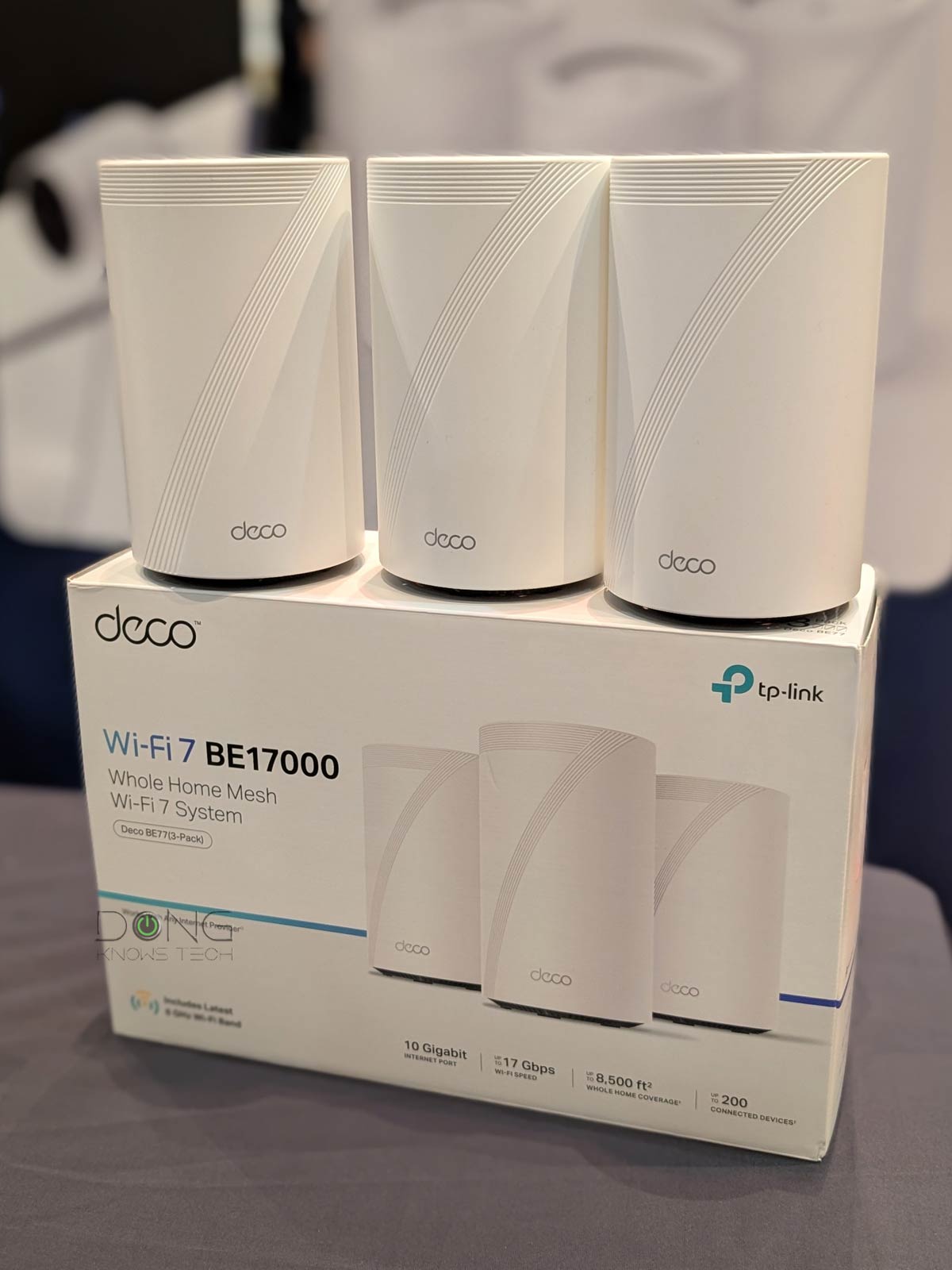

This post will give you an overview of TP-Link Deco, a well-known mesh brand, including its brief history, what to expect from it, and its general pros and cons.
While a specific mesh set’s performance depends on its hardware, each Deco variant generally shares common attributes available to the brand’s core firmware. In other words, they are practically the same in terms of network settings, features, setup process, and management.
By the end of this post, among other things, you will know whether Deco is the right brand for you.
Dong’s note: I first published this piece on Mar 28, 2024, and last updated it on February 9, 2026, with the latest information.

TP-Link Deco: A popular mesh brand with lots of hardware options
TP-Link introduced its first Deco set, the M5, in April 2017 as an alternative to the eero. And since then, it has proven to be a formidable contender.
In fact, thanks to Deco, TP-Link has grown so quickly that by 2024, it reportedly held about 60% of the US networking market. This is also the period when the company was acused of the US govenment to be a national security risk. Since then, there’s been a potential hardward band looming over its head, and the networking vendor has tried to fight back by, among other things, claiming that it’s even a “Chinese company“.
A silent change in the model name
While TP-Link has been famous for making many, and often needless, hardware variants to fit all the nooks and crannies of the marketplace, the naming of Deco hardware largely remained the same with this formula: Deco + specific hardware model.
For example, the original Deco was the Deco M5 (which is a Wi-Fi 5 option). After that, with Wi-Fi 6 and Wi-Fi 6E, it offers Deco X or Deco XE models, such as Deco X55, Deco XE200, and Deco XE75. This trend continues with Wi-Fi 7 hardware. By the end of 2025, we had the Deco BE85, Deco BE63, Deco BE25, Deco BE95, among many others.
In early 2026, TP-Link silently changed the names of its Wi-Fi 7 Deco hardware by adding “7”, “7 Pro”, or “7 Elite” to their names. Specifically:
- Entry-level dual-band hardware gets “7”. For example, the “Deco BE25” becomes “Deco 7 BE25”.
- Mid-tier tri-band hardware gets “7 Pro”. For example, the “Deco BE63” becomes “Deco 7 Pro BE63”.
- Top-tier hardware gets “7 Elite”. The “Deco BE85” and “Deco BE95” become “Deco 7 Elite BE85” and “Deco 7 Elite BE95”.
Since then, existing devices with the new names have their old names mentioned following a “formerly,” or “also known as” suffix.
On this front, TP-Link told me that it didn’t do a “major announcement around the name change” because that “would be unreasonable” apply the changes to existing content retroactively. Instead, the company says it will “incorporate the new naming system moving forward”. Ultimately, the goal of this change is “to make the understanding of the products easier and to avoid the confusion we were seeing from consumers using the previous branding.”
While all that sounds reasonable enough, this change will likely cause some confusion. However, despite this name change, all Deco hardware’s functions, features, and management remain the same.
TP-Link Deco: App-operated, flexible backhaul bands, auto-sensing network ports
There are a number of quick things to note about the Deco brand.
The first is that all Deco hardware is app-operated via a login account permanently connected to TP-Link. That said, when it comes to safeguarding your privacy, the choice depends on how you trust the vendor.
TP-Link and your privacy
Signing in with a vendor-linked online account generally means your hardware connects to the vendor at all times, which translates into inherent privacy risks.
On this matter, the China-origin company, among other things, insists that it’s a “global multinational group” and offers this assurance:
“TP-Link takes privacy seriously and complies with U.S. policies to protect consumers.”
TP-Link’s Privacy Policy page.
Managing your home network via a third party is never a good idea. Privacy is a matter of degree. Data collection and handling vary vendor by vendor and region by region.
The second thing is that a Deco mesh set generally consists of identical routers—each can work as a standalone Wi-Fi router for a small home that only needs one Wi-Fi access point. In a system, you can select one router from the set to use as the primary router, and the rest will be satellite units.
Thirdly, Deco generally uses all Wi-Fi bands available in the hardware—2.4GHz, 5GHz, and 6GHz—for backhaul and fronthaul, since there’s no dedicated backhaul band. In tri-band or quad-band hardware, there’s an option to assign a band solely to backhaul, but in that case, other bands will still work for backhaul when necessary, such as when the distance between the units is too great for the chosen backhaul band.
The fourth thing to know about the Deco brand is that its hardware generally has auto-sensing network ports—only a few models have a dedicated WAN port. As a result, the port you use to connect to an Internet source—such as a cable modem or a fiber-optic ONT—will work as the WAN port, and the rest will work as LANs to host local wired devices. In my real-world experience, this convenient design works without requiring the router to restart.
Finally, a Deco system allows users to change the primary unit (router) on the fly. As a result, you can move your broadband terminal device from one unit to another without physically moving the hardware around.
TP-Link Deco: A sensible level of free features and settings, premium add-on available
The initial Deco M5 came with a sensible set of free network settings and advanced features, including QoS and Parental Controls. And that has remained the largelly same with subsequent models.
However, in 2020, alongside the Deco X60, TP-Link introduced a new security feature called HomeCare, which later changed to HomeShield, with a free tier and then multiple premium tiers that offer in-depth protection and functionality.
This feature has undergone many changes over the years, particularly in categories and costs, and TP-Link deliberately keeps the cost details vague. The tabs below provide general information about what you can expect from the free and premium tiers of this feature.
| Security | Security+ | Total Security Package | |
|---|---|---|---|
| Coverage | At home | At home and on the go | |
| Availability | Included with all TP-Link Archer or Deco routers | Paid subscription | |
| Monthly Price | Free | $4.99 | n/a |
| Annual Price | Free | $35.99 | $69.99 |
| Mobile App Required | Yes | ||
| Features | Router security scan, wireless security scan, IoT device identification, Guest network, Camera security, Wi-Fi access control, Device isolation, Quality of Service (QoS) |
All features of Security, plus: Web protection, Intrusion prevention, IoT protection, comprehensive report |
All features of Security+, plus: Antivirus protection for PCs and mobile devices, Unlimited VPN, Password management for PCs and mobile devices. |
| Notes | Unavailable when the router (or mesh system) is working in the access point (AP) mode. Internet Security is provided by Norton 360 Deluxe TP-Link Edition, F-Secure Total, or Avira Prime, depending on the router model. |
||
| Standard | Advanced PC | Total PC | |
|---|---|---|---|
| Coverage | At home | At home and on the go | |
| Availability | Included with all TP-Link Archer or Deco routers | Paid subscription | |
| Monthly Price | Free | $2.99 | TBD |
| Annual Price | Free | $17.99 | TBD |
| Mobile App Required | Yes | ||
| Features | Create profiles, Preset age template, Pause the Internet, Content filter by URL, block specific websites, Bedtime, Insight report |
All features of Standard, plus: Flexible bedtime, Time limits, Office time, Time reward, Family time, Blocked apps, App time limits, Always allowed apps, Safe search, YouTube restrictions, Comprehensive insights and reports |
All features of Advanced PC, plus: KidShield app for Parental Controls on the go, Device settings management, Payment management, Lock device, Keep track of locations, Additional insights and reports |
| Notes | Not available when router (or mesh system) is working in the access point (AP) mode | ||
If you think HomeShield Pro is like eero Plus, or NETGEAR’s Armor, you are not wrong. However, in reality, the Deco family is far more generous with free network features and settings—more on what you can do with the hardware below.
Still, it’s worth noting that none of these add-ons are necessary, nor are they guaranteed to work as intended, especially the Parental Controls—you’re better off using a special DNS server. Additionally, other networking vendors, such as Asus, Synology, or Ubiquiti, offer similar advanced features for free.
TP-Link Deco: A limited local web user interface
Despite being fully app-controlled hardware, each Deco router has a web user interface that becomes available only after the user has set up the hardware with the Deco app.


The web interface, accessible at the default IP address (192.168.68.1), can be used to monitor certain hardware settings and perform a manual firmware update. Unfortunately, you can’t use it to manage the Wi-Fi network or customize any features or settings. Still, it can be helpful if you misplace your phone.
TP-Link Deco: Well-designed mobile app with all standard network settings
As mentioned, the Deco app, tied to a TP-Link login account, is the only way to set up and manage Deco hardware. Over the years, this has evolved and proven well-designed.
For example, you can use a single TP-Link account to manage multiple Deco sets, an unlimited number in my so-far experience, which is great for those who need to manage various networks at different locations. You can also add “managers” to the same Deco set (hence, the network) or quickly transfer the ownership of one network (one Deco set) from one account to another.
As for the home network itself, the app also allows for common network settings available in home routers, including:
- WAN settings: Different types of Internet connections with support for VLAN tagging (IPTV).
- LAN settings: These are general settings for the local network, including IP configuration (DHCP Server, LAN IP), IP reservation, Dynamic DNS (No-IP, DynDNS, or a free domain from TP-Link), port forwarding, etc.
- Advanced settings: VPN server (Open VPN, PPTP, L2TP/IPSEC), VPN client, and USB-based NAS functionality, including support for Time Machine backup (available only with routers with a USB port)
Overall, if you’re OK with managing a network on a phone’s small screen, the Deco app offers the most among app-controlled mesh brands.


TP-Link Deco: Limited yet flexible Wi-Fi settings
As a canned mesh system, the Deco doesn’t have the same level of Wi-Fi customizability as other standard routers, including TP-Link’s Archer product line. However, the mesh lineup offers enough settings for most homes and enough flexibility to connect a device to a specific band.
Specifically, here is how you can use the Wi-Fi bands in any Deco router (or mesh system) per my real-world experience:
- The first (main) SSID (network name) for the 2.4GHz and 5GHz bands via Smart Connect. A couple of things to note about this network:
- You can’t separate these bands into two SSIDs, but you can turn either off, making the network exclusively 2.4GHz or 5GHz.
- There is an option to make the 5GHz band operate in 80MHz, 160MHz, or 240MHz channel widths, depending on the Wi-Fi standards. (In case it’s not obvious, the last one is available only in Wi-Fi 7).
- For Wi-Fi 6E or 7 hardware, there’s a second SSID for the 6GHz band, which automatically takes the primary SSID’s name and adds the “-6GHz” suffix. In this case:
- For Wi-Fi 7 hardware: You can change this name to anything you want, including the same as the first SSID above.
- For Wi-Fi 6E hardware: The 6GHz SSID must have a different name. It can’t share the same name as the first SSID mentioned above.
- For Wi-Fi 7 hardware, there’s an optional third SSID for the Multi-Link Operation (MLO) feature. This SSID automatically has the “_MLO” suffix, but you can also name it to your liking. A couple of things to note:
- This SSID uses all three bands by default, but you can turn off the 2.4GHz band and include only the 5GHz and 6GHz bands.
- MLO-enabled Wi-Fi 7 clients can connect to this SSID using two bands simultaneously to increase the bandwidth. However, Wi-Fi 6 or 6E devices can only use one band at a time.
- This SSID only supports WPA3 encryption, which generally doesn’t work with Wi-Fi 5 and older clients.
- There is an optional Guest Network SSID for the 2.4GHz and 5GHz bands. Wi-Fi 6E and 7 hardware gets another one for the 6GHz band. You can also name these networks to your liking as long as they are different from those used in #1, #2, or #3.
- An optional IoT Network SSID for the 2.4GHz band (default) or the 2.4GHz + 5GHz combo, which is a virtual SSID, part of the primary network, for low-bandwidth smart devices.
Again, while not as in-depth as in standard routers, the Deco app offers a lot of customization for the hardware’s Wi-Fi network.
Additionally, with tri-band or quad-band Deco hardware, there’s an option to dedicate one of the bands, often the 6GHz or the extra 5GHz, to the sole job of backhauling in a fully wireless setup. In this case, this band is not available for fronthaul, but the rest of the bands are still available for backhaul when the distance between the units is too great for the dedicated backhaul band.

Pros
Affordable with lots of hardware variants, including powerful multi-Gigabit options
Well-designed, flexible mobile app with standard network settings and features
Reliable Wi-Fi coverage, aesthetically looking hardware
Cons
Limited Wi-Fi customization, network settings, and features
App and login account required, no real web user interface, privacy risks
Security+ and Advanced Parental Controls require subscriptions, lots of confusing (needless) hardware options
The takeaway
Generally, the Deco brand has a balanced combo of performance, features, and price. While it’s not as comprehensive as the more advanced DIY mesh systems, it has the most among app-operated mesh brands.
That said, if you’re not too concerned about the privacy risks (as well as the potential ban) and want an easy-to-use Wi-Fi system that gives you flexible hardware control/customizations and reliable performance—a big if—the Deco brand is generally a sensible choice of an app-operated mesh brand.
Making a correct choice, however, can still be a challeng considdering the many hardware variants. For that, the in-depth reviews will help.
