

Today, October 7, 2025, Synology announces the availability of the latest incremental release of its DiskStation Manager (DSM) operating system, DSM 7.3, for its network-attached storage (NAS) servers.
This update adds security fixes and some notable improvements, but you’ll likely be more interested in what it removes.
Indeed. DSM 7.3 eliminates the strict requirement for hardware compatibility, known as the Synology 2025 HCL policy, effectively allowing users to use Synology NAS servers freely with third-party SATA drives, as was the case prior to 2025.
And this removal of the storage lock-in approach is undoubtedly the most significant “fix” for the ecosystem, with long-term, likely positive effects on the future of Synology NAS.

DSM 7.3: Fixing the fallout of 2025 HCL policy
Any avid NAS user must have been aware of the news at the beginning of 2025 that Synology implemented a new HCL policy, a strict hardware requirement that, in effect, forced users to use Synology’s self-branded drives on its 2025 NAS servers, with the hint that subsequent model years will follow suit.
Synology claims that the restriction was intended to ensure that its servers were “designed to enhance reliability and improve user experience.”
Unsurprisingly, this storage lock-in approach has upset general consumers and Synology diehard fans alike, for various reasons. Let’s briefly run through those.
While the “enhanced reliability” notion is debatable—Synology doesn’t manufacture its own storage drive, but instead uses rebranded third-party hardware—the “user experience” has definitely not been improved. Quite the opposite.
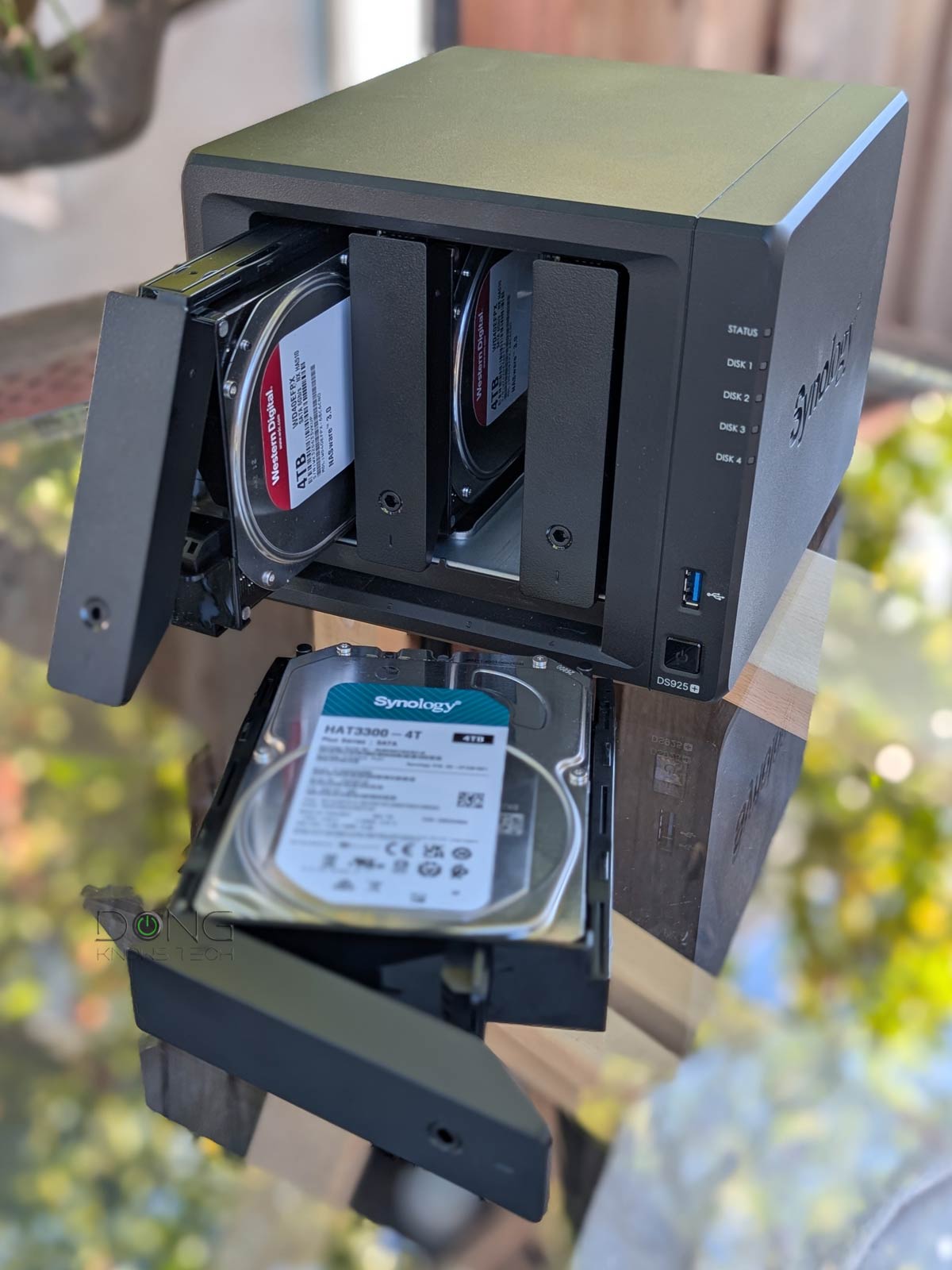
Apart from being significantly more expensive—equivalent to price gouging to an extent—Synology-branded drives are also often less widely available than those from third-party manufacturers. As a result, the new HCL policy renders Synology 2025 servers needlessly unflexible, if not problematic, since their RAID volumes can’t be repaired or expanded using readily available third-party drives. I experienced this firsthand while evaluating the DS925+, the very first server under the new HCL policy.
The 2025 hardware release was the largest in terms of the number of hardware models. In the Plus (+) family alone, there have been seven servers, including the DS225+, DS425+, DS725+, DS925+, DS1525+, DS1825+, and DS625slim, with some bucking the traditional trend of biannual or triennial refreshes. For example, the DS225+ was somewhat unexpected, considering the 2024 DS224+ model.
Among the 2025 servers I’ve reviewed, none proved to be an outright upgrade to their immediately previous model. The DS925+ was actually a downgrade compared to the DS923+ in several ways.

The point is that, as it appeared, Synology released the 2025 models in bulk primarily to enforce its new HCL policy, signaling that it would be the new standard in the future.
The consequences of the 2025 HCL policy’s storage lock-in
The public outcry was immediate.
Synology’s 2025 NAS servers have been met with lukewarm reception, at best, and outright boycott at worst, unlike the previous refreshed releases.
I personally have a few dozen Synology NAS servers in various locations, used for both personal and business purposes, and have decided to change my original plan to replace some of my 2015 servers with the latest models. Instead, I opted for Synology servers from the 2023 or 2024 model years, which still support dozens of third-party drives I had already stocked. In some cases, I considered servers from a different vendor for the first time in decades. Costs aside, it’s a matter of flexibility and practicality.
Most worrisome to Synology, the 2025 HCL policy has also been a likely driver behind the rise of other NAS vendors in 2025, such as UGREEN with a couple of new lineups, and Ubiquiti with its UniFi Drive-based UNAS.
And that’s the environment where the release of DSM 7.3 comes into play, in a timely manner.
Synology DSM 7.3: Storage lock-in no longer—HCL policy scaled back to the pre-2025
Upon releasing DSM 7.3, Synology informed me that the update was “based on user feedback and to provide more flexibility in drive choices.”
While the NAS maker continues with its hardware “validation program” by “working with third-party vendors to test their drives under the same rigorous testing” as those that are Synology-branded, it has decided to change its policy to “include non-verified drives on the 2025 series models.” This change applies to all Plus (+), Value, and J series servers.
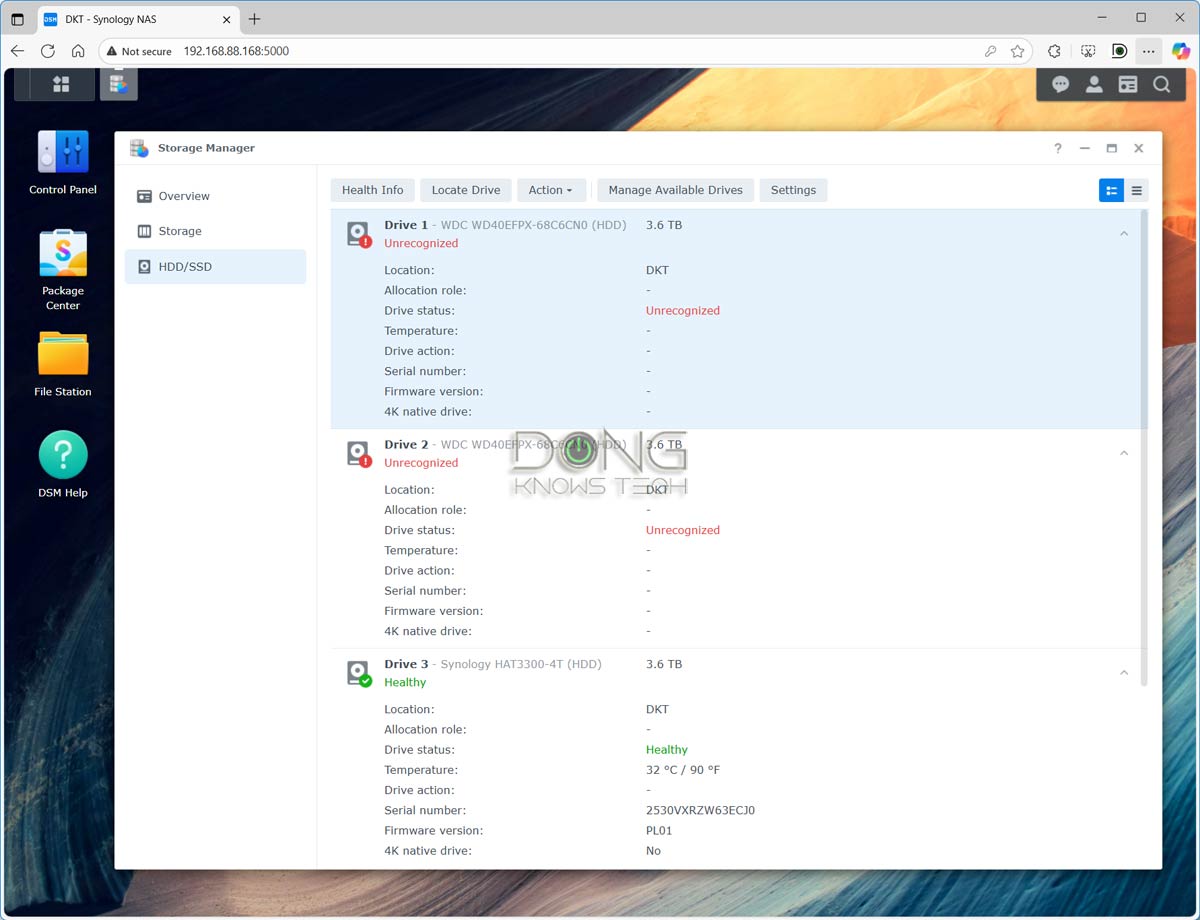
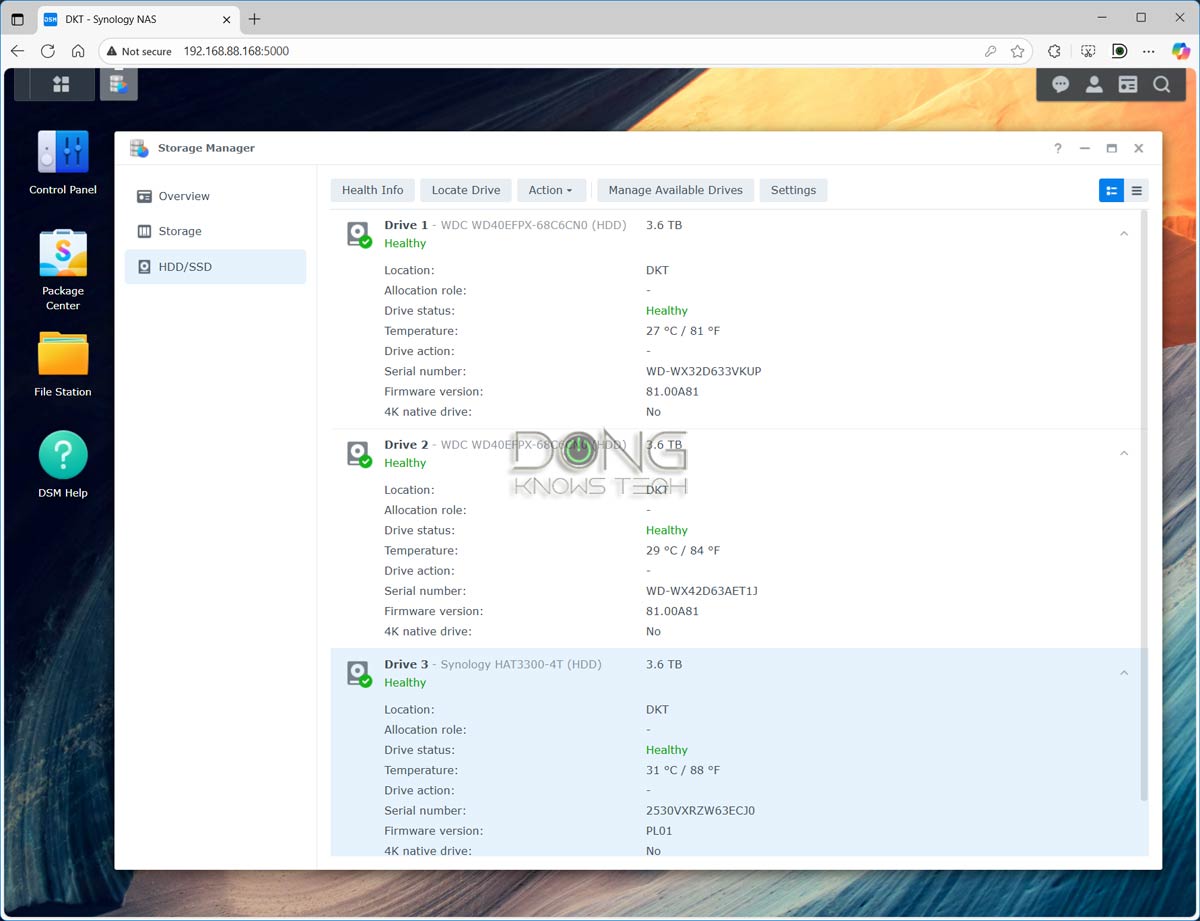
It’s important to note that Synology doesn’t abandon its HCL policy altogether—the compatible lists have been in use for many years. This about-face move in DSM 7.3 only scales back the 2025 portion of the approach, applicable only to SATA drives, to the pre-2025 level. In servers that feature NVMe SSDs (via M.2 slot or PCIe add-on card), third-party drives only work for caching, and Synology-branded SSDs are still required for creating storage volumes.
In summary, in terms of storage, you can expect the following from DSM 7.3:
- Users can use SATA drives from any vendor, but it is recommended that they use approved (compatible) drives. An unapproved drive may encounter a one-time compatibility warning during initialization.
- Third-party NVMe SSDs can only be used for caching in all NVMe-enabled servers and remain the only option for servers of model year 2022 and older. Those wanting super-fast NVMe storage volume, a new option available in 2023 and newer models with M.2 slots, still need to use Synology-branded NVMe SSDs.
And that’s the balance most users can live with.
DSM 7.3: Other significant improvements
In addition to scaling back the HCL policy, DSM 7.3 also includes other improvements to enhance “storage efficiency, system security, and collaboration capabilities.”
There are three notable items on this front.
The first thing is a few feature called Synology Tiering that automatically moves files between different storage “tiers” based on access patterns. This feature marks frequently used data as “hot” data and moves it to high-performance storage while shifting rarely accessed “cold” data to cost-effective tiers. Users can customize tiering policies based on modification time or access frequency, and have complete control over when and how data movement occurs.
Secondly, Synology states that DSM 7.3 enhances system reliability during heavy file operations and folder synchronization, with security reinforced through proactive patching. Starting in 2025, Synology will utilize three industry-recognized risk indicators—KEV, EPSS, and LEV—to safeguard customers against potential threats.
Finally, there are also improvements to existing applications.
For example, the Office Suite receives significant upgraded capabilities in DSM 7.3, and Synology Drive introduces shared labels for improved file organization, streamlined file requests for easier collection, and file locking to prevent editing conflicts. The MailPlus app has also enhanced security with email moderation and domain sharing, allowing businesses with multiple domains to unify their identity.
DSM 7.3: Continuing the AI support
In April 2025, Synology quietly released the Synology AI Console app to its Package Center. The app enables AI-powered team collaboration and management within the local network.
Since then, according to the NAS maker, the app has been deployed on more than 430,000 servers. In DSM 7.3, Synology states that the AI Console further introduces custom data masking and filtering, enabling users to safeguard sensitive information locally before sharing data with third-party AI providers, thereby enhancing both security and workflow reliability.
Additionally, Synology says that its AI Console will soon support all OpenAI-compatible APIs in future releases.
Update your server today!
DSM 7.3 is by far the most significant DSM release, thanks to Synology’s near-sighted 2025 HCL policy introduced at the beginning of the year. It also demonstrates how the NAS manufacturer has listened to feedback and acted swiftly.
The update is now available to the public. If you already have a 2025 server running with Synology drives, there’s no rush. However, if you’re using one with third-party drives via the “grandfathered in” route or if you’re about to set it up, DSM 7.3 is an immediate must-have. For pre-2025 servers, this is a relatively usual upgrade with some valuable added improvements.
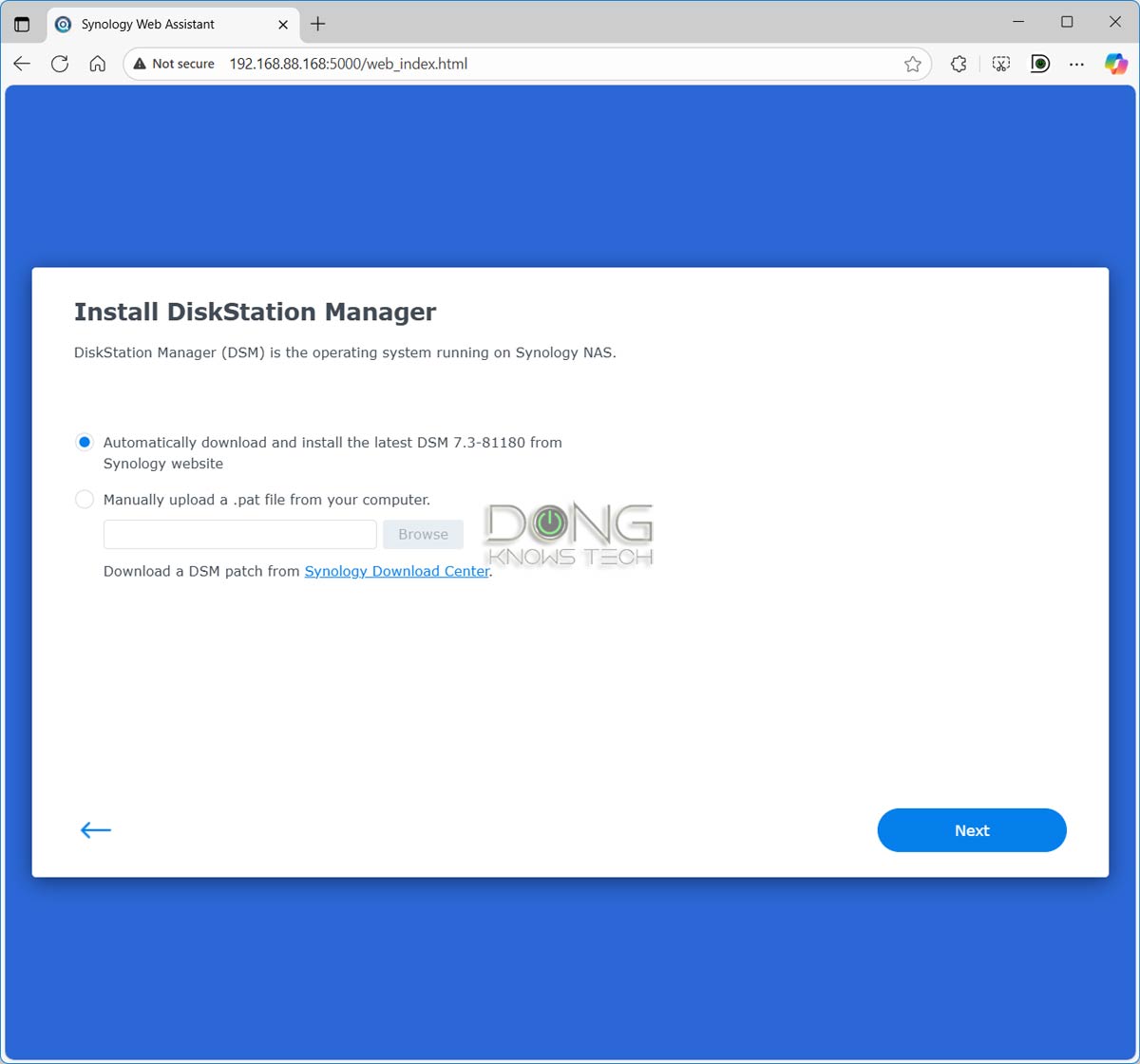
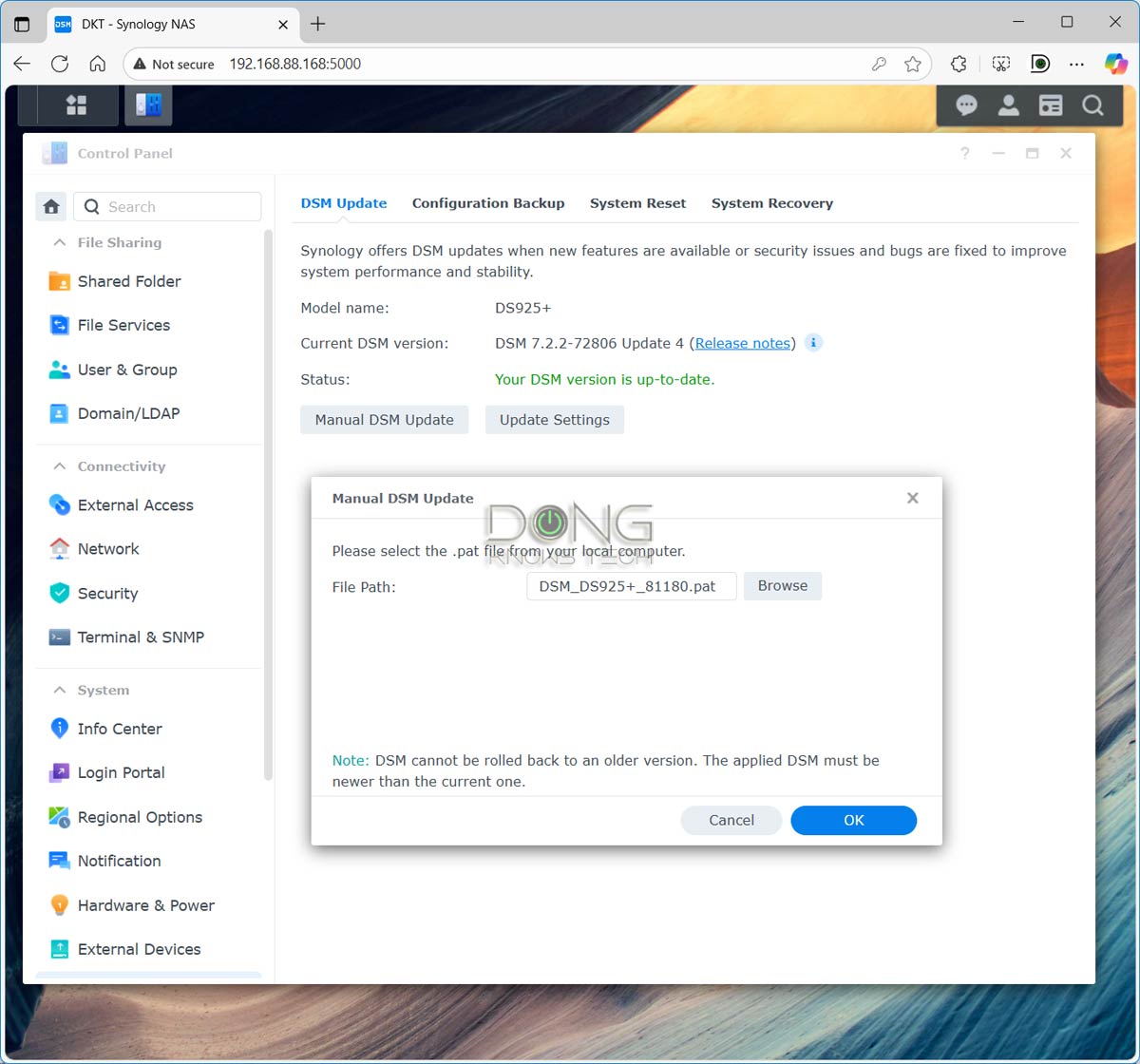
In any case, you can update your server to DSM 7.3 (available for servers released in 2016 and later) via the Update & Restore section within the server’s web user interface Control Panel, or install it directly during the initial setup process, provided you have a live Internet connection. Alternatively, you can download the OS itself and upload it to your server manually.
In any case, do that today—the process will take about 30 minutes—and let Synology’s storage lock-in be a thing of the past, hopefully for good!
