


MINI’s Tesla Supercharger access story is finally becoming real for U.S. owners and in this article, we’ll give you a full guide of the charging experience. If your vehicle supports Plug & Charge, charging your MINI can start automatically when you plug in. And instead of forcing owners into a separate Tesla membership, MINI ties Tesla Supercharging into the brand’s existing charging ecosystem: Tesla’s network is integrated with Shell Recharge-supported networks, so you can access and start charging at Tesla Superchargers using your Shell Recharge account directly inside the MINI App.
Confirm Compatibility
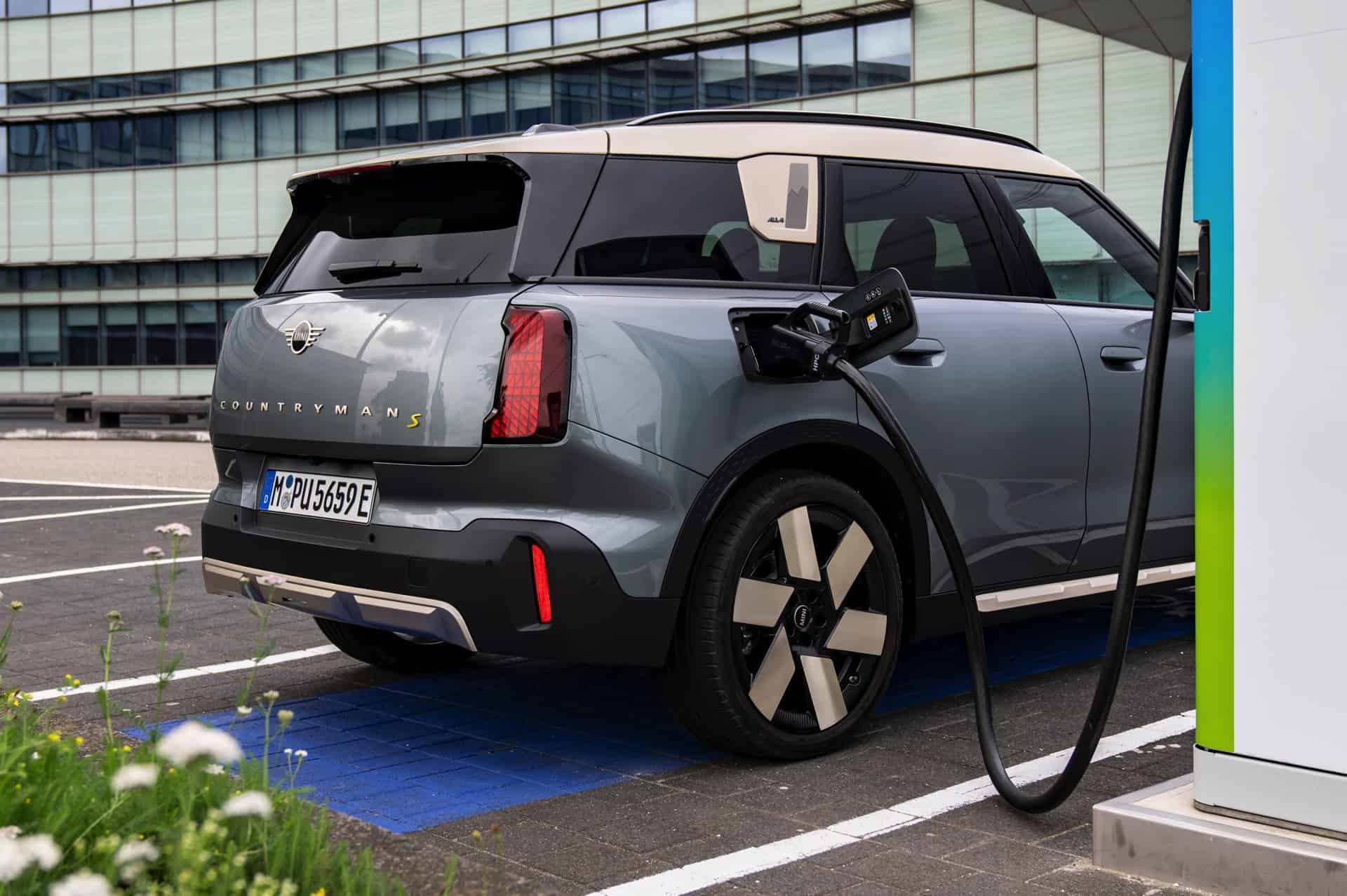
First, confirm your MINI is actually compatible. This part is strict. MINI’s compatibility list breaks down like this:
- the MINI Countryman SE is compatible with NACS Partner Tesla Superchargers
- the MINI SE Hardtop is limited to Magic Dock-equipped Tesla locations
- MINI PHEVs are not compatible with Tesla Superchargers at all.
That matters because Tesla operates three types of Superchargers, and only two of them are relevant to a MINI:
- NACS Superchargers: these require a compatible NACS adapter if your MINI has a CCS port.
- Magic Dock Superchargers: these have a built-in CCS solution and can allow direct charging without you bringing an adapter.
- Tesla-only Superchargers: older or restricted sites that remain Tesla-exclusive.
A simple rule saves you frustration: if you’re sitting in front of a Supercharger and it doesn’t show up in your MINI App or your in-car navigation, treat it as a Tesla-only site for your vehicle. MINI’s map/app is effectively your compatibility filter.
What You Need Before You Try Charging

If you own a MINI Countryman SE ALL4 with a CCS port, charging at NACS stations is possible using an approved NACS-to-CCS DC adapter. MINI has approved the Lectron Vortex Plus for this job, and that approval is the key difference between “a random third-party dongle” and an accessory MINI is comfortable endorsing for high-power DC use.
The practical checklist is short:
- A compatible MINI (Countryman SE for NACS Partner access; SE Hardtop for Magic Dock only)
- The NACS RSU software enablement (version 25-11-530)
- The Lectron Vortex Plus (or the MINI-approved Lectron NACS-to-CCS DC adapter for Countryman models with CCS)
- The MINI App set up with Shell Recharge so billing and charge history work correctly
MINI also notes the rollout timing: the NACS RSU is expected to begin rolling out December 1, and if you haven’t received it yet, you should verify eligibility and make sure your vehicle’s software is up to date. Even after rollout begins, the update can take a few days to reach your car.
How To Enable Tesla Supercharger Access in the MINI App

This is the step many people miss, and it’s the one that makes Tesla stations appear correctly in your routing and search results.
- Open the MINI App and go to: Charging → Adapters → Add Adapter → select “NACS (DC)”
Once you do that, the MINI App and the vehicle will enable NACS stations in search results and navigation routing. Stations that require an adapter will be clearly flagged as “Adapter Required” when you select them, and you’ll also be able to filter charging stations by connector type for trip planning.
How To Use the Lectron Vortex Plus at a NACS Charging Station
Once the adapter is enabled in the app and you’re at a compatible NACS station, the physical process is straightforward—but the “feel” of the connection matters.
- Remove the charging cable from the station and attach your adapter to the connector. Press down firmly until it engages.
- Connect the charging cable + adapter assembly to your MINI’s charging socket.
Watch the vehicle’s charging indicator:
- Orange means it’s waiting for charging initialization.
- Charging may take up to 1 minute to initiate.
- When charging starts, the light will flash blue to show charging is in progress.
Disconnecting Correctly
To disconnect safely and cleanly, MINI’s order matters:
- Stop the charging session first, either in the app or using the stop button next to your charging socket.
- Press the upper release button on the adapter and disconnect the charging cable together with the adapter.
- Then press the lower release button on the adapter and remove it from the charging cable.
Plug & Charge vs Starting in the App
If your MINI supports Plug & Charge—factory-equipped or retrofitted—you can simply plug in and charging should start automatically.
If charging doesn’t start via Plug & Charge, MINI’s guidance is to start the charge using the MINI App instead. If that still doesn’t work, assume the stall may be the issue and move to another charger.
What About Non-Tesla Networks with NACS plugs?
This isn’t only about Superchargers. NACS (North American Charging System) is Tesla’s connector standard, and charging networks such as IONNA, EVgo, and ChargePoint are beginning to support NACS connectors as well, expanding charging options beyond Tesla’s own sites. For Countryman SE ALL4 models with CCS ports, the approved NACS-to-CCS DC adapter is the bridge to those NACS-equipped stations too.
Charging Speed, Pricing, and the One Fee That Can Surprise You
Tesla Superchargers commonly advertise DC fast charging around 250 kW, but MINI is clear that your vehicle determines the actual charging speed based on state of charge, outside temperature, and battery temperature. In other words, the charger can offer the capability, but your MINI controls what it takes. The 2025 MINI Countryman SE ALL4 has a fast charging capability of 130 kW.
On pricing, MINI’s integration follows Tesla’s standard pricing model, but you don’t need a separate Tesla membership. Billing is handled through your MINI Shell Recharge account once it’s set up, and charges will appear under Charge History in your Shell Recharge Account Center in the MINI app. Pricing varies by location, time of day, and demand.
The big thing to know up front is Tesla’s Congestion Fees at busy stations. MINI warns that if you’re over 80% state of charge while the site is more than 90% occupied, Tesla may apply a per-minute fee if you continue charging beyond 80%. You get a five-minute grace period to unplug and leave before fees apply.
Quick Troubleshooting If It Won’t Start
Most failures come down to initiation or connection. MINI’s checklist is basically: try the simplest fixes first.
Make sure the adapter is seated properly—you should hear a click when attaching it and a locking noise when plugging into your vehicle. Keep the adapter and charging port clean and free of debris, and don’t use a connector that’s visibly damaged. If problems persist, MINI customer support is 1-800-831-1117.
