
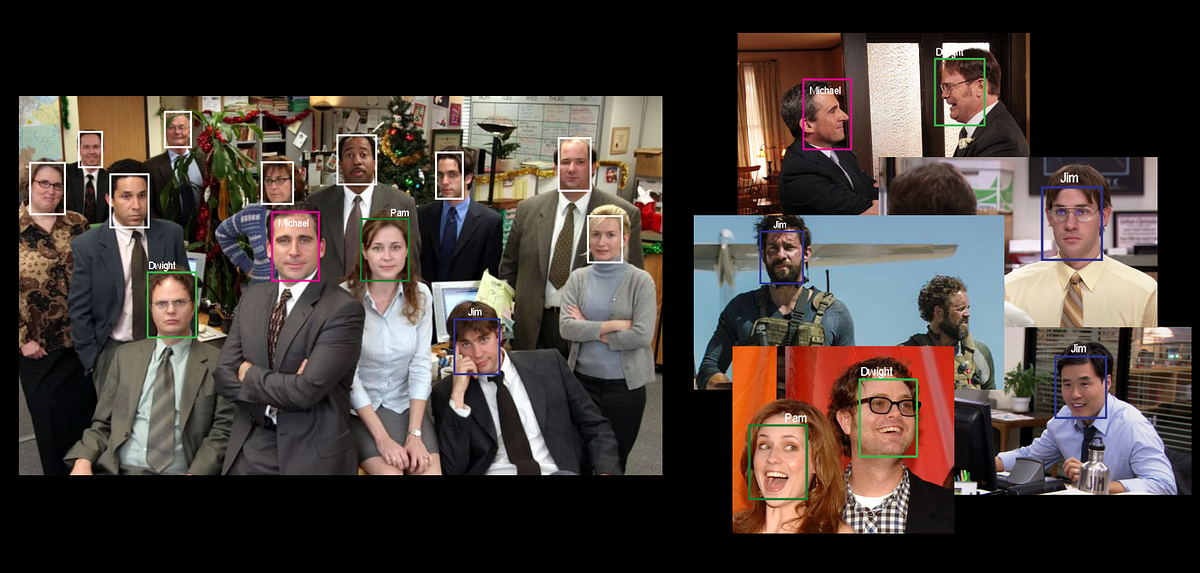

In this entry (Part 1) we’ll introduce the basic concepts for face recognition and search, and implement a basic working solution purely in Python. At the end of the article you will be able to run arbitrary face search on the fly, locally on your own images.
In Part 2 we’ll scale the learning of Part 1, by using a vector database to optimize interfacing and querying.
Face matching, embeddings and similarity metrics.
The goal: find all instances of a given query face within a pool of images.
Instead of limiting the search to exact matches only, we can relax the criteria by sorting results based on similarity. The higher the similarity score, the more likely the result to be a match. We can then pick only the top N results or filter by those with a similarity score above a certain threshold.
To sort results, we need a similarity score for each pair of faces (where Q is the query face and T is the target face). While a basic approach might involve a pixel-by-pixel comparison of cropped face images, a more powerful and effective method uses embeddings.
An embedding is a learned representation of some input in the form of a list of real-value numbers (a N-dimensional vector). This vector should capture the most essential features of the input, while ignoring superfluous aspect; an embedding is a distilled and compacted representation.
Machine-learning models are trained to learn such representations and can then generate embeddings for newly seen inputs. Quality and usefulness of embeddings for a use-case hinge on the quality of the embedding model, and the criteria used to train it.
In our case, we want a model that has been trained to maximize face identity matching: photos of the same person should match and have very close representations, while the more faces identities differ, the more different (or distant) the related embeddings should be. We want irrelevant details such as lighting, face orientation, face expression to be ignored.
Once we have embeddings, we can compare them using well-known distance metrics like cosine similarity or Euclidean distance. These metrics measure how “close” two vectors are in the vector space. If the vector space is well structured (i.e., the embedding model is effective), this will be equivalent to know how similar two faces are. With this we can then sort all results and select the most likely matches.
Implement and Run Face Search
Let’s jump on the implementation of our local face search. As a requirement you will need a Python environment (version ≥3.10) and a basic understanding on the Python language.
For our use-case we will also rely on the popular Insightface library, which on top of many face-related utilities, also offers face embeddings (aka recognition) models. This library choice is just to simplify the process, as it takes care of downloading, initializing and running the necessary models. You can also go directly for the provided ONNX models, for which you’ll have to write some boilerplate/wrapper code.
First step is to install the required libraries (we advise to use a virtual environment).
pip install numpy==1.26.4 pillow==10.4.0 insightface==0.7.3
The following is the script you can use to run a face search. We commented all relevant bits. It can be run in the command-line by passing the required arguments. For example
python run_face_search.py -q "./query.png" -t "./face_search"
The query arg should point to the image containing the query face, while the target arg should point to the directory containing the images to search from. Additionally, you can control the similarity-threshold to account for a match, and the minimum resolution required for a face to be considered.
The script loads the query face, computes its embedding and then proceeds to load all images in the target directory and compute embeddings for all found faces. Cosine similarity is then used to compare each found face with the query face. A match is recorded if the similarity score is greater than the provided threshold. At the end the list of matches is printed, each with the original image path, the similarity score and the location of the face in the image (that is, the face bounding box coordinates). You can edit this script to process such output as needed.
Similarity values (and so the threshold) will be very dependent on the embeddings used and nature of the data. In our case, for example, many correct matches can be found around the 0.5 similarity value. One will always need to compromise between precision (match returned are correct; increases with higher threshold) and recall (all expected matches are returned; increases with lower threshold).
What’s Next?
And that’s it! That’s all you need to run a basic face search locally. It is quite accurate, and can be run on the fly, but it doesn’t provide optimal performances. Searching from a large set of images will be slow and, more important, all embeddings will be recomputed for every query. In the next post we will improve on this setup and scale the approach by using a vector database.
