


If you’re traveling for the FIFA World Cup 2026 and don’t want to misplace your precious items, UGREEN—a known maker of accessories and, in recent years, NAS servers—today announced the US availability of a product that’s potentially your perfect companion: the FineTrack 2.
As the name suggests, the it is an alternative to Apple’s AirTags. Attach it to an item, such as your luggage, your keychain, or your peace prize medal, and you can track it worldwide via Apple’s Find My network.

FineTrack 2: A little soccer ball with a long battery life
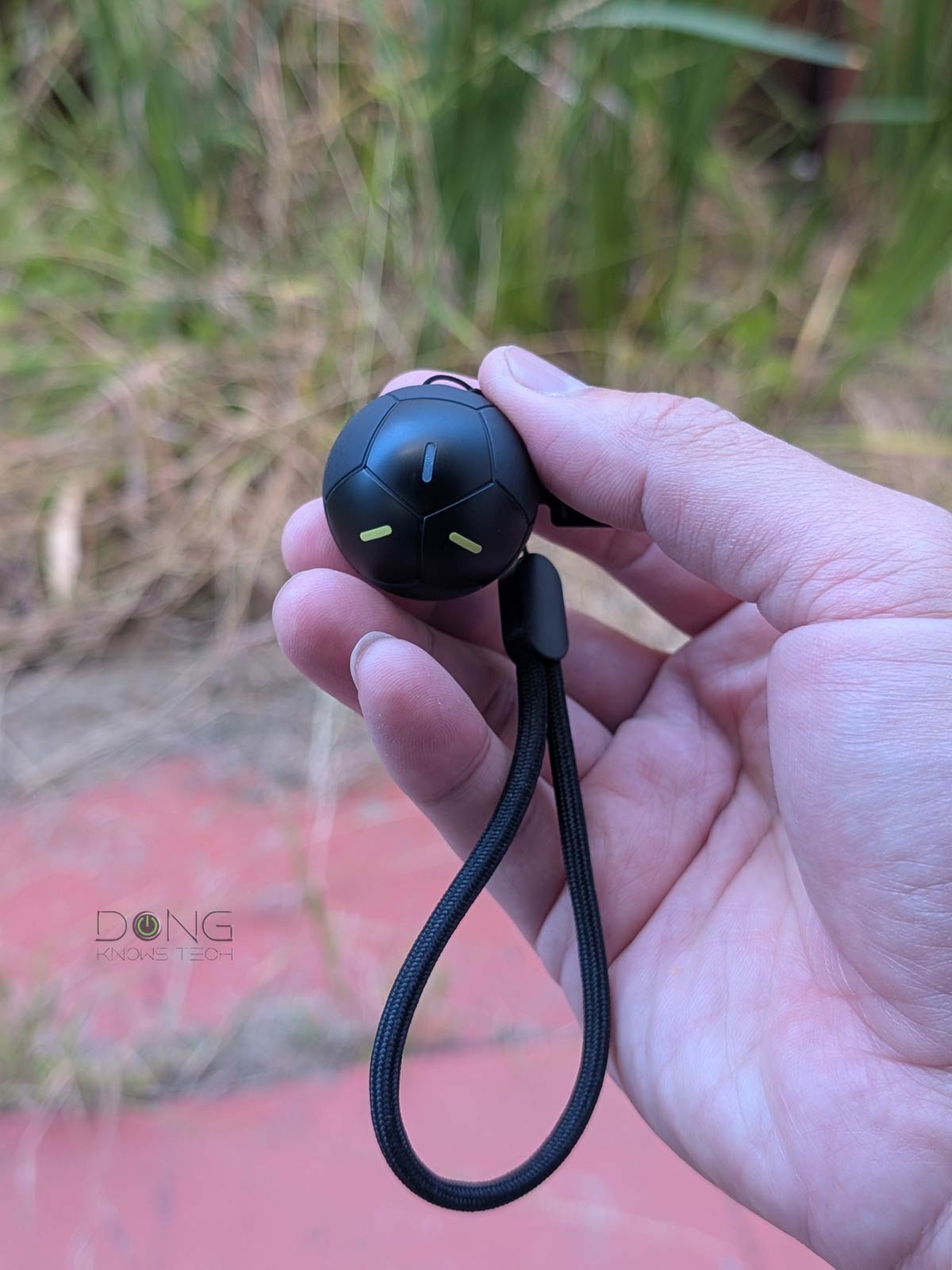
What sets the FineTrack 2 apart from other tracking devices, including UGREEN’s other trackers, is its shape: a soccer ball measuring roughly 1.34 in (34 mm) in diameter and weighing just 0.8 oz (24 grams).
While those measurements mean the FineTrack 2 is quite small, even tiny, it’s comparatively bulky for a tracker due to the sphere shape. But that might just be the point—looking unlike any tracker, it can hide in plain sight.
In any case, the little ball feels solid in the hand, and its black casing features fluorescent stripes that glow in the dark for easy spotting, along with a little white light that flashes in the time of need.
UGREEN says the device features IP68 ruggedness, meaning it is dust-tight and water-resistant. Inside, it has a built-in, single-use battery with “5–7 years of battery life”, plus a 110dB beeping alarm to help you locate it when activated.
The FineTrack 2 comes with a replaceable lanyard out of the box, ready to attach to any item. It’s small enough to hide in luggage, but given its shape and the upcoming FIFA World Cup, you might want to have it dangling outside as a sign of the times or as a deco piece.
Apple-only, straightforward to use
It’s worth noting that the FineTrack 2 is compatible only with the iOS ecosystem and will not work with Google’s Android-based FindHub, making it less flexible.
Other than that, the FineTrack 2 proved straightforward to use in my trial. Here are the quick steps to pair it with an iCloud account:
- Bring it close to your iOS device, then turn it on by holding down the UGREEN logo on its body for a few seconds.
- On the iOS device, make sure Bluetooth is turned on, open the Find My app, and select the plus (+) sign to add another item.
And that’s it. Within a few seconds, the tracker will beep to show it’s paired. You can then pick a name and an icon for it.
After that, it’ll remain on for the rest of its battery life and work like any tracker, such as Apple’s own AirTags. Within the Find My app, you can view its location on a world map, zoom in to see its precise corndindates, make it play sound to locate it, etc.

I tried the FineTrack 2 for a couple of days, and it worked well as intended, just like any other Apple-based tracker.
While the long battery life will take time to determine, the loud beeps, the fluorescent stripes, and the flashing white light made locating it a non-issue. Additionally, the soccer-ball shape will surely make you look like a real soccer fan and ensure it remains a fun toy even when its battery eventually runs out.
Pros
Easy to set up and effective with a loud alarm and fluorescent stripes for easy spotting in the dark
Long battery life (per vendor’s claim)
Cool, rugged, toy-like design
Cons
iOS-only, no Android support
Comparatively bulky for a traditional tracker
Single-use non-replaceable battery
Availability and pricing
UGREEN says the FineTrack 2 is now available at a suggested retail price of $19.99 per unit. The tracker is part of the UGREEN Game Day Kit, released ahead of the FIFA World Cup 2026.
The kits also include a more compact and discreet tracker with similar battery life and functionality, the FineTrack Mini 2 ($45.99 for a 4-pack), and the Nexode Power Bank 10000mAh 55W ($54.99).
You can get all three, but among those, only the FineTrack 2 would be a good conversation starter.
